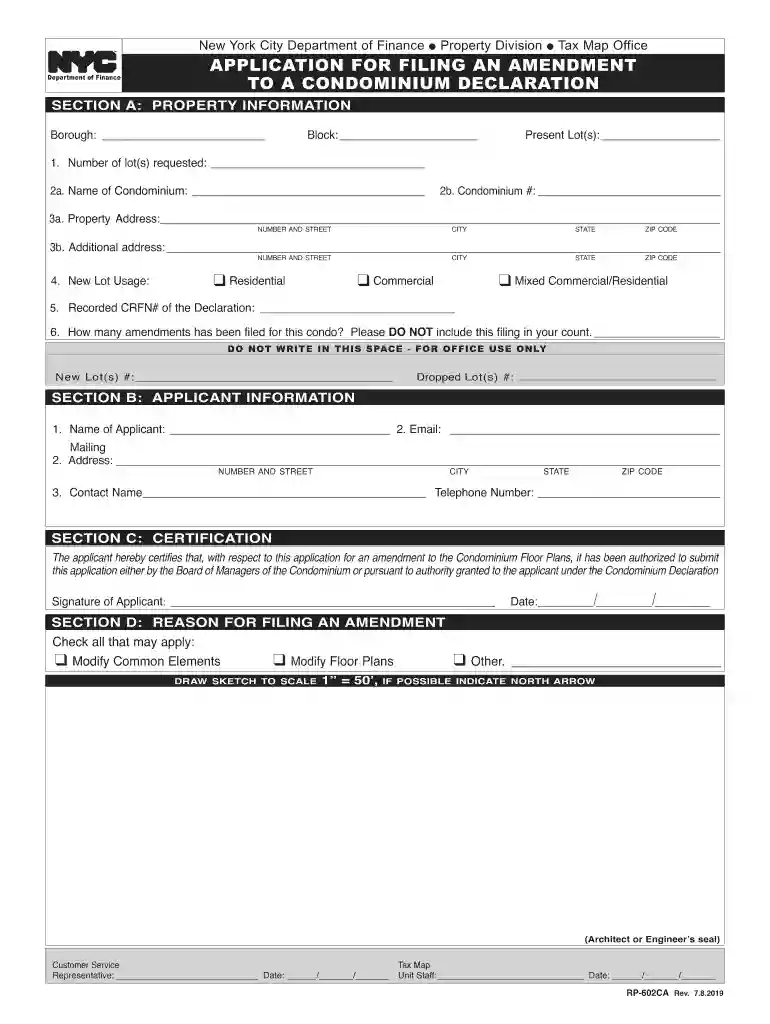
condo declaration Preview on Page 1

Filing condominium 2026

Here's how it works

  • 01. Edit your condo declaration online

    Type text, add images, blackout confidential details, add comments, highlights and more.

  • 02. Sign it in a few clicks

    Draw your signature, type it, upload its image, or use your mobile device as a signature pad.

  • 03. Share your form with others

    Send it via email, link, or fax. You can also download it, export it or print it out.

How to use or fill out filing condominium with our platform

Form edit decoration
9.5
Ease of Setup
DocHub User Ratings on G2
9.0
Ease of Use
DocHub User Ratings on G2
  1. Click ‘Get Form’ to open the filing condominium application in the editor.
  2. Begin with SECTION A: PROPERTY INFORMATION. Fill in the borough, block, and present lot(s) details. Specify the number of lots requested and provide the name and number of the condominium.
  3. Complete the property address fields, ensuring accuracy for city, state, and zip code. Indicate new lot usage by checking the appropriate box (Residential, Commercial, or Mixed).
  4. In SECTION B: APPLICANT INFORMATION, enter your name, email, mailing address, contact name, and telephone number.
  5. For SECTION C: CERTIFICATION, sign to certify authorization for submitting this application.
  6. In SECTION D: REASON FOR FILING AN AMENDMENT, check all applicable reasons for filing an amendment and provide a sketch if necessary.
  7. Review all sections for completeness before submitting your application package as outlined in the instructions.

Start filling out your filing condominium application today on our platform for free!

See more condo declaration versions

We've got more versions of the condo declaration form. Select the right condo declaration version from the list and start editing it straight away!

VersionsForm popularityFillable & printable
20224.4 Satisfied (52 Votes)
20194.8 Satisfied (131 Votes)
20174.4 Satisfied (170 Votes)
20164 Satisfied (70 Votes)
20124.4 Satisfied (185 Votes)

be ready to get more

Complete this form in 5 minutes or less

Security and compliance

At DocHub, your data security is our priority. We follow HIPAA, SOC2, GDPR, and other standards, so you can work on your documents with confidence.

Related links

How do I submit a condominium project to HUD for approval

Dec 17, 2025 HRAP submissions may be submitted as a PDF file of the package via email to the FHA Resource Center at answers@hud.gov. The email Subject LineRead more

Learn more
Fla. Admin. Code Ann. R. 61B-17.002 - Procedure for Filing

Each filing shall be submitted in an expandable file folder approximately 14-3/4 by 9-1/2 in size. Filing statements and the Filing Checklist described inRead more

Learn more
If you believe that this page should be taken down, please follow our DMCA take down process here