Education trust 2026

Get Form
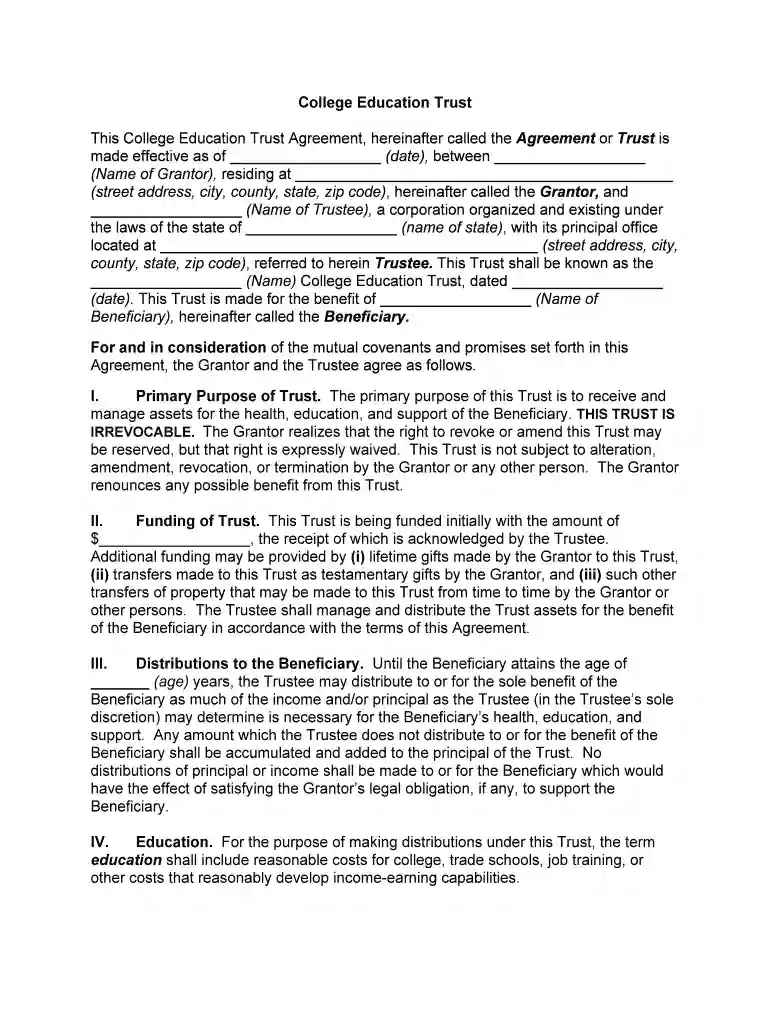
educational trust form Preview on Page 1

Here's how it works

01. Edit your educational trust form online
Type text, add images, blackout confidential details, add comments, highlights and more.

02. Sign it in a few clicks
Draw your signature, type it, upload its image, or use your mobile device as a signature pad.

03. Share your form with others
Send educational trust name list pdf via email, link, or fax. You can also download it, export it or print it out.

How to use or fill out education trust with our platform

Form edit decoration
9.5
Ease of Setup
DocHub User Ratings on G2
9.0
Ease of Use
DocHub User Ratings on G2
  1. Click ‘Get Form’ to open the College Education Trust Agreement in the editor.
  2. Begin by entering the effective date of the agreement in the designated field. This is crucial for establishing when the trust becomes active.
  3. Fill in the name and address of the Grantor, who is responsible for creating the trust. Ensure all details are accurate to avoid future complications.
  4. Next, input the name of the Trustee and their corporate details. This person or entity will manage the trust according to its terms.
  5. Specify the name of the Beneficiary, who will benefit from this trust. This section is vital as it determines who receives support from the trust.
  6. In Section I, outline the primary purpose of the trust, emphasizing that it is irrevocable and cannot be altered once established.
  7. Proceed to Section II to indicate how much initial funding is being provided to start the trust. Additional funding sources can also be noted here.
  8. Complete Sections III through X by detailing distribution rules, educational expenses covered, and any limitations on powers granted to ensure clarity on how funds will be managed.

Start using our platform today for free to easily fill out your College Education Trust Agreement!

be ready to get more

Complete this form in 5 minutes or less

Get form

Got questions?

We have answers to the most popular questions from our customers. If you can't find an answer to your question, please contact us.
Contact us

You should use only reliable software solutions with strong security compliance to sign your documents electronically. DocHub is just the type of service you need! It stores data on Amazon Web Servers and complies with all necessary security standards and eSignature laws, so it’s a reliable way to eSign your american educational trust or other documents using this tool.

If you are looking for a state-specific educational trust sample sample, you will find it in our DocHub Forms & Templates catalog. Use the search field, enter your form’s name, and search through the results for your state. You may also filter out irrelevant results while exploring our catalog by categories.

Security and compliance

At DocHub, your data security is our priority. We follow HIPAA, SOC2, GDPR, and other standards, so you can work on your documents with confidence.

Learn more
ccpa2
pci-dss
gdpr-compliance
hipaa
soc-compliance