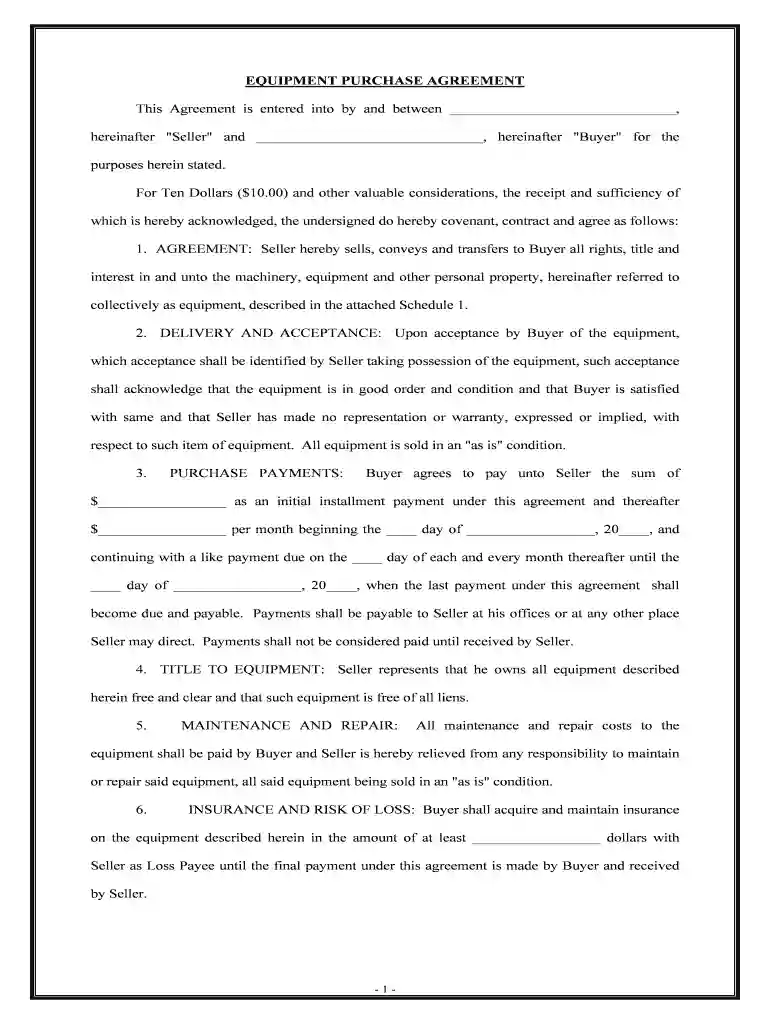
Printable purchase agreement form 2026

Get Form
printable contract forms Preview on Page 1

Here's how it works

01. Edit your printable contract forms online
Type text, add images, blackout confidential details, add comments, highlights and more.

02. Sign it in a few clicks
Draw your signature, type it, upload its image, or use your mobile device as a signature pad.

03. Share your form with others
Send it via email, link, or fax. You can also download it, export it or print it out.

How to use or fill out printable purchase agreement form with DocHub

Form edit decoration
9.5
Ease of Setup
DocHub User Ratings on G2
9.0
Ease of Use
DocHub User Ratings on G2
  1. Click ‘Get Form’ to open the printable purchase agreement form in our editor.
  2. Begin by filling in the Seller and Buyer information at the top of the form. Ensure that both parties' names are clearly stated.
  3. In the 'AGREEMENT' section, review and confirm the description of the equipment listed in Schedule 1. Make any necessary edits directly in the document.
  4. Proceed to 'PURCHASE PAYMENTS' where you will enter the initial installment amount and monthly payment details. Be sure to specify dates for payments.
  5. Complete sections on 'INSURANCE AND RISK OF LOSS' and 'TAXES AND LICENSES' by entering required amounts and responsibilities.
  6. Finally, sign and date the document at the bottom. You can easily add your signature using our platform's signing feature.

Start using our platform today to fill out your purchase agreement form quickly and efficiently!

be ready to get more

Complete this form in 5 minutes or less

Get form

Got questions?

We have answers to the most popular questions from our customers. If you can't find an answer to your question, please contact us.
Contact us
A basic purchase agreement should include the following: Name and contact information for buyer and seller. The address of the property being sold. The price to be paid for the property. The date of transfer. Disclosures. Contingencies. Signatures.
Answer: When buying or selling a home, you may wonder does a real estate purchase agreement need to be docHubd. The answer is that real estate purchase agreements do not need to be docHubd or witnessed in order to be legally binding.
Some states, like California, have created real estate purchase agreements you can download and change. You can also get a template from docHub, as well as benefiting from real estate contract management software functionality.
In summary, both real estate agents and attorneys play vital roles in filling out a purchase agreement. Agents handle the initial stages and use standard forms, while attorneys provide legal advice and ensure compliance with state laws. This collaborative approach ensures a smooth and legally sound transaction process.
A short form agreement (APA) for the sale and purchase of a business and assets as a going concern, involving a corporate buyer and seller and a simultaneous exchange and completion.

Security and compliance

At DocHub, your data security is our priority. We follow HIPAA, SOC2, GDPR, and other standards, so you can work on your documents with confidence.

Learn more
ccpa2
pci-dss
gdpr-compliance
hipaa
soc-compliance
be ready to get more

Complete this form in 5 minutes or less

Get form

People also ask

Yes, you can absolutely write your own purchase agreement! But starting from scratch can be time-consuming and can get complicated quickly with legal language, required clauses, regional regulations, etc. The good news is that you dont have to start from ground zero.

Related links