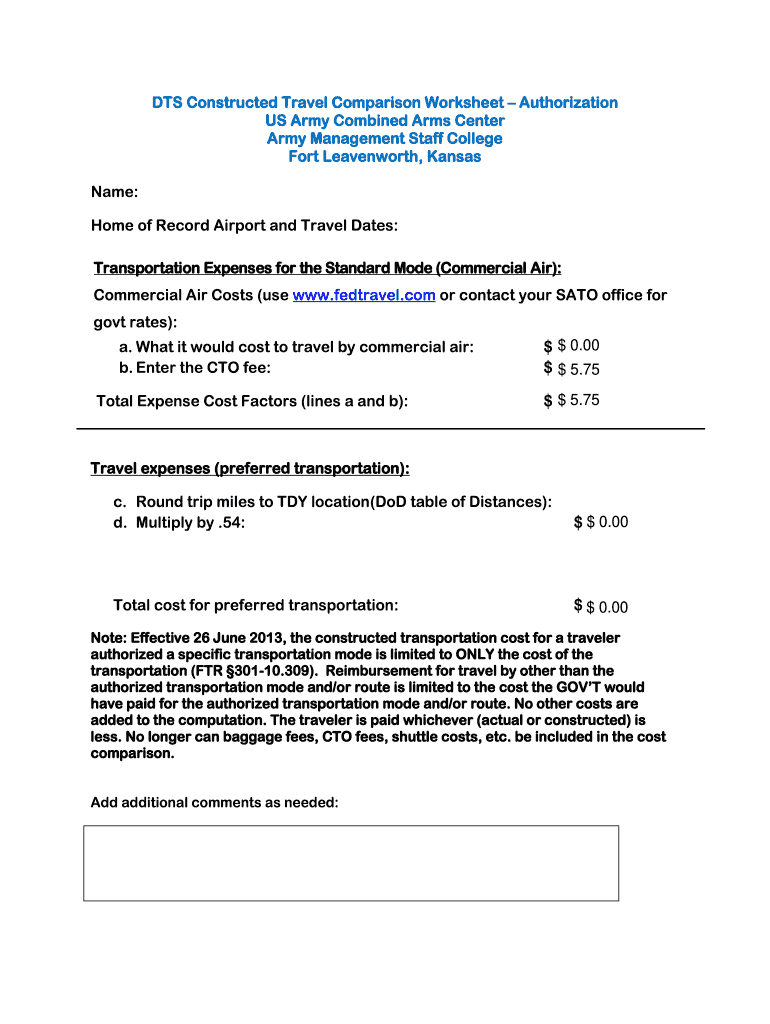
Constructed travel worksheet 2025

Get Form
fillable constructed travel worksheet Preview on Page 1

Here's how it works

01. Edit your fillable constructed travel worksheet online
Type text, add images, blackout confidential details, add comments, highlights and more.
02. Sign it in a few clicks
Draw your signature, type it, upload its image, or use your mobile device as a signature pad.
03. Share your form with others
Send constructed travel worksheet via email, link, or fax. You can also download it, export it or print it out.

How to use or fill out constructed travel worksheet with our platform

Form edit decoration
9.5
Ease of Setup
DocHub User Ratings on G2
9.0
Ease of Use
DocHub User Ratings on G2
  1. Click ‘Get Form’ to open the constructed travel worksheet in the editor.
  2. Begin by entering your name in the designated field at the top of the form. This personalizes your worksheet and ensures proper identification.
  3. Fill in your Home of Record Airport and Travel Dates. Accurate information here is crucial for calculating transportation expenses.
  4. For Transportation Expenses, input the costs for commercial air travel. Use www.fedtravel.com or contact your SATO office for government rates. Enter these values in lines a and b.
  5. Calculate the Total Expense Cost Factors by summing up the amounts from lines a and b, ensuring you have an accurate total.
  6. Next, provide details for preferred transportation by entering round trip miles to TDY location based on the DoD table of Distances, then multiply this figure by .54 to determine costs.
  7. Finally, review all entries for accuracy and add any additional comments as needed before saving or sharing your completed worksheet.

Start using our platform today to streamline your document editing and make filling out forms easier than ever!

be ready to get more

Complete this form in 5 minutes or less

Get form

Got questions?

We have answers to the most popular questions from our customers. If you can't find an answer to your question, please contact us.
Contact us
Navigate to the Pre-Audit Trip screen of your active travel document and select Constructed Travel Worksheet (Figure 2, indicator #1). A new screen opens. b. Select either CTW link for an authorization or for a voucher.
For trips 401 miles or more one-way, travelers will need to attach a CTW to the DTS authorization according to the current process.
A Constructed Travel Worksheet (CTW) is used to determine whether to limit a travelers transportation reimbursement to the directed transportation cost if the traveler chose to use a different mode of travel from what was directed.
If the traveler is traveling a distance of 400 miles or less one-way, or 800 miles or less round trip, they can typically use their personal vehicle for official travel without needing to demonstrate that its the most cost-effective option compared to other transportation methods like rental cars or commercial flights