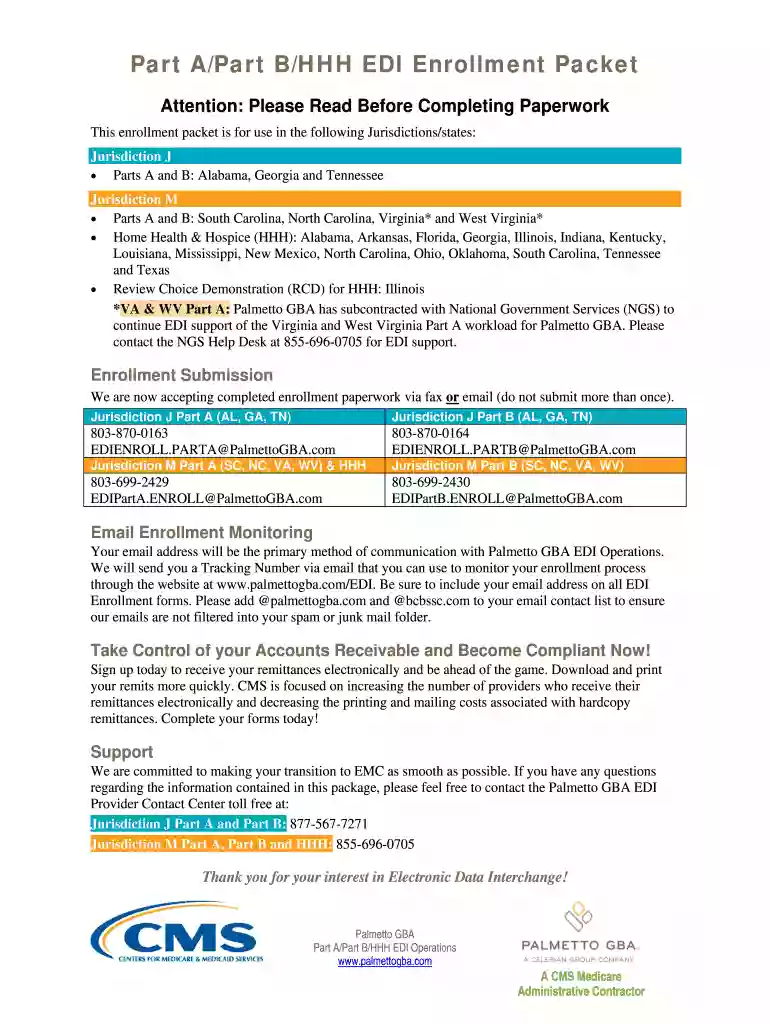
Edi enrollment agreement 2026

Get Form
ngs edi enrollment status Preview on Page 1

Here's how it works

01. Edit your ngs edi enrollment status online
Type text, add images, blackout confidential details, add comments, highlights and more.

02. Sign it in a few clicks
Draw your signature, type it, upload its image, or use your mobile device as a signature pad.

03. Share your form with others
Send edi form via email, link, or fax. You can also download it, export it or print it out.

How to use or fill out edi enrollment agreement with our platform

Form edit decoration
9.5
Ease of Setup
DocHub User Ratings on G2
9.0
Ease of Use
DocHub User Ratings on G2
  1. Click ‘Get Form’ to open the EDI Enrollment Agreement in the editor.
  2. Begin by filling out the 'Provider Information' section. Enter your Medicare Provider Number and National Provider Identifier (NPI) as required.
  3. In the 'Action Requested' section, select the appropriate options for your submission, such as adding providers or requesting a new Submitter ID.
  4. Complete the 'Contact Information' fields, ensuring that all details are accurate. This includes your email address, which will be used for communication regarding your enrollment status.
  5. Review all entries for accuracy before signing. Ensure that an authorized individual signs the form to validate it.
  6. Once completed, submit the form via fax or email using the provided contact information specific to your jurisdiction.

Start using our platform today to streamline your EDI Enrollment Agreement process!

See more edi enrollment agreement versions

We've got more versions of the edi enrollment agreement form. Select the right edi enrollment agreement version from the list and start editing it straight away!
Versions Form popularity Fillable & printable
2020 4.9 Satisfied (53 Votes)
2019 4.1 Satisfied (51 Votes)
2018 4.4 Satisfied (55 Votes)
2016 4.4 Satisfied (158 Votes)
be ready to get more

Complete this form in 5 minutes or less

Get form

Got questions?

We have answers to the most popular questions from our customers. If you can't find an answer to your question, please contact us.
Contact us
The enrollment agreement is the contract signed between the student and the. institution. The agreement specifies the conditions under which the school will. provide instruction to the student. It also specifies all costs a student must pay in.
Here are some important tips to keep in mind once you have submitted an EDI Enrollment form: Please allow 10 business days before contacting EDI Services for a status of an electronic billing form sent for processing. Use the Form Status and Verification tool to check the status of your form.
Electronic Data Interchange (EDI) is an innovative digital communication tool that is used to deliver data from a provider to a payer. In order to be eligible to submit electronic claims to an insurance company, providers must complete EDI enrollment.
EDI is the electronic exchange of business documents between trading partners. Instead of using traditional methods such as paper, fax, and e-mail, EDI allows for the secure, automated exchange of vital information such as purchase orders (PO) and invoices between businesses.
The Payer ID or EDI is a unique ID assigned to each insurance company. It allows provider and payer systems to talk to one another to verify eligibility, benefits and submit claims. The payer ID is generally five characters, but it may be longer. It may also be alpha, numeric, or a combination.

Security and compliance

At DocHub, your data security is our priority. We follow HIPAA, SOC2, GDPR, and other standards, so you can work on your documents with confidence.

Learn more
ccpa2
pci-dss
gdpr-compliance
hipaa
soc-compliance
be ready to get more

Complete this form in 5 minutes or less

Get form