




Here's how it works

01. Edit your heartland id online
Type text, add images, blackout confidential details, add comments, highlights and more.

02. Sign it in a few clicks
Draw your signature, type it, upload its image, or use your mobile device as a signature pad.

03. Share your form with others
Send credit customer via email, link, or fax. You can also download it, export it or print it out.
How to use or fill out (For Equipment Financing Only) with our platform

- Click ‘Get Form’ to open it in the editor.
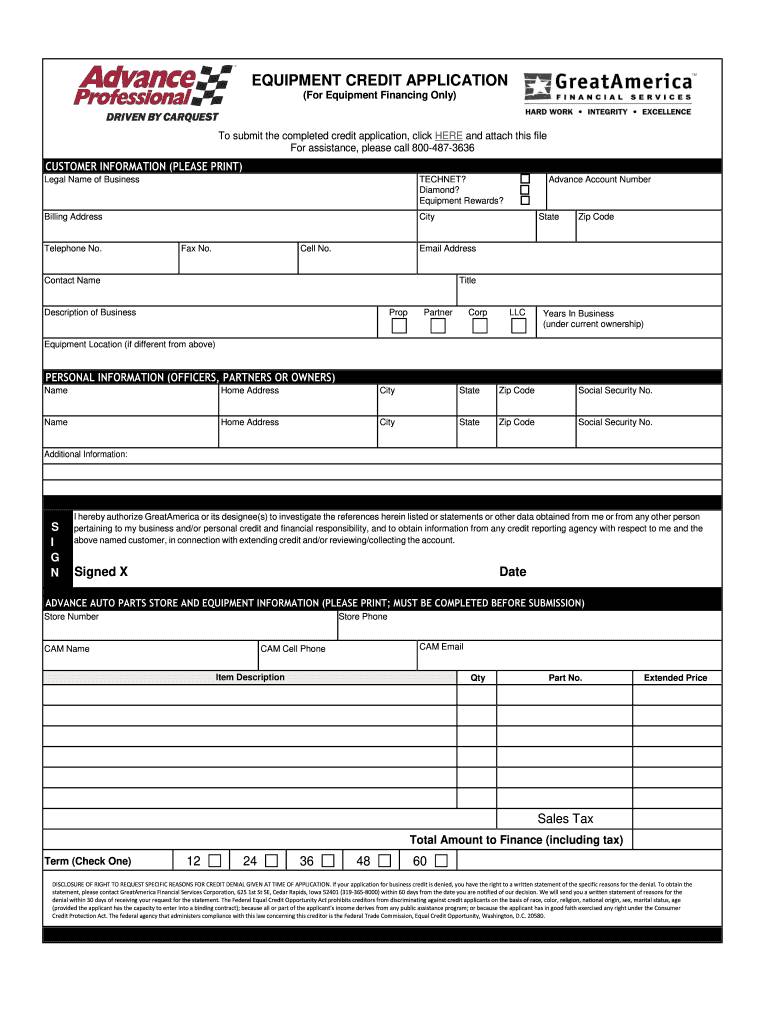
- Begin by filling out the CUSTOMER INFORMATION section. Enter your legal business name, billing address, and contact details including telephone and email. Ensure all fields are completed accurately.
- In the PERSONAL INFORMATION section, provide details for each officer, partner, or owner. This includes their names, home addresses, and Social Security numbers. Make sure to double-check for accuracy.
- Complete the ADVANCE AUTO PARTS STORE AND EQUIPMENT INFORMATION section. Fill in the store number, store phone, and CAM details. List the item description along with quantity and part number.
- Specify the total amount to finance including tax and select your desired term from the options provided (12, 24, 36, 48, or 60 months).
- Finally, review all information for completeness before signing at the bottom of the form. Ensure you date your signature as well.
Start using our platform today to complete your Equipment Financing application effortlessly!
Fill out (For Equipment Financing Only) online
It's free
It's free
Security and compliance
At DocHub, your data security is our priority. We follow HIPAA, SOC2, GDPR, and other standards, so you can work on your documents with confidence.
Learn more




