




Here's how it works

01. Edit your tc 201 instructions online
Type text, add images, blackout confidential details, add comments, highlights and more.

02. Sign it in a few clicks
Draw your signature, type it, upload its image, or use your mobile device as a signature pad.

03. Share your form with others
Send it via email, link, or fax. You can also download it, export it or print it out.
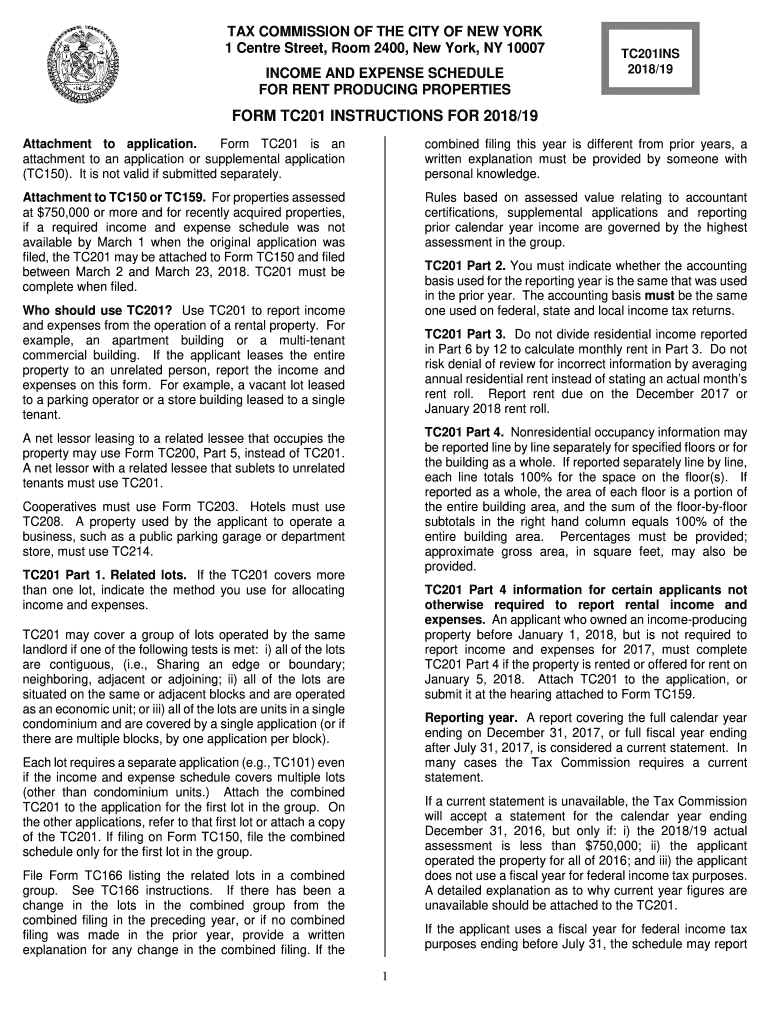
How to use or fill out tc201 2018-2019 form with our platform

- Click ‘Get Form’ to open the TC201 2018-2019 form in the editor.
- Begin by filling out the property identification section, including borough, block, and lot numbers. Ensure all relevant lots are listed.
- In Part 2, indicate your current year reporting period and select your accounting basis (cash or accrual). Confirm if this has changed from the prior year.
- Proceed to Part 3 for residential occupancy details. Enter the number of units and monthly rent for each type of occupancy, ensuring all recurring charges are included.
- In Part 4, report nonresidential occupancy information by specifying percentages for each floor. Make sure totals equal 100%.
- Complete Parts 6 and 7 by accurately reporting all income and expenses related to the property. Itemize as required to avoid disqualification.
- Review your entries for accuracy before submitting. Use our platform's features to save and share your completed form easily.
Start using our platform today to streamline your TC201 form completion for free!
Fill out tc201 2018-2019 form online
It's free
It's free
See more tc201 2018-2019 form versions
We've got more versions of the tc201 2018-2019 form form. Select the right tc201 2018-2019 form version from the list and start editing it straight away!
| Versions | Form popularity | Fillable & printable |
|---|---|---|
| 2025 | 4.2 Satisfied (49 Votes) | |
| 2024 | 4.7 Satisfied (42 Votes) | |
| 2023 | 4.8 Satisfied (53 Votes) | |
| 2022 | 4.8 Satisfied (32 Votes) | |
| 2021 | 4 Satisfied (67 Votes) | |
| 2020 | 4.3 Satisfied (84 Votes) | |
| 2019 | 4.2 Satisfied (41 Votes) | |
| 2018 | 4.3 Satisfied (114 Votes) | |
| 2016 | 4.3 Satisfied (50 Votes) | |
| 2013 | 4.4 Satisfied (461 Votes) |
Security and compliance
At DocHub, your data security is our priority. We follow HIPAA, SOC2, GDPR, and other standards, so you can work on your documents with confidence.
Learn more


