




01. Edit your form 8109 pdf online
Type text, add images, blackout confidential details, add comments, highlights and more.

Type text, add images, blackout confidential details, add comments, highlights and more.

Draw your signature, type it, upload its image, or use your mobile device as a signature pad.

Send form 8109 via email, link, or fax. You can also download it, export it or print it out.
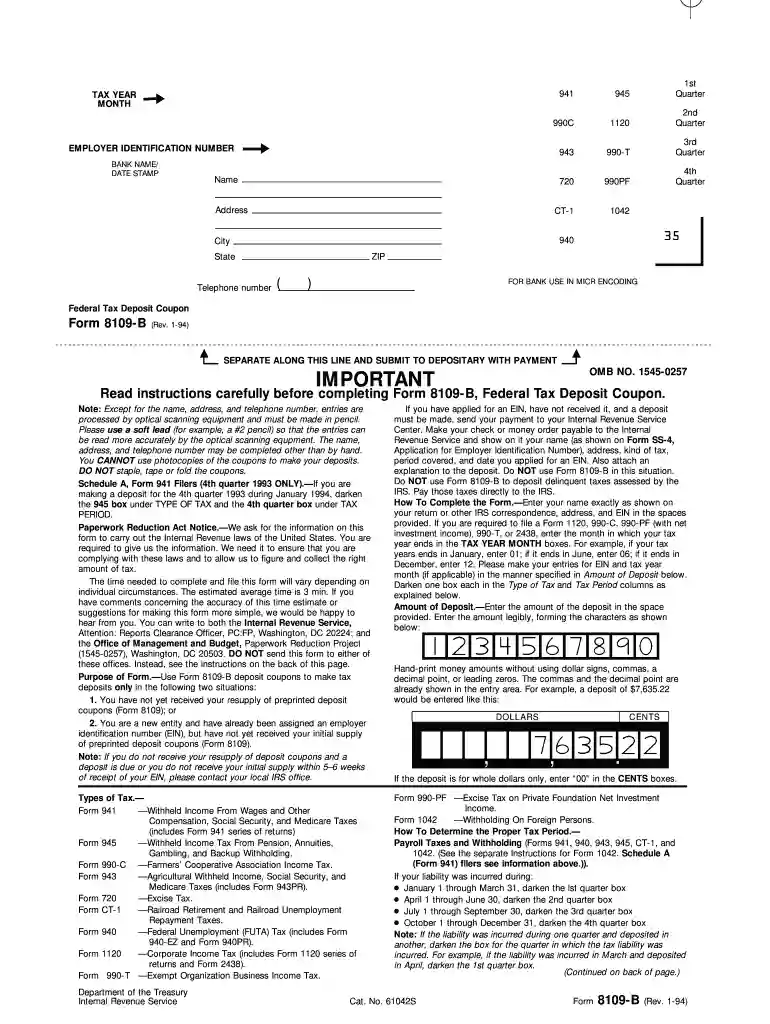
Form 8109-B, known as the Federal Tax Deposit Coupon, is used by businesses and individuals in the United States to make tax deposits with the IRS. This form accompanies your payment and helps the IRS apply the payment to the appropriate account and tax liability. It's crucial for ensuring that your tax payments are processed correctly and on time.
Using Form 8109-B accurately involves verifying that all form sections are complete and truthful. This prevents delays or misapplication of your tax payments.


Failing to properly complete or submit Form 8109-B on time can result in penalties. These penalties may include late fees, interest on unpaid taxes, and further action by the IRS if non-compliance continues.
Forms can be obtained directly from the IRS website or ordered via mail. It's crucial to ensure that you have the most recent version of the form to comply with any new IRS regulations. Keeping a blank copy on file can expedite the filling process for future payments.
We've got more versions of the form 8109 pdf form. Select the right form 8109 pdf version from the list and start editing it straight away!
Most eSignature solutions require users to have a paid subscription. With DocHub, there are two options for you to add an electronic signature to your form 8109 b at no cost:
The second option, however, has limitations on the number of signatures, sign requests, emails, and forms for editing available per month. You can check for full information here.
With DocHub, you have several convenient methods to edit your form 940 for 2022 online. You can drag and drop the form and edit it directly at the DocHub site or use our browser extension to fill out your form immediately. Additionally, you can edit your PDF on your phone, as DocHub works with all the accessible mobile platforms.
At DocHub, your data security is our priority. We follow HIPAA, SOC2, GDPR, and other standards, so you can work on your documents with confidence.
Thank you for choosing Mitsubishi Electric inverter. This Instruction Manual (Detailed) provides detailed instructions for advanced settings of the FR-A800Read more
Use Form 8109-B to make a tax deposit only in the following two situations. 1. You have not yet received your resupply of preprinted deposit coupons (Form 8109)Read more
Jan 1, 2011 Forms 8109 and 8109-B, Federal Tax Deposit Coupon, cannot. For available 24 hours a day, 7 days a week. Instructions for Form 1041 andRead more


