




01. Edit your form 5402 online
Type text, add images, blackout confidential details, add comments, highlights and more.

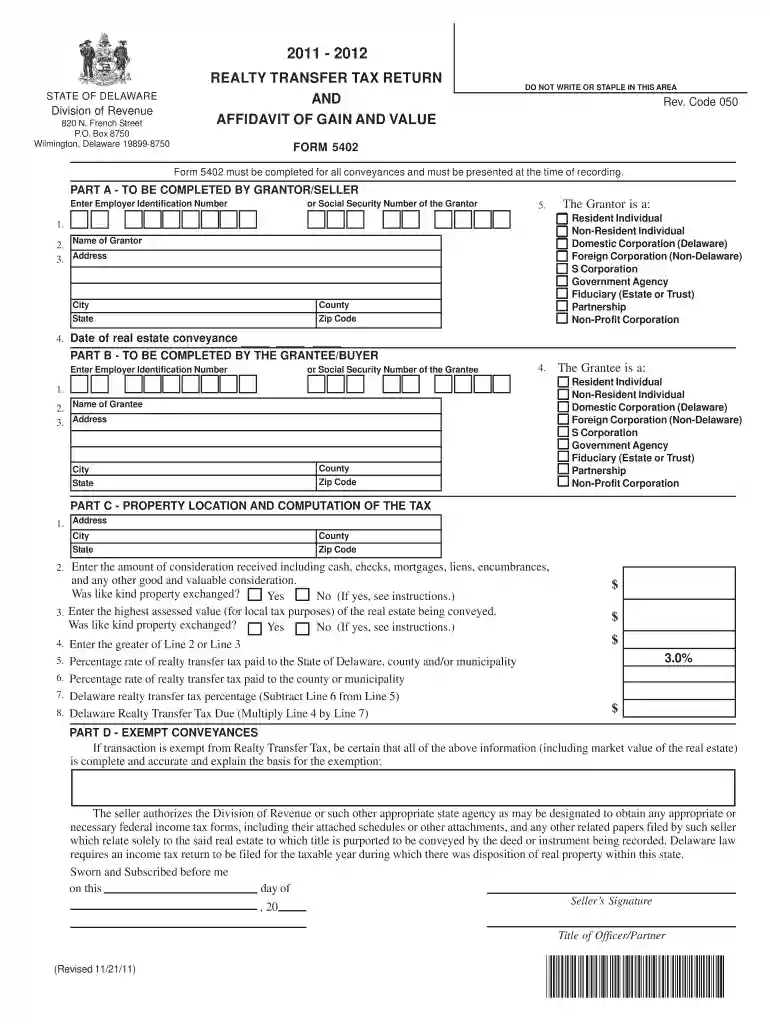
Type text, add images, blackout confidential details, add comments, highlights and more.

Draw your signature, type it, upload its image, or use your mobile device as a signature pad.

Send delaware transfer tax exemptions via email, link, or fax. You can also download it, export it or print it out.

Start using our platform today to easily fill out your Delaware Form 5402 for free!
At DocHub, your data security is our priority. We follow HIPAA, SOC2, GDPR, and other standards, so you can work on your documents with confidence.
The School Psychologist test, code 5402, is administered Delaware Association of School Psychologists (DASP). The Delaware Association of School.Read more
Oct 10, 2019 245.12 Items Not Eligible for Deposit or Pickup. [Revise the text to read as follows:] Customers must present the following First-Class Mail.Read more
Grantee/Buyer Is A - Check the appropriate box to indicate whether the Grantor/Seller is an Individual (Resident or Non-Resident of the State of Delaware)Read more


