
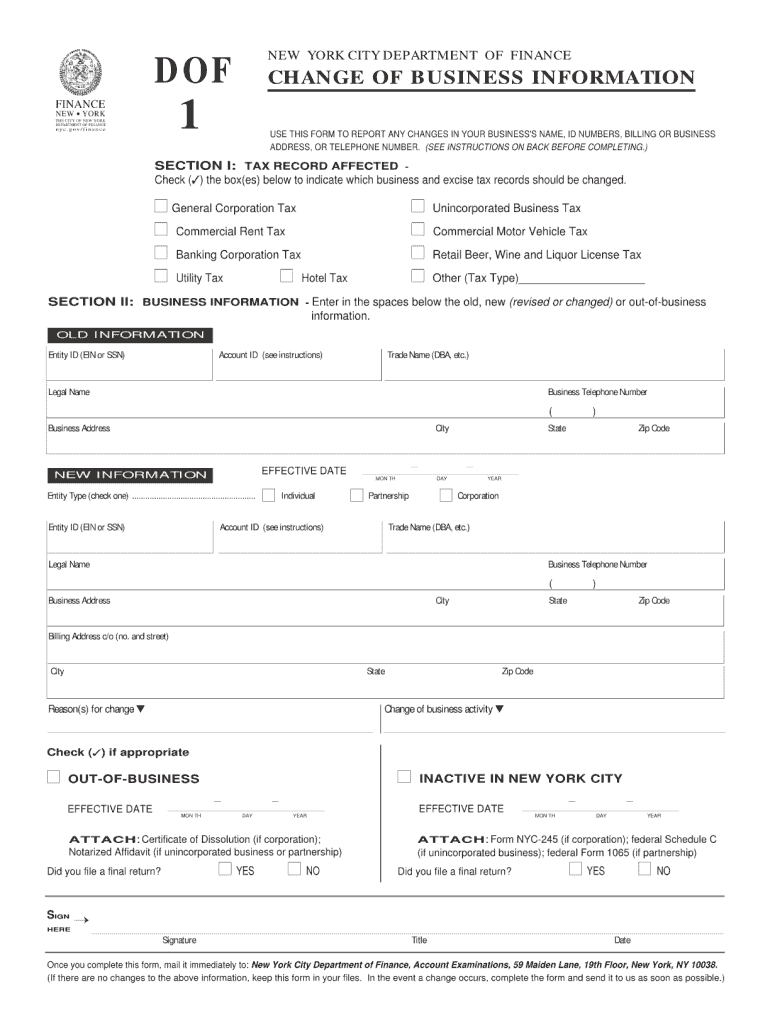




Here's how it works

01. Edit your betax dof service fee online
Type text, add images, blackout confidential details, add comments, highlights and more.

02. Sign it in a few clicks
Draw your signature, type it, upload its image, or use your mobile device as a signature pad.

03. Share your form with others
Send it via email, link, or fax. You can also download it, export it or print it out.
How to use or fill out dof 1 nyc 2006 form with DocHub

- Click ‘Get Form’ to open the dof 1 nyc 2006 form in our platform's editor.
- Begin by entering your personal information in the designated fields, including your name, address, and contact details. Ensure accuracy as this information is crucial for processing.
- Next, navigate to the section that requires financial details. Input relevant income figures and any deductions applicable to your situation. Use our platform’s tools to easily adjust numbers if needed.
- Review the additional sections for any required signatures or declarations. Utilize the signing feature to add your signature electronically, ensuring a smooth submission process.
- Finally, save your completed form and choose to export it directly from our editor or share it via email for further distribution.
Start using our platform today for free and simplify your document editing experience!
Fill out dof 1 nyc 2006 form online
It's free
It's free
See more dof 1 nyc 2006 form versions
We've got more versions of the dof 1 nyc 2006 form form. Select the right dof 1 nyc 2006 form version from the list and start editing it straight away!
| Versions | Form popularity | Fillable & printable |
|---|---|---|
| 2025 | 4.2 Satisfied (31 Votes) | |
| 2024 | 4.1 Satisfied (43 Votes) | |
| 2022 | 4.9 Satisfied (27 Votes) | |
| 2021 | 4.8 Satisfied (41 Votes) | |
| 2020 | 4.3 Satisfied (53 Votes) | |
| 2019 | 4.4 Satisfied (56 Votes) | |
| 2018 | 4.2 Satisfied (49 Votes) | |
| 2017 | 4.3 Satisfied (55 Votes) | |
| 2016 | 4.1 Satisfied (60 Votes) | |
| 2015 | 4.4 Satisfied (272 Votes) | |
| 2014 | 4.2 Satisfied (36 Votes) | |
| 2011 | 4.3 Satisfied (62 Votes) | |
| 2006 | 4.3 Satisfied (54 Votes) |
Got questions?
We have answers to the most popular questions from our customers. If you can't find an answer to your question, please contact us.
Contact us
What is dof in NYC?
The Department of Finance collects the revenues that make every city service possible. Public education, police and fire protection, hospitals and healthcare facilities, parks and recreation centersit all starts with DOF.
What is form nyc 2?
A C corporation filing federal Form 1120 must file Form NYC-2, Business Corporation Tax Return with the City of New York if the corporation does business, employs capital, owns or leases property, or maintains an office in the city. A corporate partner in a partnership is subject to the same requirement.
How do I get my NYC tax form?
Visit the Department of Taxation and Finance website. Download State tax forms.
Who must file NYC 3L?
Corporations must file Form NYC-3L or the appropriate GCT return annually, even if no tax is due, as long as they meet the nexus requirements. Filing must be completed electronically through the NYC Department of Finances e-Services portal.
Is there a New York City income tax return?
New York City residents must pay a personal income tax, which is administered and collected by the New York State Department of Taxation and Finance. Most New York City employees living outside of the five boroughs (hired on or after January 4, 1973) must file form NYC-1127.
Security and compliance
At DocHub, your data security is our priority. We follow HIPAA, SOC2, GDPR, and other standards, so you can work on your documents with confidence.
Learn more


People also ask
How do I get New York State tax forms?
If you are trying to locate, download, or print state of New York state tax forms, you can do so on the New York Department of Taxation website.
How do I get my tax form online?
Get the current filing years forms, instructions, and publications for free from the IRS. Download them from IRS.gov. Order online and have them delivered by U.S. mail. Order by phone at 1-800-TAX-FORM (1-800-829-3676)
How do I get my tax forms from Square?
Sign in to Square Dashboard and go to Staff Payroll Tax forms. Sort between your federal or state filings, or your teams W-2s or 1099s. Filter by time period, form type, or filing status. Select Preview next to the tax form to view your filing.


