Type text, add images, blackout confidential details, add comments, highlights and more.
02. Sign it in a few clicks
Draw your signature, type it, upload its image, or use your mobile device as a signature pad.
03. Share your form with others
Send form mcsa 5871 via email, link, or fax. You can also download it, export it or print it out.
How to use or fill out dot vision form with our platform
Ease of Setup
DocHub User Ratings on G2
Ease of Use
DocHub User Ratings on G2
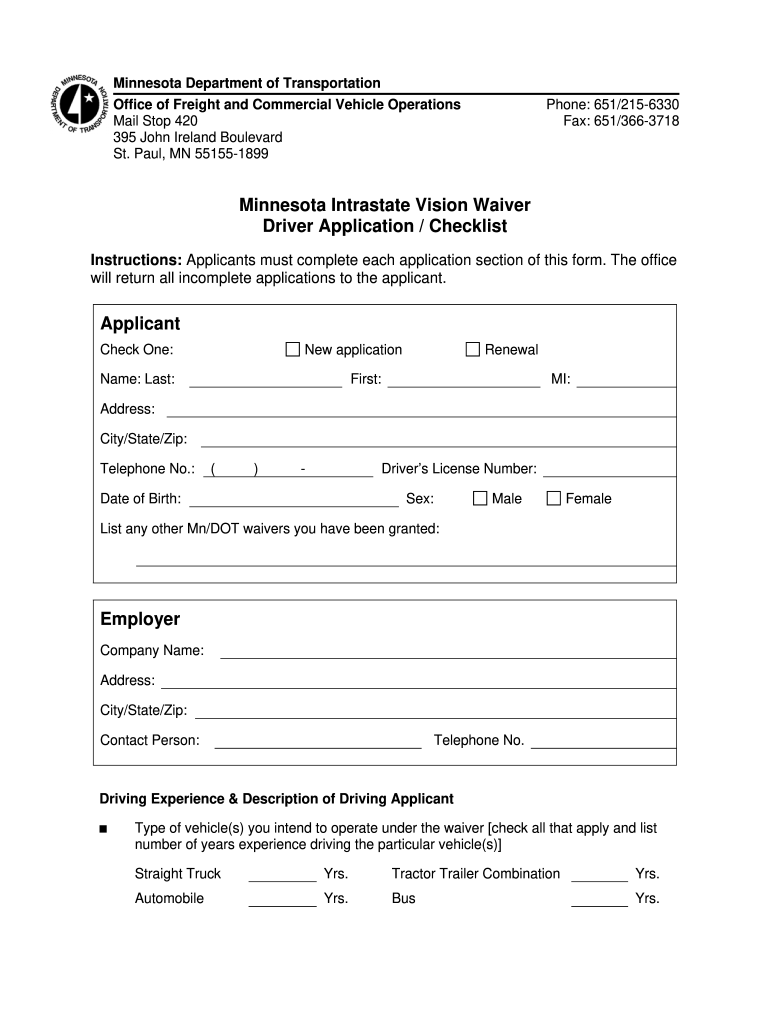
Click ‘Get Form’ to open the dot vision form in the editor.
Begin by selecting whether you are submitting a new application or a renewal. Fill in your name, address, and contact information accurately.
In the 'Employer' section, provide your company name and contact details. This is essential for verification purposes.
Detail your driving experience by checking the types of vehicles you intend to operate under the waiver and listing your years of experience for each.
Indicate the type of driving you will do under the waiver by checking all applicable options. Be specific about your driving hours and estimated annual mileage.
Attach any required documentation, including a letter from an optometrist or ophthalmologist that meets all specified criteria.
Finally, review all entered information for accuracy before signing and dating the application at the bottom.
Start filling out your dot vision form today using our platform for free!
49 CFR 391.44 - Physical qualification standards for an
(1) During the evaluation of the individual, the ophthalmologist or optometrist must complete the Vision Evaluation Report, Form MCSA-5871. (2) Upon completionRead more
Mar 27, 2026 Referred to as either Dot Block or Dot Note. Example Image Picture The most common form of vision blocks are Face Notes, but notesRead more
Cookie consent notice
This site uses cookies to enhance site navigation and personalize your experience.
By using this site you agree to our use of cookies as described in our Privacy Notice.
You can modify your selections by visiting our Cookie and Advertising Notice.