




01. Edit your u c c form f 222a online
Type text, add images, blackout confidential details, add comments, highlights and more.

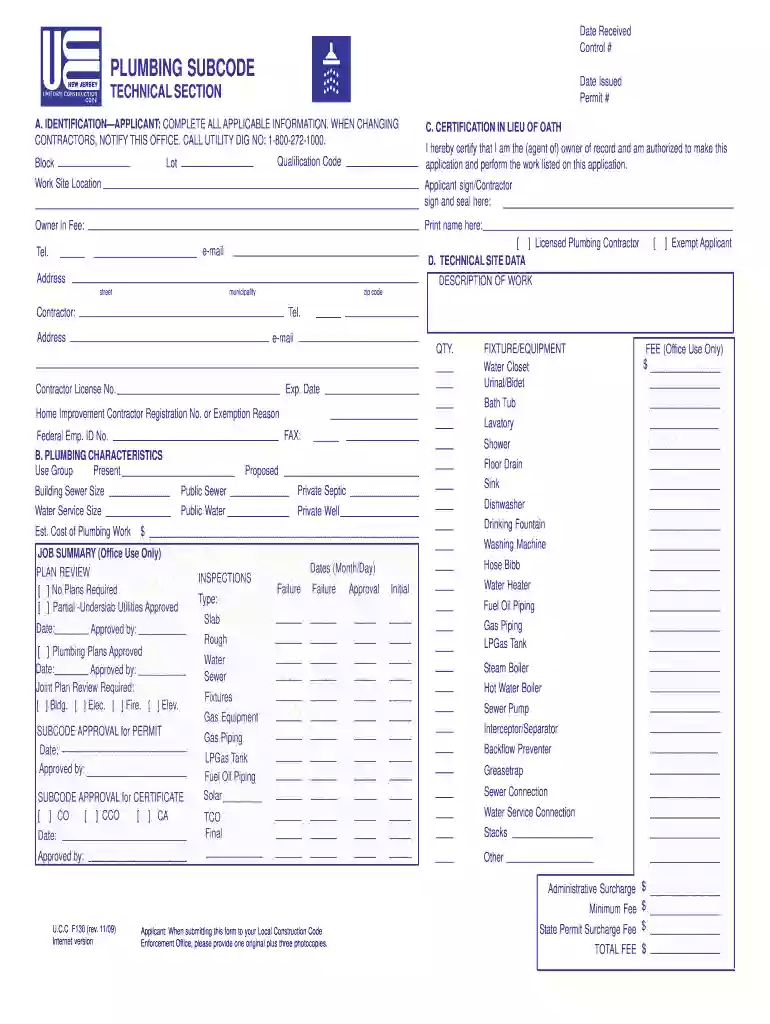
Type text, add images, blackout confidential details, add comments, highlights and more.

Draw your signature, type it, upload its image, or use your mobile device as a signature pad.

Send ucc form f 222a via email, link, or fax. You can also download it, export it or print it out.
The UCC F130 form is a crucial document used in the context of the Uniform Commercial Code (UCC), specifically in relation to secured transactions in the United States. The form serves to provide notice relating to a security interest in personal property. This document plays an essential role for creditors in establishing their right to claim an interest in the collateral tied to a debt obligation. It is in effect a means of public notice that helps protect the rights of lenders against third parties who may assert claims against the same assets.
In a broader context, the UCC F130 form is utilized to provide details such as the debtor's name and address, a description of the collateral, and the name of the secured party holding the interest. This information is filed in the UCC records maintained by the state, serving both as a preventive measure against fraudulent claims and as a legal requirement for many types of credit transactions.
Completing the UCC F130 form requires careful attention to detail to ensure that the information provided is accurate and complete. The following steps should be taken:
Obtain the Form: The UCC F130 form can be acquired from your state’s Secretary of State or designated office. It is often available as a printable PDF or an interactive online form.
Provide Debtor Information: Enter the full legal name and address of the debtor accurately. This is critical, as any inaccuracies can result in legal complications.
Describe the Collateral: Carefully outline the collateral being used to secure the interest. This could include various forms of personal property such as vehicles, equipment, or inventory. Be specific and detailed in this section to avoid ambiguity.
Include Secured Party Information: Fill in the name and address of the secured party, which is typically the lender or financing institution. It is vital that this section reflects the correct legal entity to ensure enforceability.
Review for Accuracy: Once the form is filled out, review all entries for typos and omissions. Any errors could compromise the validity of the filing.
Submit the Form: Determine whether you will file the form online, by mail, or in person. Ensure you follow the submission guidelines specific to your state.
When engaging with the UCC F130 form, familiarity with certain terminology is essential for effective communication and understanding. Some key terms include:
Secured Party: The entity that holds a security interest in the collateral. This can be an individual, a bank, or another financial institution.
Security Interest: A legal claim against collateral that has been pledged, usually as a guarantee for a loan, which allows the creditor to reclaim the collateral in case of default.
Debtor: The individual or entity that owes a debt and has offered collateral to secure that obligation.
Collateral: The property or assets that are pledged as security for a loan.
Filing Office: The state office where UCC filings are submitted for public record, and where they can be searched and viewed by interested parties.
Understanding how the UCC F130 form is utilized in various scenarios can enhance clarity. Here are a few practical examples:
Business Loans: A small business may use the UCC F130 form when securing a loan from a bank by pledging its inventory and equipment as collateral.
Equipment Financing: A construction company acquiring new machinery might complete the UCC F130 form to provide the lender with a secured interest in that equipment, ensuring the lender can reclaim it if payments are not met.
Partnership Agreements: In a partnership, if one partner takes a loan secured by business assets, the UCC F130 form would indicate which assets are used as collateral, protecting the lender's interest.
The UCC F130 form is utilized by a variety of parties involved in credit and financial transactions. Key users include:
Lenders and Financial Institutions: Banks and credit unions often require this form to secure their loans against the debtor’s assets.
Businesses Seeking Credit: Companies looking to finance operations or purchase inventory or equipment frequently fill out this form to protect their creditor’s interests.
Individual Borrowers: Individuals securing personal loans with collateral, such as vehicles or property, may also need to utilize the UCC F130 form to document the security interest.
Lawyers and Legal Advisors: Professionals in the legal field use the UCC F130 form to advise clients on secured transactions and compliance with UCC standards.


Different states may have unique guidelines and requirements related to the UCC F130 form that must be followed during completion and filing. Some common variances include:
Filing Fees: Each state sets its own fees for filing the UCC F130 form, which can vary widely. Knowing the exact fee structure is essential for compliance.
Filing Locations: While most states allow electronic filing, some may still require paper submissions to designated offices. It's crucial to verify the accepted methods specific to your state.
Duration of Effectiveness: The duration for which a filed UCC form remains effective can vary by state. It’s vital for the secured party to be aware of these timelines to renew filings as necessary.
Renewal Procedures: States may have different processes for renewing UCC filings, should they need to be extended beyond their initial term. Familiarity with these procedures is essential to maintaining valid security interests.
You should use only trusted software solutions with strong data protection compliance to sign your paperwork electronically. DocHub is just the type of software you need! It stores data on Amazon Web Servers and complies with all required security criteria and eSignature laws, so it’s a trusted way to electronically sign your ucc f130 form or other forms with this tool.
If you edit your ucc f130 form with DocHub, you only require a stable web connection and virtually any web browser installed on your device. No need to set up any third-party software or study tutorials. Simply open a tab with DocHub, drag and drop your file, and modify it immediately.
At DocHub, your data security is our priority. We follow HIPAA, SOC2, GDPR, and other standards, so you can work on your documents with confidence.
Forms F110, F120, F130, and F140 may have the Subcode Technical Sections printed in any color or colors of ink as desired and Form F310 (Elevator Inspection)Read more
U.C.C. F130 (rev. 10/17). Internet version. Applicant: When submitting this form to your Local Construction Code. Enforcement Office, please provide oneRead more


