Ks form 2026

Get Form
ks form Preview on Page 1

Here's how it works

01. Edit your form online
Type text, add images, blackout confidential details, add comments, highlights and more.
02. Sign it in a few clicks
Draw your signature, type it, upload its image, or use your mobile device as a signature pad.
03. Share your form with others
Send it via email, link, or fax. You can also download it, export it or print it out.

How to use or fill out ks form with our platform

Form edit decoration
9.5
Ease of Setup
DocHub User Ratings on G2
9.0
Ease of Use
DocHub User Ratings on G2
  1. Click ‘Get Form’ to open the ks form in the editor.
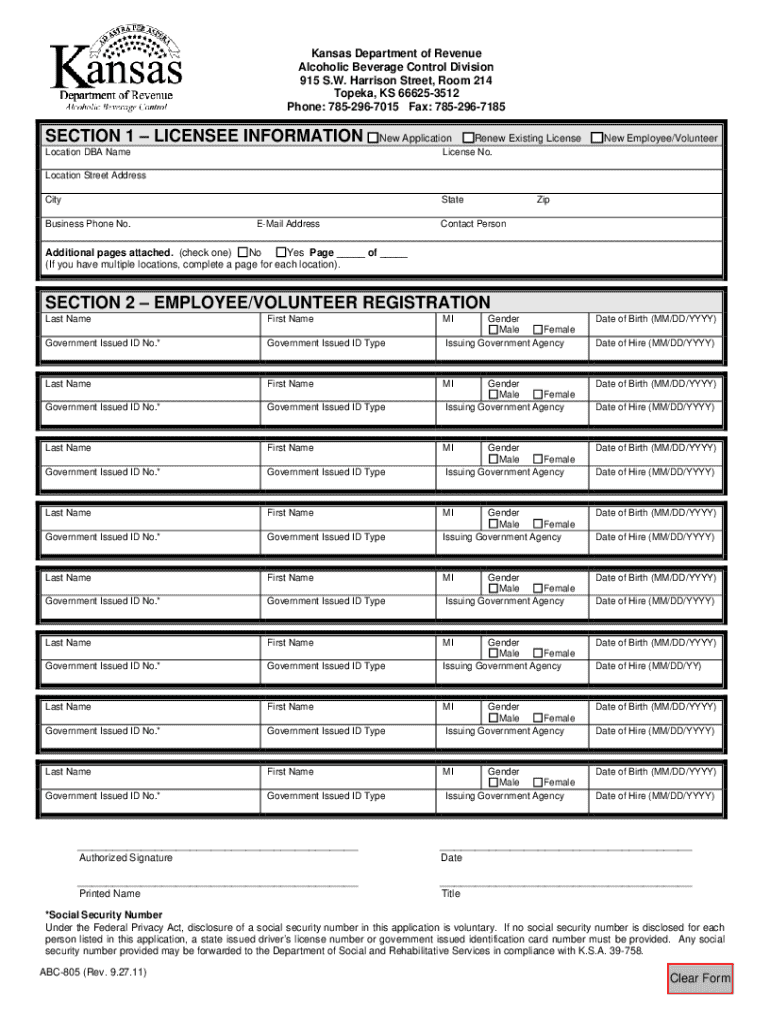
  2. In Section 1, select the application type (New Application or Renew Existing License) and enter your location DBA name along with the license number.
  3. Fill in the licensee demographic information, including address, phone number, email, and contact person.
  4. Indicate if additional pages are attached by checking 'Yes' or 'No' and provide page numbers if applicable.
  5. Move to Section 2 for Employee/Volunteer Registration. For each individual, enter their last name, first name, middle initial, gender, date of birth (MM/DD/YYYY), government-issued ID number and type, issuing agency, and date of hire.
  6. Once all information is entered, sign and date the form. The owner or manager must provide their printed name and title.
  7. Submit the completed form via fax or mail to the address provided on the form or email it to ABC.Licensing@kdor.ks.gov.

Start using our platform today for free to streamline your ks form completion!

See more ks form versions

We've got more versions of the ks form form. Select the right ks form version from the list and start editing it straight away!
Versions Form popularity Fillable & printable
2011 4 Satisfied (45 Votes)
be ready to get more

Complete this form in 5 minutes or less

Get form

Got questions?

We have answers to the most popular questions from our customers. If you can't find an answer to your question, please contact us.
Contact us
State withholding is the money an employer withholds from each employees wages to help pre-pay the state income tax of the employee. An employer must withhold Kansas tax if the employee is a resident of Kansas, performing services inside or outside of Kansas, or a nonresident of Kansas, performing services in Kansas.
This is to verify the accuracy and consistency of information reported on federal and Kansas Income Tax returns. Form K-40 is not only a Kansas Income Tax return, but also the claim form for the Food Sales Tax Refund. This program offers a refund of the sales tax paid on food.
A completed withholding allowance certificate will let your employer know how much Kansas income tax should be withheld from your pay on income you earn from Kansas sources. Kansas Form K-4 to their employer on or before the date of employment.
How to check withholding Use the Tax Withholding Estimator on IRS.gov. The Tax Withholding Estimator works for most employees by helping them determine whether they need to give their employer a new Form W-4. Use the instructions in Publication 505, Tax Withholding and Estimated Tax.
The Schedule K-1 is the form that reports the amounts passed to each party with an interest in an entity, like a business partnership or an S corporation. The parties use the information on the K-1 to prepare their separate tax returns.

Security and compliance

At DocHub, your data security is our priority. We follow HIPAA, SOC2, GDPR, and other standards, so you can work on your documents with confidence.

Learn more
ccpa2
pci-dss
gdpr-compliance
hipaa
soc-compliance
be ready to get more

Complete this form in 5 minutes or less

Get form

People also ask

It is distributed to partners and certain investors, including limited partners (LPs), who include the information on their individual tax return. A Schedule K-1 (Form 1065) template is available via the IRS.

Related links