




Here's how it works

01. Edit your form online
Type text, add images, blackout confidential details, add comments, highlights and more.

02. Sign it in a few clicks
Draw your signature, type it, upload its image, or use your mobile device as a signature pad.

03. Share your form with others
Send it via email, link, or fax. You can also download it, export it or print it out.
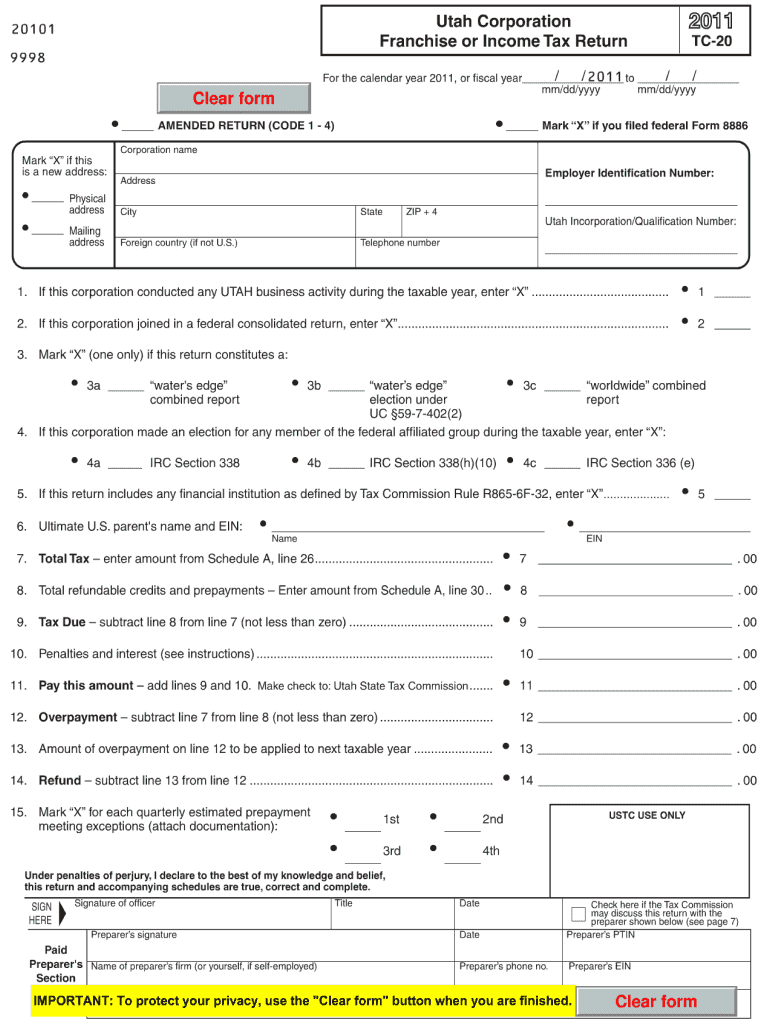
How to use or fill out ut tc 20 2011 form with our platform

- Click ‘Get Form’ to open the ut tc 20 2011 form in the editor.
- Begin by entering your personal information in the designated fields, including your name, address, and contact details. Ensure accuracy for effective processing.
- Next, navigate to the section that requires specific details about your request or application. Fill in all required fields thoroughly, as incomplete submissions may delay processing.
- Review any additional sections that may pertain to supporting documents or declarations. Attach any necessary files directly through our platform for a seamless experience.
- Once all fields are completed, utilize the signature feature to sign the document electronically. This step is crucial for validating your submission.
- Finally, click ‘Submit’ to send your completed form. You can also download a copy for your records before submission.
Start using our platform today to fill out your ut tc 20 2011 form online for free!
Fill out ut tc 20 2011 form online
It's free
It's free
See more ut tc 20 2011 form versions
We've got more versions of the ut tc 20 2011 form form. Select the right ut tc 20 2011 form version from the list and start editing it straight away!
| Versions | Form popularity | Fillable & printable |
|---|---|---|
| 2025 | 4.1 Satisfied (29 Votes) | |
| 2024 | 4.2 Satisfied (43 Votes) | |
| 2023 | 4.7 Satisfied (53 Votes) | |
| 2022 | 4.3 Satisfied (59 Votes) | |
| 2021 | 4.8 Satisfied (148 Votes) | |
| 2020 | 4.4 Satisfied (117 Votes) | |
| 2019 | 4.3 Satisfied (171 Votes) | |
| 2018 | 4.2 Satisfied (73 Votes) | |
| 2017 | 4.3 Satisfied (133 Votes) | |
| 2016 | 4.4 Satisfied (259 Votes) | |
| 2015 | 4.4 Satisfied (582 Votes) | |
| 2014 | 4.4 Satisfied (63 Votes) | |
| 2012 | 4.4 Satisfied (65 Votes) | |
| 2011 | 4.1 Satisfied (30 Votes) |
Got questions?
We have answers to the most popular questions from our customers. If you can't find an answer to your question, please contact us.
Contact us
What is the form for Utah sales tax registration?
Use form TC-69 to register with the Utah State Tax Commission for all taxes listed below. For registration of a DBA, use Department of Commerce form, Business Name Registration / DBA Application, available at all registration locations, online at commerce.utah.gov, or by telephone at (801) 530-4849.
What is IRS form 11/20?
Form 1120 is the U.S. corporation income tax return. It is an Internal Revenue Service (IRS) document that American corporations use to report their credits, deductions, losses, gains and income. It also helps corporations find out how much income tax they need to pay, according to the IRS.
Who must file an Utah tax return?
According to Utah Instructions for Form TC-40, you must file a Utah state tax return if: You were a resident or part year resident of Utah that must file a federal return. You were a nonresident or part-year resident with Utah source income and are required to file a federal return.
Where can I get Utah tax forms?
Get Utah Forms Downloadable PDF versions of Utah tax forms are available at tax.utah.gov/forms. Many of these forms can be completed on your computer, then printed.
Security and compliance
At DocHub, your data security is our priority. We follow HIPAA, SOC2, GDPR, and other standards, so you can work on your documents with confidence.
Learn more


