




Here's how it works

01. Edit your char 410 online
Type text, add images, blackout confidential details, add comments, highlights and more.

02. Sign it in a few clicks
Draw your signature, type it, upload its image, or use your mobile device as a signature pad.

03. Share your form with others
Send it via email, link, or fax. You can also download it, export it or print it out.
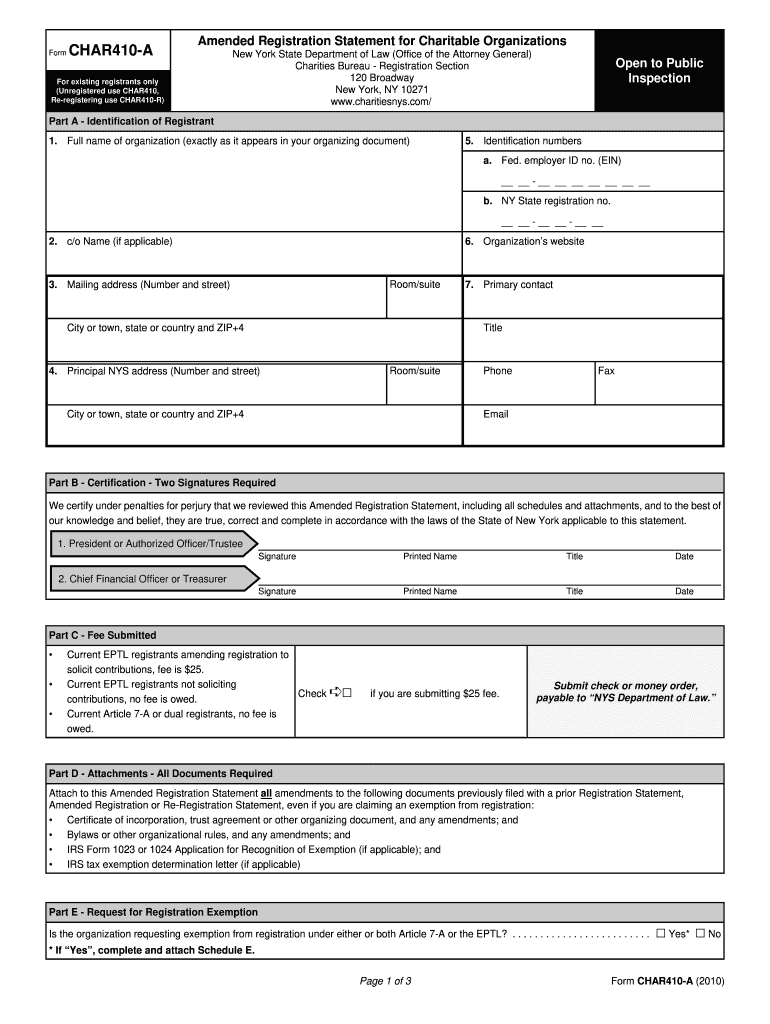
How to use or fill out char 410a nys with our platform

- Click ‘Get Form’ to open the char 410a nys in the editor.
- Begin with Part A, where you will enter the full name of your organization as it appears in your organizing document. Fill in the identification numbers, including your Federal Employer ID and New York State registration number.
- Complete the mailing address and principal NYS address sections. Ensure that all details are accurate, including room/suite numbers and ZIP codes.
- In Part B, two signatures are required for certification. Make sure both signatories print their names, titles, and dates clearly.
- Proceed to Part C to indicate if a fee is submitted. If applicable, check the box for a $25 fee and ensure payment is made correctly.
- Attach all necessary documents as outlined in Part D. This includes amendments to previously filed documents.
- Finally, review all sections for accuracy before submitting your completed form through our platform.
Start using our platform today to fill out char 410a nys easily and for free!
Fill out char 410a nys online
It's free
It's free
Security and compliance
At DocHub, your data security is our priority. We follow HIPAA, SOC2, GDPR, and other standards, so you can work on your documents with confidence.
Learn more




