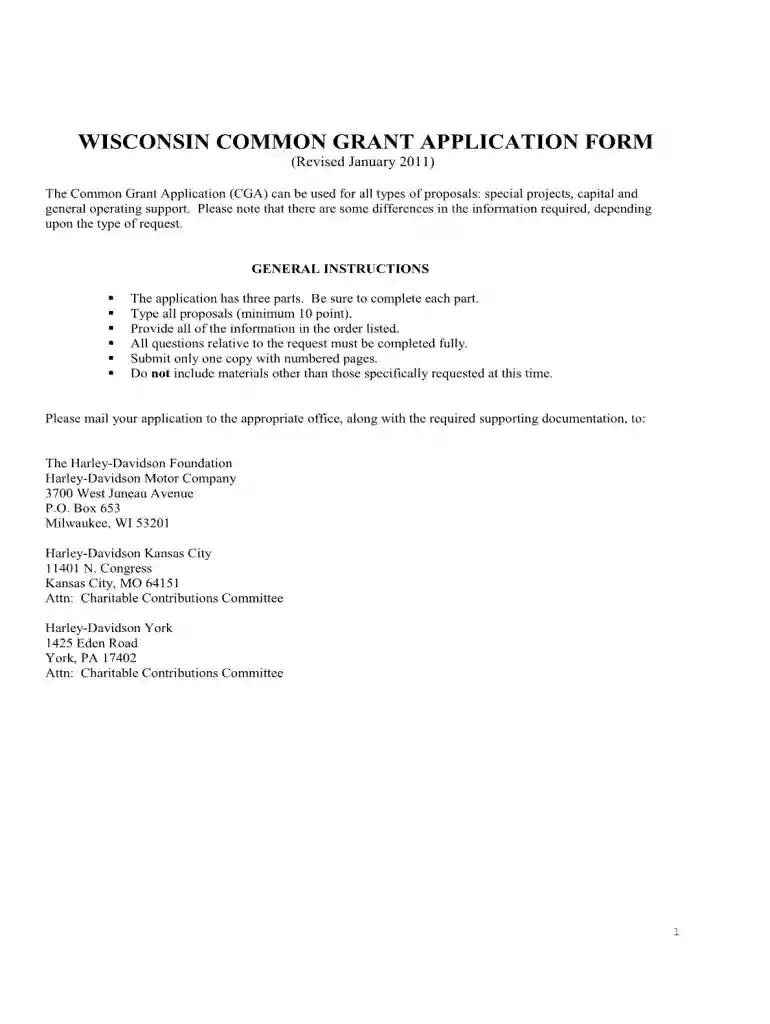
cg2426 Preview on Page 1

Wisconsin form application 2026

Here's how it works

  • 01. Edit your cg2426 online

    Type text, add images, blackout confidential details, add comments, highlights and more.

  • 02. Sign it in a few clicks

    Draw your signature, type it, upload its image, or use your mobile device as a signature pad.

  • 03. Share your form with others

    Send it via email, link, or fax. You can also download it, export it or print it out.

How to use or fill out Wisconsin Form Application with DocHub

Form edit decoration
9.5
Ease of Setup
DocHub User Ratings on G2
9.0
Ease of Use
DocHub User Ratings on G2
  1. Click ‘Get Form’ to open the Wisconsin form application in our editor.
  2. Begin with Part One: Grant and Organization Information. Fill in the total amount requested, funder applying to, project name, duration, and nature of request. Ensure all fields are completed accurately.
  3. Continue by providing your organization’s information including name, address, contact details, and federal ID number. Make sure to include the chief staff officer's name and title.
  4. In Part Two: Grant Proposal Narrative, summarize your organization’s mission and background. Describe the project/program details including expected outcomes and evaluation methods.
  5. Finally, gather required attachments as listed in Part Three. Ensure all documents are included before submission.

Start using our platform today for free to streamline your Wisconsin form application process!

See more cg2426 versions

We've got more versions of the cg2426 form. Select the right cg2426 version from the list and start editing it straight away!

VersionsForm popularityFillable & printable
20114.9 Satisfied (352 Votes)

be ready to get more

Complete this form in 5 minutes or less

Got questions?

We have answers to the most popular questions from our customers. If you can't find an answer to your question, please contact us.

Use Form 804 to claim a refund on behalf of a deceased taxpayer. If you are claiming a refund on behalf of a deceased tax- payer, you may be required to file Form 804.
The Division of Motor Vehicles also provides a Statement of Vehicle Transfer (MV2488) for this purpose. Completing this DMV form will help eliminate your liability if the new owner fails to properly register the vehicle. These forms are available at DMV Service Centers and at our department.
States require 6 points of verification. A birth certificate or passport will cover 4 points. A marriage license or military ID is 3 points. A social security card, a high school diploma, or a bank account statement are worth 1 point.
For REAL ID compliant and non-compliant cards Paycheck, stub or earning statement with your employers name and address. Utility bill for water, gas, electricity or land-line telephone service. Includes cable and internet services. Mobile phone bill.
Form 1 (2024): Wisconsin Income Tax Return. The Wisconsin Income Tax Return (Form 1) is used by Wisconsin residents to report their taxable income for the previous year and calculate any taxes owed or due for a refund to the Wisconsin Department of Revenue (DOR).

Security and compliance

At DocHub, your data security is our priority. We follow HIPAA, SOC2, GDPR, and other standards, so you can work on your documents with confidence.

Related links

Apply

Ready to be a Badger? Your Wisconsin Experience starts here. First-year students Reentry students Transfer students International students.Read more

Learn more
Instructions for Form 7004 (Rev. December 2017)

Feb 1, 2018 The address for filing. Form 7004 has changed for some entities located in Georgia,. Illinois, Kentucky, Michigan, Tennessee, and Wisconsin. See.Read more

Learn more
MV3001 Wisconsin Driver License (DL) Application

Acceptable proof of name and date of birth, legal presence, identity and Wisconsin residency are required. Please see DOT publication.Read more

Learn more
If you believe that this page should be taken down, please follow our DMCA take down process here