In the womb video questions 2026

Get Form
in the womb video worksheet answers Preview on Page 1

Here's how it works

01. Edit your in the womb video worksheet answers online
Type text, add images, blackout confidential details, add comments, highlights and more.
02. Sign it in a few clicks
Draw your signature, type it, upload its image, or use your mobile device as a signature pad.
03. Share your form with others
Send in the womb video questions via email, link, or fax. You can also download it, export it or print it out.

How to use or fill out in the womb video questions with our platform

Form edit decoration
9.5
Ease of Setup
DocHub User Ratings on G2
9.0
Ease of Use
DocHub User Ratings on G2
  1. Click ‘Get Form’ to open it in the editor.
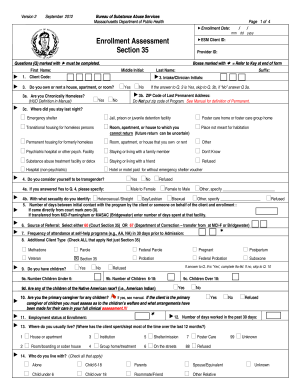
  2. Begin by reviewing the first question regarding sperm count. Enter your answer in the designated field, ensuring accuracy.
  3. Proceed to the second question about determining the sex of the child. Fill in your response based on your knowledge.
  4. Continue through each question sequentially, providing answers for embryonic development milestones and fetal growth as prompted.
  5. For questions that require specific measurements or terms, refer to reliable sources if needed to ensure correct information is provided.
  6. Once all fields are completed, review your answers for clarity and correctness before submitting.

Engage with our platform today to easily complete your 'In The Womb' video questions for free!

be ready to get more

Complete this form in 5 minutes or less

Get form

Got questions?

We have answers to the most popular questions from our customers. If you can't find an answer to your question, please contact us.
Contact us

A lot of software applications are available out there for document editing and signing. DocHub is one of the most widely used online solutions that comply with all data protection and compliance requirements and ensures your eSigned paperwork is legally enforceable. All you need to give it a try is to create an account, upload your in the womb video guide, provide the necessary details, and click Sign. Generate your electronic signature by typing, drawing it, uploading its image to your form, or scanning a unique QR code.

Apart from an extensive toolset for editing PDFs on mobile devices, DocHub enables you to sign your life before birth in the womb worksheet answers along the way. Open our editor in your internet browser, make changes using DocHub’s toolset, and finish your editing by eSigning the finished form.

Security and compliance

At DocHub, your data security is our priority. We follow HIPAA, SOC2, GDPR, and other standards, so you can work on your documents with confidence.

Learn more
ccpa2
pci-dss
gdpr-compliance
hipaa
soc-compliance