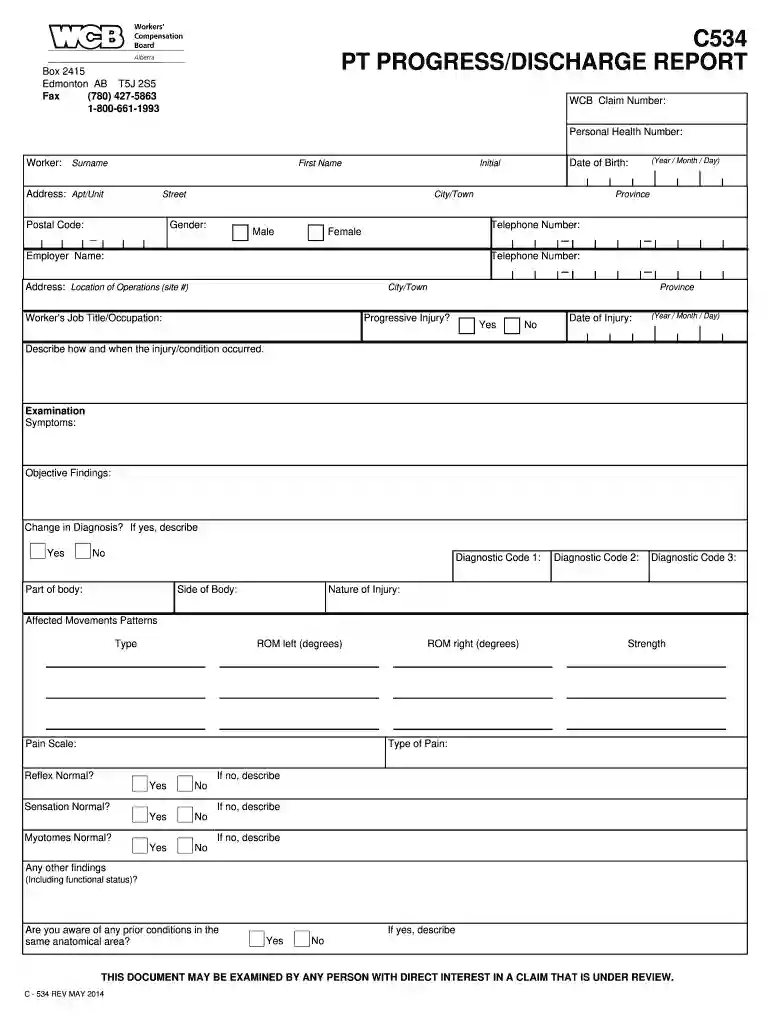
wcb discharge report Preview on Page 1

Wcb discharge report 2026

Here's how it works

  • 01. Edit your wcb discharge report online

    Type text, add images, blackout confidential details, add comments, highlights and more.

  • 02. Sign it in a few clicks

    Draw your signature, type it, upload its image, or use your mobile device as a signature pad.

  • 03. Share your form with others

    Send first transit standing order form via email, link, or fax. You can also download it, export it or print it out.

How to use or fill out wcb discharge report with our platform

Form edit decoration
9.5
Ease of Setup
DocHub User Ratings on G2
9.0
Ease of Use
DocHub User Ratings on G2
  1. Click ‘Get Form’ to open the wcb discharge report in the editor.
  2. Begin by entering the WCB Claim Number and Personal Health Number at the top of the form. This information is crucial for identifying the claim.
  3. Fill in the worker's details, including surname, first name, address, date of birth, and gender. Ensure accuracy as this data is essential for processing.
  4. In the 'Examination' section, describe how and when the injury occurred. Document symptoms and objective findings clearly to provide a comprehensive overview.
  5. Complete the 'Treatment Plan' section by indicating any therapies employed such as manual therapy or acupuncture. Specify if patient engagement is progressing as expected.
  6. Finally, review all sections for completeness before signing and submitting. Use our platform’s features to save your progress or share it directly with relevant parties.

Start filling out your wcb discharge report today using our platform for free!

See more wcb discharge report versions

We've got more versions of the wcb discharge report form. Select the right wcb discharge report version from the list and start editing it straight away!

VersionsForm popularityFillable & printable
20144.8 Satisfied (141 Votes)

be ready to get more

Complete this form in 5 minutes or less

Got questions?

We have answers to the most popular questions from our customers. If you can't find an answer to your question, please contact us.

On a semi-annual basis (every six months), hospitals submit abstracted information from individual patient records which include data on the patients ZIP code, birthdate, preferred language, diagnoses, treatments/procedures, total charges, and expected source of payment.
Discharge papers are physical documentation of the patients stay that also includes instructions for treatment and follow-up care. The key components of hospital discharge papers include the following: The reason the patient was hospitalized that includes a detailed description of the primary condition being treated.
The 99238 and 99239 discharge day service codes can be billed by the physician group providing care as the attending service. Consulting physicians bill for services on the discharge date using subsequent visit codes (99231-99233).
The Joint Commission has identified six categories of information to include in discharge summaries: reason for hospitalization, significant findings, procedures and treatments provided, patients condition at discharge, patient and family instructions, and attending physician signature.
Procedures and treatment provided. Patients discharge condition. Patient and family instructions (as appropriate). Attending physicians signature.

Security and compliance

At DocHub, your data security is our priority. We follow HIPAA, SOC2, GDPR, and other standards, so you can work on your documents with confidence.

wcb extension report

Edward

Valve test report is an actual report of the individual valve hydrostatic test. 18. Nameplate contains all relevant data for operational and maintenanceRead more

Learn more
Discharge or Discrimination Complaint

The Workers Compensation Boards (Boards) authority to request that claimants provide personal information, including their social security number, is derivedRead more

Learn more
If you believe that this page should be taken down, please follow our DMCA take down process here