Type text, add images, blackout confidential details, add comments, highlights and more.
02. Sign it in a few clicks
Draw your signature, type it, upload its image, or use your mobile device as a signature pad.
03. Share your form with others
Send super forms for employees via email, link, or fax. You can also download it, export it or print it out.
How to use or fill out superannuation form with our platform
Ease of Setup
DocHub User Ratings on G2
Ease of Use
DocHub User Ratings on G2
Click ‘Get Form’ to open the superannuation form in the editor.
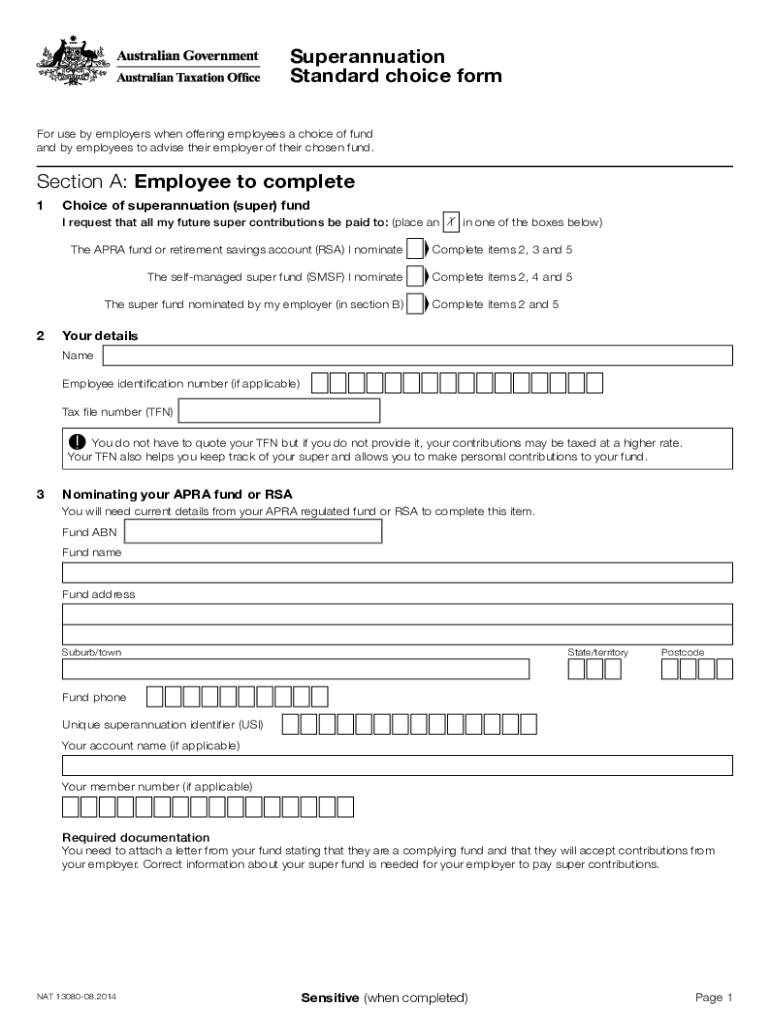
In Section A, as an employee, provide your personal details including your name, employee identification number, and tax file number (TFN). Choose your preferred super fund by marking the appropriate box.
If you are nominating an APRA fund or RSA, complete Item 3 with the fund's details such as ABN, name, address, and unique superannuation identifier (USI). Attach a letter from the fund confirming it will accept contributions.
For a self-managed super fund (SMSF), fill out Item 4 with your SMSF’s ABN, bank account details, and electronic service address (ESA). Ensure to attach necessary documentation confirming compliance.
Sign and date the form in Item 5. Return the completed form to your employer promptly.
Employers should complete Sections B and C after receiving the form from employees. This includes providing their nominated super fund details and recording acceptance of the employee's choice.
Start using our platform today for free to streamline your superannuation form completion!
We've got more versions of the superannuation form form. Select the right superannuation form version from the list and start editing it straight away!
Superannuation form pdfSuperannuation standard choice form pdfSuperannuation form ATOSuperannuation form australiaSuperannuation form for employeesSuperannuation form DownloadSuperannuation form pdf download australiaATO superannuation form pdf download
Security and compliance
At DocHub, your data security is our priority. We follow HIPAA, SOC2, GDPR, and other standards, so you can work on your documents with confidence.
Dec 4, 2025 APPLICATION PROCESS: If you are actively employed or on a leave of absence you may file your application to retire within 120 days.Read more
May 7, 2020 These interim financial statements and notes should be read in conjunction with the audited financial statements and notes thereto for the yearRead more
Cookie consent notice
This site uses cookies to enhance site navigation and personalize your experience.
By using this site you agree to our use of cookies as described in our Privacy Notice.
You can modify your selections by visiting our Cookie and Advertising Notice.