Loss payee 2026

Get Form
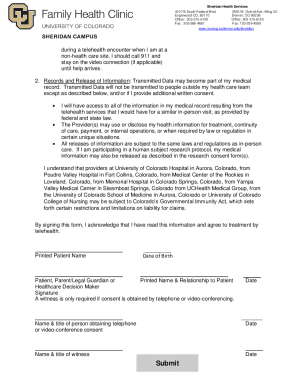
loss payee Preview on Page 1

Here's how it works

01. Edit your loss payee online
Type text, add images, blackout confidential details, add comments, highlights and more.
02. Sign it in a few clicks
Draw your signature, type it, upload its image, or use your mobile device as a signature pad.
03. Share your form with others
Send loss payee endorsement pdf via email, link, or fax. You can also download it, export it or print it out.

How to use or fill out loss payee with our platform

Form edit decoration
9.5
Ease of Setup
DocHub User Ratings on G2
9.0
Ease of Use
DocHub User Ratings on G2
  1. Click ‘Get Form’ to open the loss payee endorsement in the editor.
  2. Begin by filling in the 'Named Insured' section with your name or business name as it appears on the policy.
  3. Enter the 'Endorsement Effective Date' to indicate when this endorsement takes effect.
  4. Complete the 'Schedule' section by providing details such as the insurance company, policy number, effective date, and expiration date.
  5. Fill in the 'Additional Insured (Lessor)' section with the lessor's name and address.
  6. In the 'Coverages' section, specify limits for liability, comprehensive, collision, and specified causes of loss as applicable.
  7. Ensure all fields are accurately completed before saving your changes. Review for any additional information required in the Declarations.

Start using our platform today to easily complete your loss payee form online for free!

be ready to get more

Complete this form in 5 minutes or less

Get form

Got questions?

We have answers to the most popular questions from our customers. If you can't find an answer to your question, please contact us.
Contact us
Anyone who is reimbursed during a claim, whether that be a company or an individual, is a loss payee. There are certain caveats to this definition. For one, what is deemed as a first loss payee is a party (whether business or individual) that is paid in the event of a debtor defaulting on a payment arrangement.
What are loss payees?: Loss payees can be mortgagees. They can also be lessors and other financiers. Loss payees lend against real estate, land, equipment or other personal property. They can also be lessors that lease equipment or personal property to other businesses.
A lender, a buyer, a lessor, a property owner or some other third party could be named as a loss payee. An additional insured is a third party that has liability exposure in a professional business relationship.
The lenders loss payable protects the lenders interest in case of damage to the covered property, while a loss payee receives claim payments directly. Knowing the difference between these terms can help you make informed decisions when obtaining insurance coverage assets pledged as collateral in business loans.
The loss payee is the entity with a legally secured insurable interest in the property. This could be the same financial institution designated as the lienholder, but also could be a loan co-signer or someone who issued a personal loan. Often a party is both the lienholder and the loss payee.

Security and compliance

At DocHub, your data security is our priority. We follow HIPAA, SOC2, GDPR, and other standards, so you can work on your documents with confidence.

Learn more
ccpa2
pci-dss
gdpr-compliance
hipaa
soc-compliance
be ready to get more

Complete this form in 5 minutes or less

Get form

People also ask

Loss payees are not the same as beneficiaries on an insurance policy. As described above, a loss payee is first on the list for an insurance payment in the event of a valid claim made by the policyholder. Beneficiaries are named parties on a policy that can receive benefits in the event of the policyholders death.

loss payee vs additional insured