Type text, add images, blackout confidential details, add comments, highlights and more.
02. Sign it in a few clicks
Draw your signature, type it, upload its image, or use your mobile device as a signature pad.
03. Share your form with others
Send artist consent form via email, link, or fax. You can also download it, export it or print it out.
How to use or fill out art therapy form with our platform
Ease of Setup
DocHub User Ratings on G2
Ease of Use
DocHub User Ratings on G2
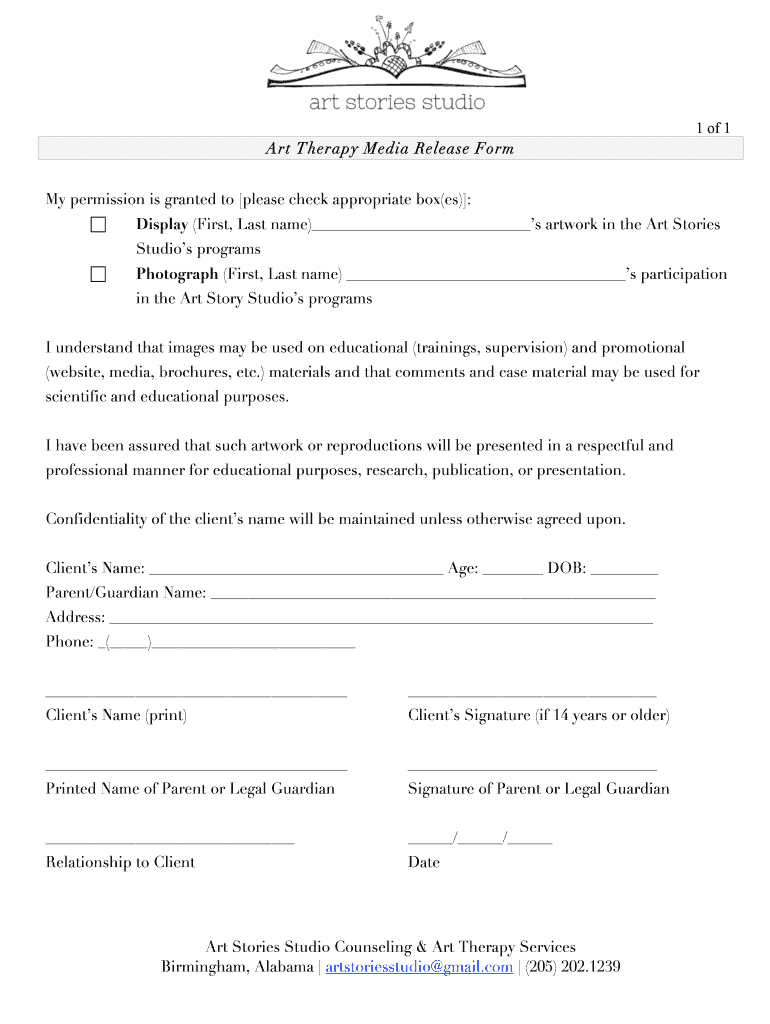
Click ‘Get Form’ to open the art therapy media release form in the editor.
Begin by checking the appropriate boxes to grant permission for displaying artwork and photographing participation. Ensure you fill in the client's first and last name next to each option.
Complete the client’s name, age, and date of birth fields accurately. This information is crucial for maintaining records.
Fill in the parent or guardian's name, address, and phone number. This ensures that all contact details are up-to-date.
If the client is 14 years or older, have them sign in the designated area. Otherwise, ensure that a parent or legal guardian signs on behalf of younger clients.
Finally, include the printed name and signature of the parent or legal guardian along with their relationship to the client and date of signing.
Start filling out your art therapy form online for free today!
Art therapy form templateArt therapy form pdfFree art therapy formArt therapy form onlineArt therapy intake formArt therapy consent formsArt therapy licenseLCAT art therapy
Security and compliance
At DocHub, your data security is our priority. We follow HIPAA, SOC2, GDPR, and other standards, so you can work on your documents with confidence.
Online Form 1 - Application for Licensure All applicants for licensure must initially submit Form 1 along with the $371 licensure and first registration fee.Read more
Handbooks and Forms 2025-2026 Art Therapy Program Handbook 2025-2026 Art Therapy Clinical Experience Manual Art Therapy Consent for Treatment and forRead more
Cookie consent notice
This site uses cookies to enhance site navigation and personalize your experience.
By using this site you agree to our use of cookies as described in our Privacy Notice.
You can modify your selections by visiting our Cookie and Advertising Notice.