P roject Management Toolkit Risk Table - MIME Solutions Limited 2026

Get Form
P roject Management Toolkit Risk Table - MIME Solutions Limited Preview on Page 1

Here's how it works

01. Edit your form online
Type text, add images, blackout confidential details, add comments, highlights and more.
02. Sign it in a few clicks
Draw your signature, type it, upload its image, or use your mobile device as a signature pad.
03. Share your form with others
Send it via email, link, or fax. You can also download it, export it or print it out.

How to use or fill out Project Management Toolkit Risk Table - MIME Solutions Limited with our platform

Form edit decoration
9.5
Ease of Setup
DocHub User Ratings on G2
9.0
Ease of Use
DocHub User Ratings on G2
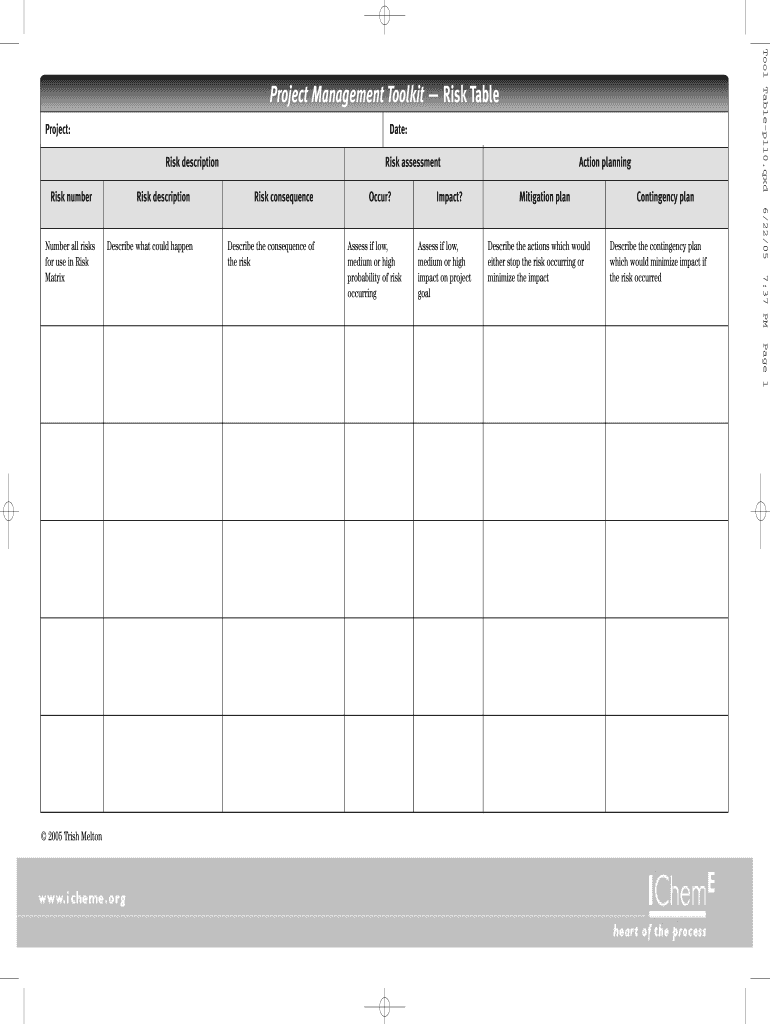
  1. Click ‘Get Form’ to open the Project Management Toolkit Risk Table in the editor.
  2. Begin by entering the project name and date at the top of the form. This sets the context for your risk assessment.
  3. In the 'Risk description' field, clearly describe each potential risk associated with your project. Be specific to ensure clarity.
  4. Next, assess the 'Risk consequence' by detailing what could happen if this risk materializes. This helps in understanding its impact.
  5. Evaluate the likelihood of occurrence by marking it as low, medium, or high in the designated section. This is crucial for prioritizing risks.
  6. Develop a 'Mitigation plan' outlining actions to prevent or minimize the risk's impact. Be proactive in your approach.
  7. Finally, create a 'Contingency plan' that describes how you will respond if the risk occurs, ensuring you are prepared for any eventuality.

Start using our platform today to streamline your risk management process for free!

be ready to get more

Complete this form in 5 minutes or less

Get form

Got questions?

We have answers to the most popular questions from our customers. If you can't find an answer to your question, please contact us.
Contact us

Sure, it is possible with DocHub. This secure and compliant online editor has a phone-based signing option. After you log in to your DocHub account and add your P roject Management Toolkit Risk Table - MIME Solutions Limited to our editor, fill out all necessary areas and use the Sign tool on the upper barf. Click on Create your signature and select Phone from the available choices. Here, you scan a QR code with your smartphone and draw your signature on your phone display, as you normally do when approving hard copies. If you access DocHub right from your mobile device, you can electronically sign your template by drawing your eSignature, uploading its image, or simply with a typed name.

With DocHub, you have several convenient methods to edit your P roject Management Toolkit Risk Table - MIME Solutions Limited online. You can drag and drop the form and edit it straight at the DocHub website or use our browser extension to fill out your form immediately. Additionally, you can edit your PDF on your phone, as DocHub works with all the accessible mobile platforms.

Security and compliance

At DocHub, your data security is our priority. We follow HIPAA, SOC2, GDPR, and other standards, so you can work on your documents with confidence.

Learn more
ccpa2
pci-dss
gdpr-compliance
hipaa
soc-compliance
be ready to get more

Complete this form in 5 minutes or less

Get form