01. Edit your peer evaluation form for group work online
Type text, add images, blackout confidential details, add comments, highlights and more.
02. Sign it in a few clicks
Draw your signature, type it, upload its image, or use your mobile device as a signature pad.
03. Share your form with others
Send group presentation peer evaluation form via email, link, or fax. You can also download it, export it or print it out.
How to use or fill out peer evaluation form with our platform
Ease of Setup
DocHub User Ratings on G2
Ease of Use
DocHub User Ratings on G2
Click ‘Get Form’ to open the peer evaluation form in the editor.
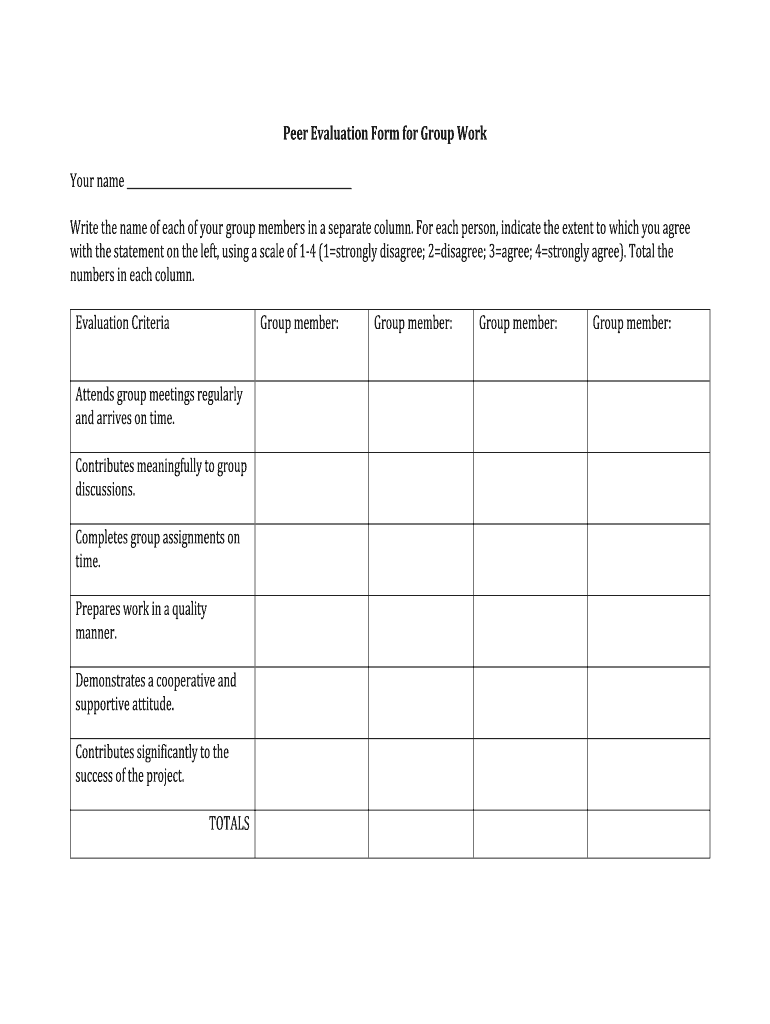
Begin by entering your name at the top of the form. This identifies you as the evaluator.
In the designated columns, write the names of each group member. Ensure each name is in a separate column for clarity.
For each group member, evaluate their performance based on the criteria provided. Use a scale from 1 to 4, where 1 means 'strongly disagree' and 4 means 'strongly agree'.
After rating each member, total the scores in each column to summarize their contributions.
In the feedback section, answer questions regarding team dynamics and individual contributions. Reflect on what you learned from this group experience.
Start using our platform today to complete your peer evaluation form online for free!
Peer evaluation form pdfPeer Evaluation Form for group workPeer Evaluation form for studentsPeer evaluation form for employeePeer evaluation form for teachersPeer evaluation form WordPeer Evaluation form for group work pdfPeer Evaluation form for presentation
Security and compliance
At DocHub, your data security is our priority. We follow HIPAA, SOC2, GDPR, and other standards, so you can work on your documents with confidence.
For each person, indicate the extent to which you agree with the statement on the left, using a scale of 1-4 (1=strongly disagree; 2=disagree; 3=agree; 4=Read more
Please write a rating in box below each name. Write your self-evaluation in the column with your own name. 1 = Always/almost always 2 = Usually 3= SometimesRead more
Step-by-step guide to the Impact Evaluation Methodology
Complete the self-assessment form for. Stage 3 in the months after the peer review by agreeing the level of impact achieved amongst stakeholders. 2. Provide aRead more
Cookie consent notice
This site uses cookies to enhance site navigation and personalize your experience.
By using this site you agree to our use of cookies as described in our Privacy Notice.
You can modify your selections by visiting our Cookie and Advertising Notice.