Tenant Checkout Checklist - bPropertyGurub 2026

Get Form
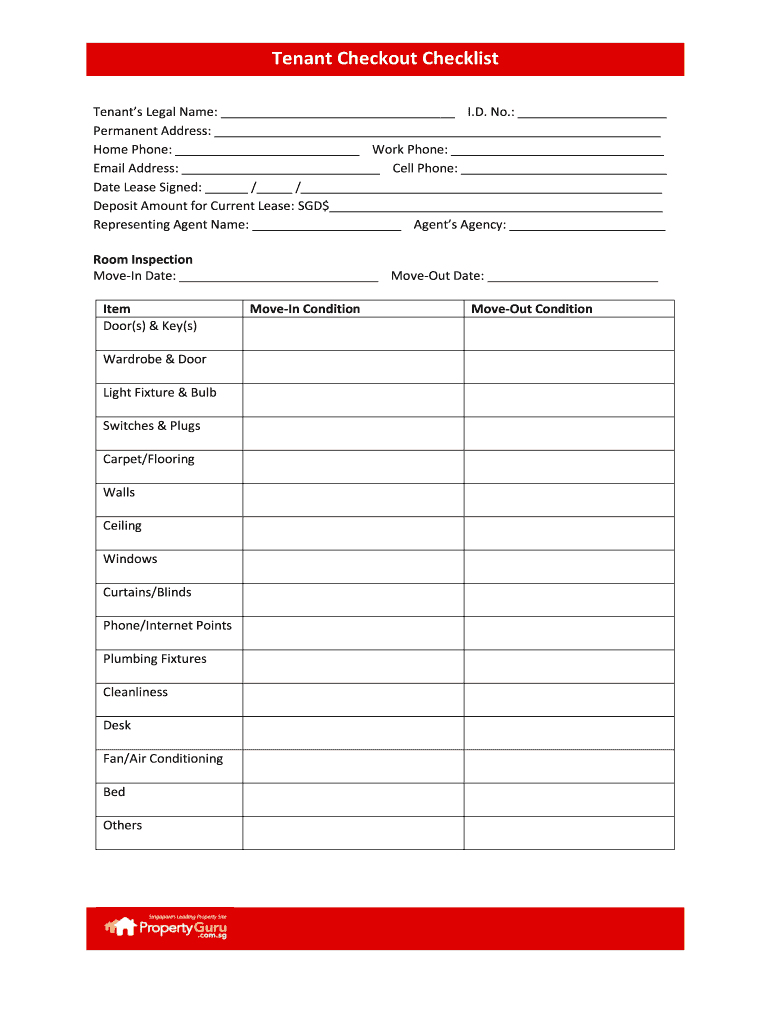
checkout checklist Preview on Page 1

Here's how it works

01. Edit your checkout checklist online
Type text, add images, blackout confidential details, add comments, highlights and more.
02. Sign it in a few clicks
Draw your signature, type it, upload its image, or use your mobile device as a signature pad.
03. Share your form with others
Send tenant checkout form template via email, link, or fax. You can also download it, export it or print it out.

How to use or fill out Tenant Checkout Checklist - bPropertyGurub with our platform

Form edit decoration
9.5
Ease of Setup
DocHub User Ratings on G2
9.0
Ease of Use
DocHub User Ratings on G2
  1. Click ‘Get Form’ to open the Tenant Checkout Checklist in the editor.
  2. Begin by entering your legal name and ID number at the top of the form. This information is essential for identification purposes.
  3. Fill in your permanent address, home phone, work phone, email address, and cell phone. Accurate contact details ensure smooth communication.
  4. Record the date the lease was signed and the deposit amount for your current lease. This section helps track important financial details.
  5. Provide the name of your representing agent and their agency to facilitate any necessary communications regarding your tenancy.
  6. In the Room Inspection section, note down move-in and move-out dates. Then, assess each item listed (e.g., doors, windows) for condition during both move-in and move-out.

Start using our platform today to complete your Tenant Checkout Checklist effortlessly and for free!

See more Tenant Checkout Checklist - bPropertyGurub versions

We've got more versions of the Tenant Checkout Checklist - bPropertyGurub form. Select the right Tenant Checkout Checklist - bPropertyGurub version from the list and start editing it straight away!
Versions Form popularity Fillable & printable
2010 4 Satisfied (39 Votes)
be ready to get more

Complete this form in 5 minutes or less

Get form

Got questions?

We have answers to the most popular questions from our customers. If you can't find an answer to your question, please contact us.
Contact us
Electrical Systems: Test light switches and outlets; check the age of wiring. Heating and Cooling: Test the HVAC system to ensure it works properly. Windows and Doors: Check for drafts, ease of opening/closing, and locks. Space and Layout: Ensure the layout suits your lifestyle and furniture fits.
A move-in/move-out checklist is a document filled out at the beginning and end of a lease term to record any prevalent issues or material damage on the premises. Once completed, the form is signed by the tenant and landlord.
A free property inspection app for everyone - myInspections.
Tenant Privacy Rights Even though you own the property, its the tenants home. You cant just walk in, open closets, or go through personal belongings. Your inspection should focus on areas that impact health, safety, and the structure of the property, like plumbing, walls, windows, and shared spaces.
When it comes to move-in, move-out, and periodic rental inspection checklists, TurboTenant has you covered. Our platform makes it free, easy, and secure to document a propertys condition, store reports, and resolve disputes no printer necessary.

Security and compliance

At DocHub, your data security is our priority. We follow HIPAA, SOC2, GDPR, and other standards, so you can work on your documents with confidence.

Learn more
ccpa2
pci-dss
gdpr-compliance
hipaa
soc-compliance
be ready to get more

Complete this form in 5 minutes or less

Get form

People also ask

The tenant can be there during a landlord inspection to address any signs of damage and keep a good landlord-tenant relationship. As the tenant, you should also use a checklist before moving in and out.
An inventory for a rental property is a document that details the contents and condition of every area of the property, inside and out. It should be done before a tenant moves in and then when they move out and may also be used in periodical inspections.