Type text, add images, blackout confidential details, add comments, highlights and more.
02. Sign it in a few clicks
Draw your signature, type it, upload its image, or use your mobile device as a signature pad.
03. Share your form with others
Send it via email, link, or fax. You can also download it, export it or print it out.
How to use or fill out leas c with our platform
Ease of Setup
DocHub User Ratings on G2
Ease of Use
DocHub User Ratings on G2
Click ‘Get Form’ to open it in the editor.
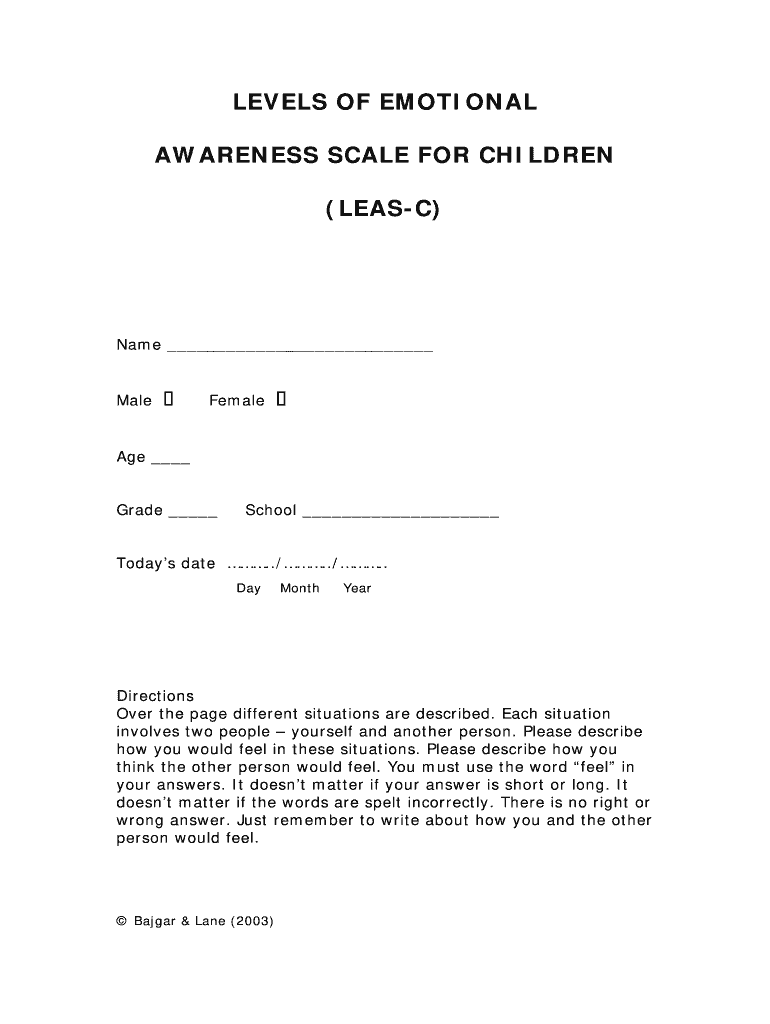
Begin by filling in your name, gender, age, grade, and school at the top of the form. This information helps personalize the assessment.
For each situation described, take a moment to reflect on how you would feel and how you think the other person would feel. Use the word 'feel' in your responses as instructed.
Type your answers directly into the provided fields for each scenario. Remember, there are no right or wrong answers; express your emotions freely.
Once you have completed all scenarios, review your responses for clarity and completeness before saving or submitting the form.
Start using our platform today to easily fill out your leas c form online for free!
Levels of emotional awareness Scale (LEAS PDF)Levels of emotional awareness scale for childrenLevels of Emotional awareness Scale test onlineWhat is emotional awareness
Security and compliance
At DocHub, your data security is our priority. We follow HIPAA, SOC2, GDPR, and other standards, so you can work on your documents with confidence.
The Levels of Emotional Awareness Scale Training and
by BD Watson Cited by 1 The Levels of Emotional Awareness Scale (LEAS) is an open-ended test of the depth and breadth of understanding of emotion words. The LEAS is usually scored byRead more
Our project tested the efficiency of our accelerators using three plasmid architectures: single plasmid system (Cas12a, Argonaute) and a double plasmidRead more
Development of the Levels of Emotional Awareness Scale
by J Bajgar 2005 Cited by 296 Preliminary support for the validity of the LEAS-C as an objective assessment of emotional complexity in children is found in this study. Results also suggestRead more
Cookie consent notice
This site uses cookies to enhance site navigation and personalize your experience.
By using this site you agree to our use of cookies as described in our Privacy Notice.
You can modify your selections by visiting our Cookie and Advertising Notice.