




Here's how it works



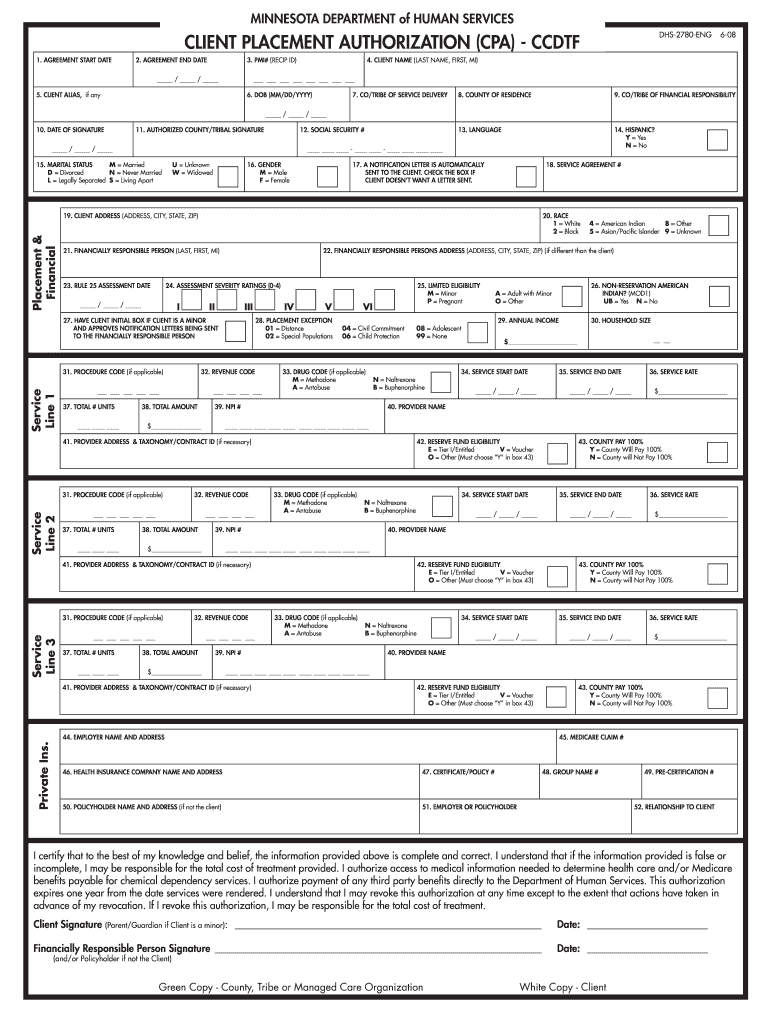
How to use or fill out CLIENT PLACEMENT AUTHORIZATION CPA - CCDTF DHS-2780-ENG 6-08 - hennepinhealth with our platform

- Click ‘Get Form’ to open the CLIENT PLACEMENT AUTHORIZATION form in the editor.
- Begin by entering the 'AGREEMENT START DATE' and 'AGREEMENT END DATE' in the designated fields. Ensure the dates are formatted correctly.
- Fill in your 'PMI# (RECIP ID)' and 'CLIENT NAME' (Last Name, First Name, MI). If applicable, include any client alias.
- Provide the 'DOB' (Date of Birth), 'County of Residence', and 'Co/Tribe of Financial Responsibility'.
- Complete additional fields such as language preference, marital status, gender, and social security number as required.
- Review sections for service details including service agreement numbers, procedure codes, and financial responsibility information.
- Finally, ensure all signatures are obtained where necessary before submitting the form for processing.
Start using our platform today to easily fill out your CLIENT PLACEMENT AUTHORIZATION form for free!
It's free
See more CLIENT PLACEMENT AUTHORIZATION CPA - CCDTF DHS-2780-ENG 6-08 - hennepinhealth versions
Got questions?
What do I need to sign my CLIENT PLACEMENT AUTHORIZATION CPA - CCDTF DHS-2780-ENG 6-08 - hennepinhealth electronically?
Electronic document approval requires a software solution that complies with data security and eSignature standards. DocHub is an excellent tool for that, since it meets all the previously mentioned requirements. Whatever method you like to sign your CLIENT PLACEMENT AUTHORIZATION CPA - CCDTF DHS-2780-ENG 6-08 - hennepinhealth in DocHub, your electronic signature will be legally binding and court-admissible.
How do you create an e-signature for the CLIENT PLACEMENT AUTHORIZATION CPA - CCDTF DHS-2780-ENG 6-08 - hennepinhealth on iOS?
In addition to a comprehensive toolset for editing PDFs on mobile devices, DocHub allows you to sign your CLIENT PLACEMENT AUTHORIZATION CPA - CCDTF DHS-2780-ENG 6-08 - hennepinhealth along the way. Open our editor in your internet browser, make changes using DocHub’s toolset, and finish your editing by eSigning the completed form.
Security and compliance
At DocHub, your data security is our priority. We follow HIPAA, SOC2, GDPR, and other standards, so you can work on your documents with confidence.
Learn more


