




Here's how it works

01. Edit your 53 1 form online
Type text, add images, blackout confidential details, add comments, highlights and more.

02. Sign it in a few clicks
Draw your signature, type it, upload its image, or use your mobile device as a signature pad.

03. Share your form with others
Send missouri form 53 1 via email, link, or fax. You can also download it, export it or print it out.
How to use or fill out Missouri Sales Tax Return with our platform

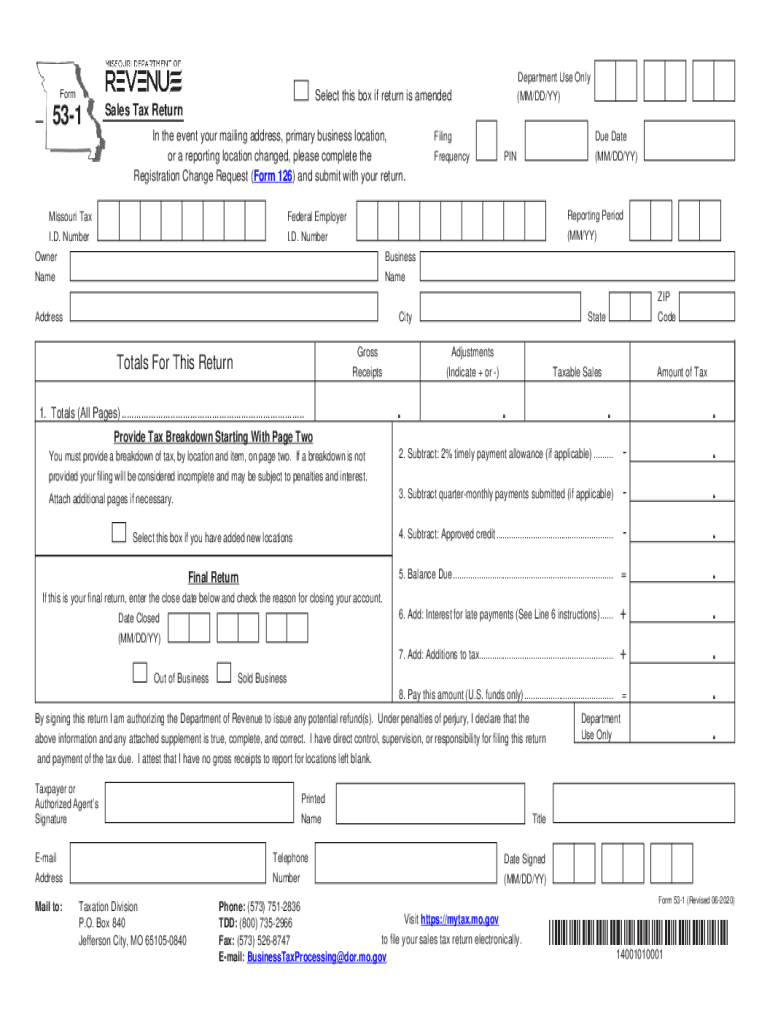
- Click ‘Get Form’ to open the Missouri Sales Tax Return (Form 53-1) in the editor.
- Begin by entering your Missouri Tax I.D. Number and Federal Employer I.D. Number at the top of the form. Ensure these numbers are accurate for proper identification.
- Fill in your business name, address, city, state, and ZIP code. If there have been any changes to your mailing address or business location, complete the Registration Change Request (Form 126).
- In Line 1, provide totals for gross receipts, adjustments, taxable sales, and tax due from all pages. Remember to attach additional pages if necessary.
- If applicable, check the box for adding new locations and provide detailed breakdowns on page two as required.
- Complete Lines 2 through 8 by calculating timely payment allowances, quarter-monthly payments submitted, approved credits, balance due, interest for late payments, additions to tax, and finally the total amount due.
- Sign and date the return at the bottom of the form to authorize submission. Ensure all information is true and complete before sending.
Start filling out your Missouri Sales Tax Return online for free today!
Fill out missouri sales online
It's free
It's free
See more missouri sales versions
We've got more versions of the missouri sales form. Select the right missouri sales version from the list and start editing it straight away!
Security and compliance
At DocHub, your data security is our priority. We follow HIPAA, SOC2, GDPR, and other standards, so you can work on your documents with confidence.
Learn more


