Type text, add images, blackout confidential details, add comments, highlights and more.
02. Sign it in a few clicks
Draw your signature, type it, upload its image, or use your mobile device as a signature pad.
03. Share your form with others
Send army key control log via email, link, or fax. You can also download it, export it or print it out.
How to use or fill out key control log with our platform
Ease of Setup
DocHub User Ratings on G2
Ease of Use
DocHub User Ratings on G2
Click ‘Get Form’ to open the key control log in the editor.
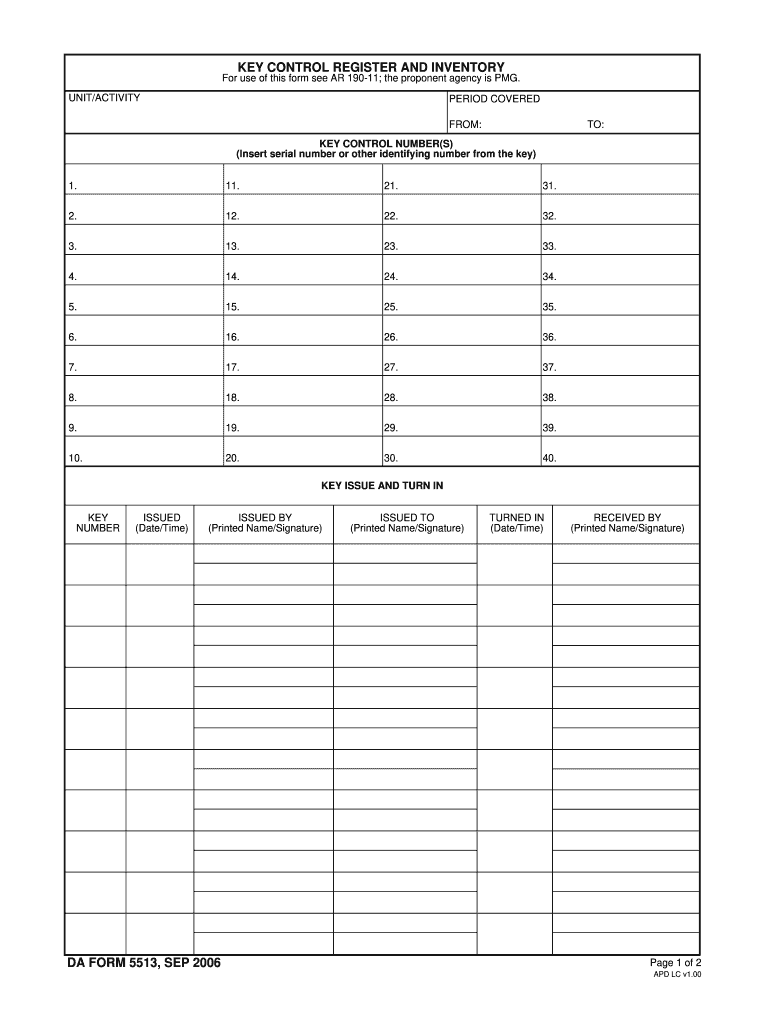
Begin by entering your UNIT/ACTIVITY and the PERIOD COVERED, specifying the start and end dates.
In the KEY CONTROL NUMBER(S) section, input the serial numbers or identifying numbers for each key. Ensure that you fill in all relevant fields from 1 to 40.
For each key issued, complete the KEY ISSUE AND TURN IN section. Fill in the KEY NUMBER, ISSUED (Date/Time), ISSUED BY (Printed Name/Signature), and ISSUED TO (Printed Name/Signature).
When a key is returned, document this in the same section by filling out TURNED IN (Date/Time) and RECEIVED BY (Printed Name/Signature).
Finally, for inventories, record the DATE and ensure all printed names/signatures are completed as required.
Start using our platform today to streamline your key control log management for free!
Key control log templateKey control log pdfKey control log form 5513 pdfKey control log form 5513Key control log armyKey control Log template ExcelKey Control Log ExampleArmy key control regulation
Security and compliance
At DocHub, your data security is our priority. We follow HIPAA, SOC2, GDPR, and other standards, so you can work on your documents with confidence.
Cookie consent notice
This site uses cookies to enhance site navigation and personalize your experience.
By using this site you agree to our use of cookies as described in our Privacy Notice.
You can modify your selections by visiting our Cookie and Advertising Notice.