Mv 619 2025

Get Form
mv 619 Preview on Page 1

Here's how it works

01. Edit your mv 619 online
Type text, add images, blackout confidential details, add comments, highlights and more.

02. Sign it in a few clicks
Draw your signature, type it, upload its image, or use your mobile device as a signature pad.

03. Share your form with others
Send mv 619 printable form via email, link, or fax. You can also download it, export it or print it out.

How to use or fill out mv 619 with our platform

Form edit decoration
9.5
Ease of Setup
DocHub User Ratings on G2
9.0
Ease of Use
DocHub User Ratings on G2
  1. Click ‘Get Form’ to open the mv 619 in the editor.
  2. Begin by entering your personal information in the designated fields, including your name, address, and contact details. Ensure accuracy for a smooth processing experience.
  3. Next, navigate to the section that requires vehicle information. Fill in the make, model, year, and VIN of your vehicle. This data is crucial for identification purposes.
  4. Proceed to any additional sections that may require signatures or dates. Use our platform’s signature feature to sign electronically, making it quick and convenient.
  5. Finally, review all entered information for completeness and accuracy before submitting. Utilize our editing tools to make any necessary adjustments effortlessly.

Start using our platform today for free and streamline your mv 619 form completion!

See more mv 619 versions

We've got more versions of the mv 619 form. Select the right mv 619 version from the list and start editing it straight away!
Versions Form popularity Fillable & printable
2022 4.8 Satisfied (100 Votes)
2020 4.8 Satisfied (60 Votes)
2015 4.3 Satisfied (48 Votes)
2013 4.5 Satisfied (32 Votes)
2011 4.2 Satisfied (54 Votes)
2009 4 Satisfied (69 Votes)
be ready to get more

Complete this form in 5 minutes or less

Get form

Got questions?

We have answers to the most popular questions from our customers. If you can't find an answer to your question, please contact us.
Contact us
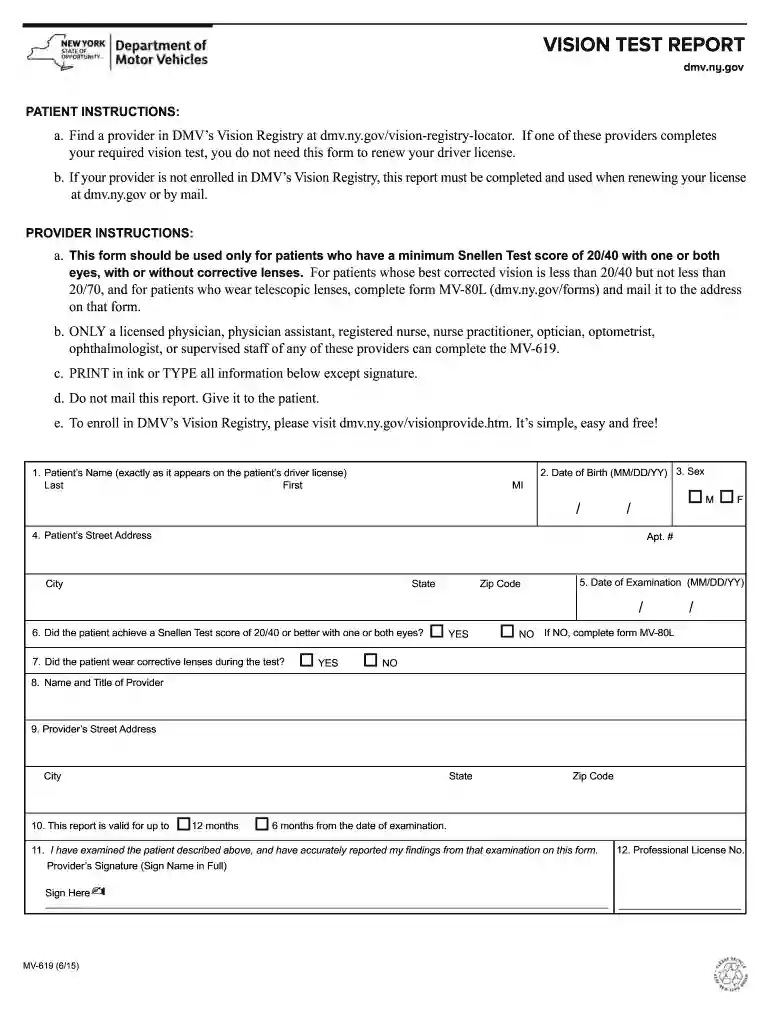
About. Motorists must pass a vision screening test to renew their driver license. DMV allows doctors, nurses, most eye care professionals, pharmacists, and their supervised staff to give vision screening tests to customers and provide the results electronically to DMV through an Online Vision Registry.
You must pass a vision test when you apply for a driver license or to renew your license. The test must show that you have visual acuity of at least 20/40 (based on the Snellen Visual Acuity Scale) in either or both eyes, with or without corrective lenses.
Yes, you can legally drive with one eye in California, as long as you meet the minimum vision requirements set by the state Department of Motor Vehicles (DMV). California law is clear that your ability to drive isnt determined by how many eyes you have but by the quality of your vision.
DMV Visual Acuity (Vision) Screening Standard required for a DL: 20/40 with both eyes together. 20/40 in one eye and at least 20/70 in the other eye.
There are a number of eye tests available online, however they arent always accurate tools for diagnosing any eye conditions or the cause for a change in your vision. While they can be useful for understanding some eye symptoms, online vision tests should never replace a visit to your optician.

People also ask

The New York DMV requires you to pass a vision test to renew your drivers license. To make this process easier, we now offer video call vision screenings that you can complete from the comfort of your home. To participate, all you need is 10 feet of space to step back and a compatible device with the Zoom video app.

dmv eye test form