




Here's how it works

01. Edit your va form 10 583 online
Type text, add images, blackout confidential details, add comments, highlights and more.

02. Sign it in a few clicks
Draw your signature, type it, upload its image, or use your mobile device as a signature pad.

03. Share your form with others
Send gov veterans via email, link, or fax. You can also download it, export it or print it out.
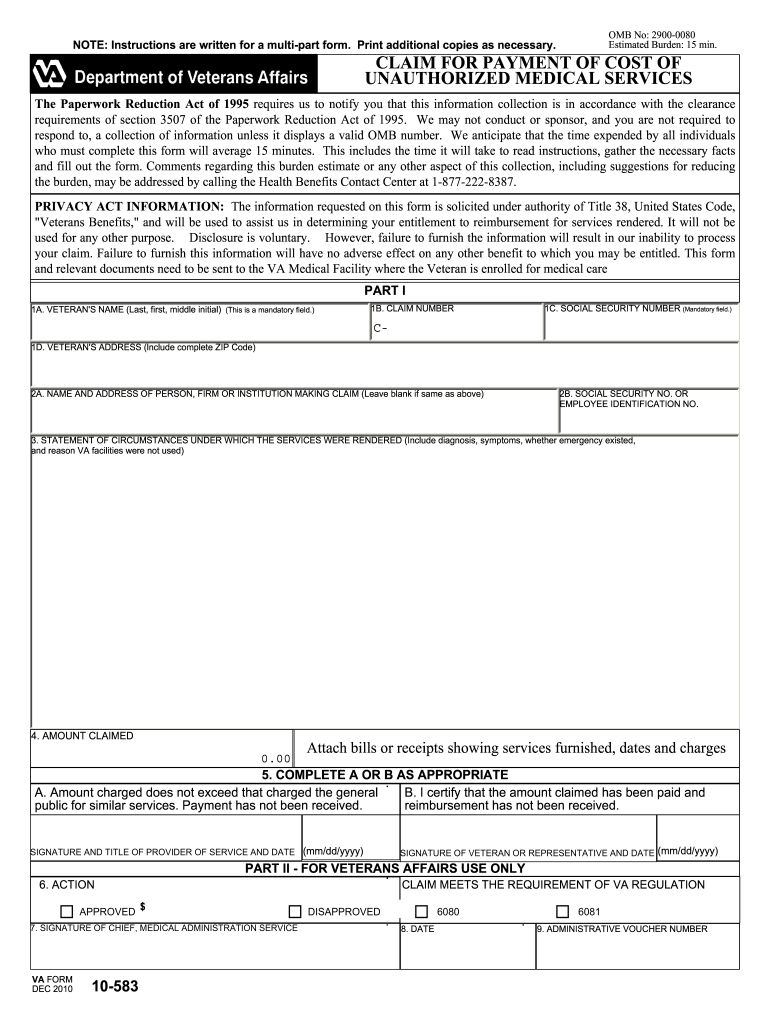
How to use or fill out VA Form 10-583 with DocHub

- Click ‘Get Form’ to open it in the editor.
- Begin by filling in the Veteran's name in Part I, Section 1A. This is a mandatory field, so ensure accuracy.
- Next, enter the Claim Number and Social Security Number in Sections 1B and 1C respectively. Both fields are mandatory.
- Provide the Veteran's complete address in Section 1D, including the ZIP Code.
- In Section 2A, input the name and address of the person or institution making the claim. If it's the same as above, leave it blank.
- Detail the circumstances under which services were rendered in Section 3. Include diagnosis and reasons for not using VA facilities.
- Enter the amount claimed in Section 4 and attach any relevant bills or receipts that support your claim.
- Complete either Section 5A or 5B based on your situation regarding payment status.
- Finally, sign and date where indicated at the bottom of Part I to validate your claim before submission.
Start using our platform today to fill out VA Form 10-583 easily and for free!
Fill out va form 10 583 online
It's free
It's free
See more va form 10 583 versions
We've got more versions of the va form 10 583 form. Select the right va form 10 583 version from the list and start editing it straight away!
| Versions | Form popularity | Fillable & printable |
|---|---|---|
| 2010 | 4.8 Satisfied (147 Votes) |
Security and compliance
At DocHub, your data security is our priority. We follow HIPAA, SOC2, GDPR, and other standards, so you can work on your documents with confidence.
Learn more


Related forms
Reference Letter Template - Lending
The document provides a comprehensive guide for Mastercard debit cardholders on how to dispute transactions. It outlines ...
City of Daytona Beach Shores - Mechanical Permit Application
The document is a Mechanical Permit Application for the City of Daytona Beach Shores, detailing the requirements and inf ...

Dlsu promissory note form
The document is a Student Loan Program Promissory Note from De La Salle University, outlining the borrower's commitment ...

Upcm application form
The document is an application form for admission to the College of Medicine at the University of the Philippines Manila ...
Nps date of birth correction online
The document is a form (Annexure CS-S2) for requesting changes or corrections in subscriber master details, including pe ...

Massachusetts application erecting
The document is an application form from the Boston Fire Department's Fire Prevention Division for erecting a tent or te ...

Alberta 4ephf control printable
The document is an application form for using Time as a Public Health Control in food establishments. It requires inform ...
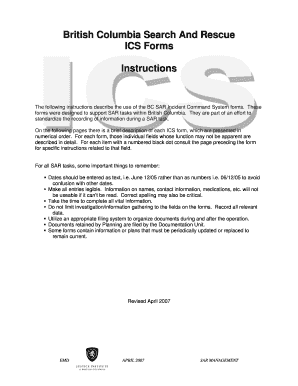
British columbia rescue forms
The document outlines the British Columbia Search and Rescue (BC SAR) Incident Command System (ICS) forms and their usag ...