Type text, add images, blackout confidential details, add comments, highlights and more.
02. Sign it in a few clicks
Draw your signature, type it, upload its image, or use your mobile device as a signature pad.
03. Share your form with others
Send it via email, link, or fax. You can also download it, export it or print it out.
How to use or fill out employee data sheet with our platform
Ease of Setup
DocHub User Ratings on G2
Ease of Use
DocHub User Ratings on G2
Click ‘Get Form’ to open the employee data sheet in the editor.
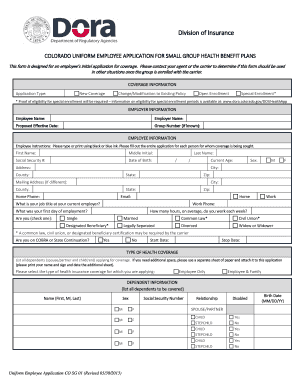
Begin by entering your Employee Name and School/s in the designated fields. Ensure accuracy as this information is crucial for identification.
Fill in the Date of Hire and Starting Date. These dates are important for record-keeping and benefits eligibility.
Complete your Address, including City, State, and Zip Code. This information is necessary for communication purposes.
Provide your Home Phone Number and an Alternate Number for contact flexibility.
Enter your Social Security Number, Sex, and Date of Birth. This information is sensitive; ensure it is entered correctly.
Indicate U.S Citizenship status and Filling Status by selecting Yes or No, along with your Ethnicity if applicable.
Claim your total number of allowances and any extra withholding in the respective fields to assist with tax calculations.
For Emergency Contacts, fill out both Primary and Secondary Contact Person details including their relationship to you and daytime phone numbers.
Confirm if you can perform essential job functions with or without accommodations by checking Yes or No.
Finally, complete the Office Use Only section with Hourly/Annual Rate, Health Insurance eligibility, Contract Type, Sick/Vacation Available, and Eligibility Date as required.
Start filling out your employee data sheet today using our platform for free!
Employee data sheet excelEmployee data sheet templateEmployee data sheet pdfEmployee data sheet template excelEmployee data sheet template wordEmployee information form template free downloadNew hire employee information form PDFNew hire employee information form PDF free download
Security and compliance
At DocHub, your data security is our priority. We follow HIPAA, SOC2, GDPR, and other standards, so you can work on your documents with confidence.
The information collected on the UHCL Employee Data Sheet is used for creating the employee record in PeopleSoft. The Office of Human Resources is.Read more
May 2, 2022 The Staffing reports are primarily used with the Scheduler module. They represent reports run on actual schedule and placeholder information.Read more
Employee Data Sheet - Full Version Phone Numbers Email Addresses Sick Vacation Discretionary Day Comp Time Holiday Comp Time Military. Select:Read more
Cookie consent notice
This site uses cookies to enhance site navigation and personalize your experience.
By using this site you agree to our use of cookies as described in our Privacy Notice.
You can modify your selections by visiting our Cookie and Advertising Notice.