




Here's how it works

01. Edit your form online
Type text, add images, blackout confidential details, add comments, highlights and more.

02. Sign it in a few clicks
Draw your signature, type it, upload its image, or use your mobile device as a signature pad.

03. Share your form with others
Send it via email, link, or fax. You can also download it, export it or print it out.
How to use or fill out Columbia Bank Personal Financial Statement Form with DocHub

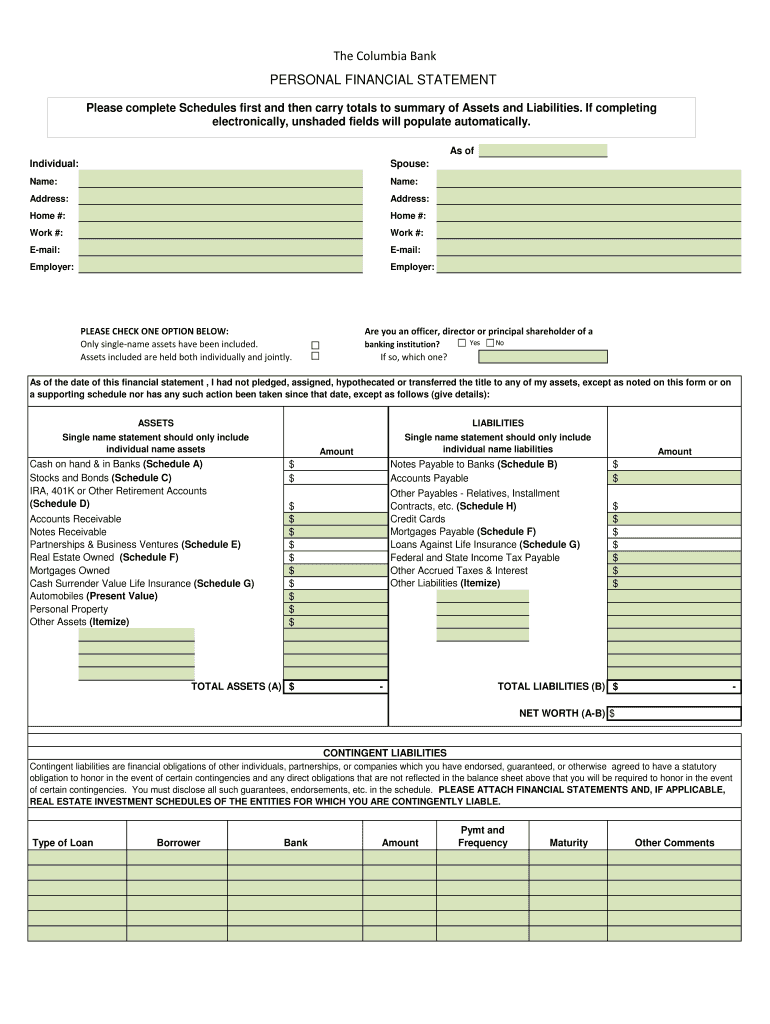
- Click ‘Get Form’ to open the Columbia Bank Personal Financial Statement in our platform.
- Begin by entering your personal information, including names, addresses, and contact details for both you and your spouse if applicable. Ensure all fields are filled accurately.
- Indicate whether the assets listed are solely in your name or held jointly. This is crucial for the bank's assessment of your financial situation.
- Proceed to complete the Assets section by detailing cash balances, stocks, retirement accounts, and other assets. Use the provided schedules to itemize each category clearly.
- Next, fill out the Liabilities section with any debts or obligations. Be thorough in listing all payables and loans to provide a complete financial picture.
- Review all entries for accuracy before submitting. If completing electronically, unshaded fields will populate automatically based on your inputs.
Start using our platform today to easily fill out your Columbia Bank Personal Financial Statement form online for free!
Fill out columbia bank personal financial statement form online
It's free
Security and compliance
At DocHub, your data security is our priority. We follow HIPAA, SOC2, GDPR, and other standards, so you can work on your documents with confidence.
Learn more


