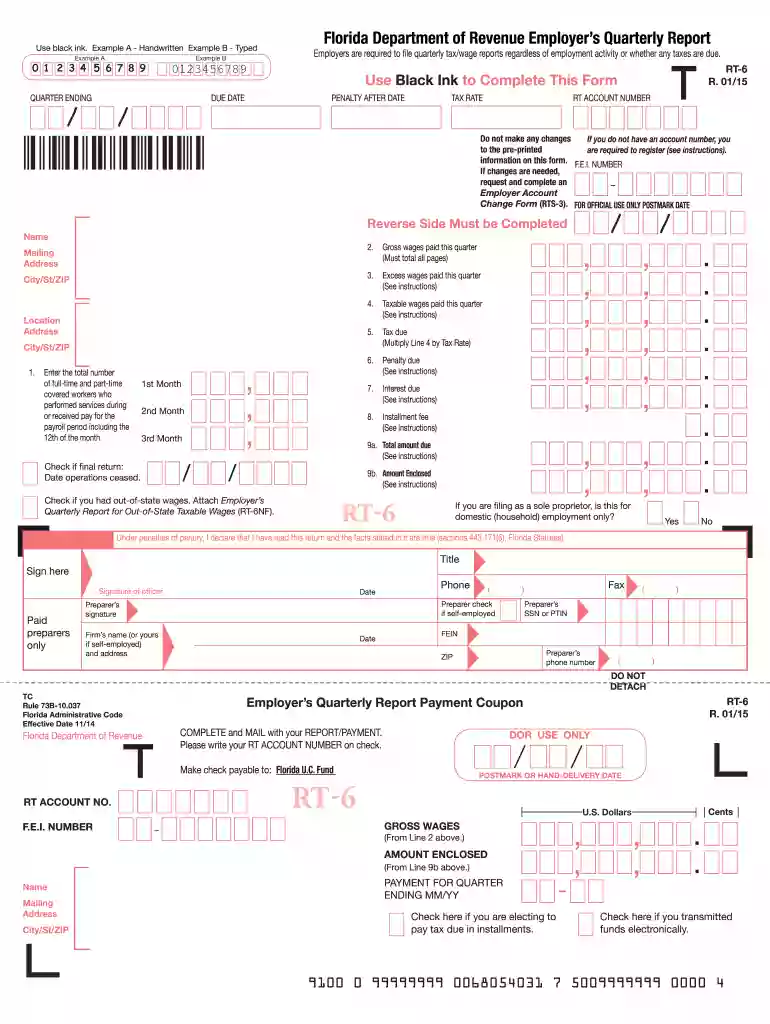
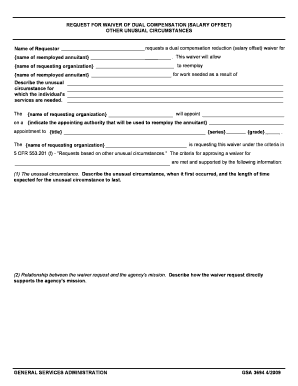
My florida department of revenue 2026

Get Form
florida department of revenue forms Preview on Page 1

Here's how it works

01. Edit your florida department of revenue forms online
Type text, add images, blackout confidential details, add comments, highlights and more.

02. Sign it in a few clicks
Draw your signature, type it, upload its image, or use your mobile device as a signature pad.

03. Share your form with others
Send fl rt 6 online via email, link, or fax. You can also download it, export it or print it out.

How to use or fill out my florida department of revenue with our platform

Form edit decoration
9.5
Ease of Setup
DocHub User Ratings on G2
9.0
Ease of Use
DocHub User Ratings on G2
  1. Click ‘Get Form’ to open the Employer’s Quarterly Report in the editor.
  2. Begin by entering the quarter ending date in the designated field. Ensure you use black ink for clarity.
  3. Fill in your RT Account Number and F.E.I. Number as pre-printed on the form. If you do not have an account number, follow the instructions to register.
  4. Complete Section 1 by entering the total number of full-time and part-time workers who performed services during the payroll period.
  5. In Section 2, report gross wages paid this quarter, ensuring that totals from all pages are included.
  6. Continue filling out taxable wages and tax due based on provided instructions, multiplying taxable wages by your tax rate.
  7. Finally, review all entries for accuracy before signing and dating the form at the bottom. Ensure to check if it is your final return if applicable.

Start using our platform today to streamline your form completion process for free!

See more my florida department of revenue versions

We've got more versions of the my florida department of revenue form. Select the right my florida department of revenue version from the list and start editing it straight away!
Versions Form popularity Fillable & printable
2023 4.4 Satisfied (28 Votes)
2015 4.9 Satisfied (353 Votes)
2013 4.1 Satisfied (55 Votes)
2012 4.3 Satisfied (298 Votes)
2012 4 Satisfied (28 Votes)
be ready to get more

Complete this form in 5 minutes or less

Get form

Got questions?

We have answers to the most popular questions from our customers. If you can't find an answer to your question, please contact us.
Contact us

Signing documents on a mobile device is fast, straightforward, and doesn’t require software installation when you have an account with DocHub. Log in from any browser, fill in your blank fields with your information, and click on Sign → Create your signature. You can draw your electronic signature the same way you usually do on paper, add its picture to your fl rt6, or type in your name and stylize its look. No matter what option you select, your paperwork will be valid.

If you want to edit your fl rt6 form on the internet quickly, it does not matter what web browser you use. DocHub’s straightforward editing instruments are accessible using any internet browser. Simply open the appropriate tab within our editor, add your file, and fill it out without stress.

State Local Sales Tax Rates as of July 1, 2025 StateState Tax RateCombined Tax Rate Delaware 0.00% 0.00% Florida 6.00% 7.02% Georgia 4.00% 7.44% Hawaii (b) 4.00% 4.50%47 more rows Jul 8, 2025
To speak with a Department representative, call Taxpayer Services at 850-488-6800, Monday through Friday, excluding holidays.
However, you can apply for penalty relief. It is always better to contact the Department of Revenue before the agency contacts you. If you apply for penalty relief on your sales tax before the Department of Revenue contacts you, the Department of Revenue can waive some of your penalties.

Security and compliance

At DocHub, your data security is our priority. We follow HIPAA, SOC2, GDPR, and other standards, so you can work on your documents with confidence.

Learn more
ccpa2
pci-dss
gdpr-compliance
hipaa
soc-compliance
be ready to get more

Complete this form in 5 minutes or less

Get form

People also ask

Taxpayer Service Centers Service centers are open 8 a.m. to 5 p.m. local time.
If you are contacted by someone representing themselves as an employee of the Florida Department of Revenuewhether it is by letter or form, a phone call or other communicationwho appears unfamiliar with your specific tax or child support account information, please feel free to verify their identity by contacting the
The IRS is a bureau of the Department of the Treasury and one of the worlds most efficient tax administrators. In fiscal year 2023, the IRS collected almost $4.7 trillion in revenue and processed more than 271.5 million tax returns.
Florida DOR is usually for sales tax or possibly child support. Someone may have also given them an old or incorrect number. They are also working from home though I believe it does show up as DOR.

florida department of revenue