




01. Edit your us coast guard form 1340 online
Type text, add images, blackout confidential details, add comments, highlights and more.

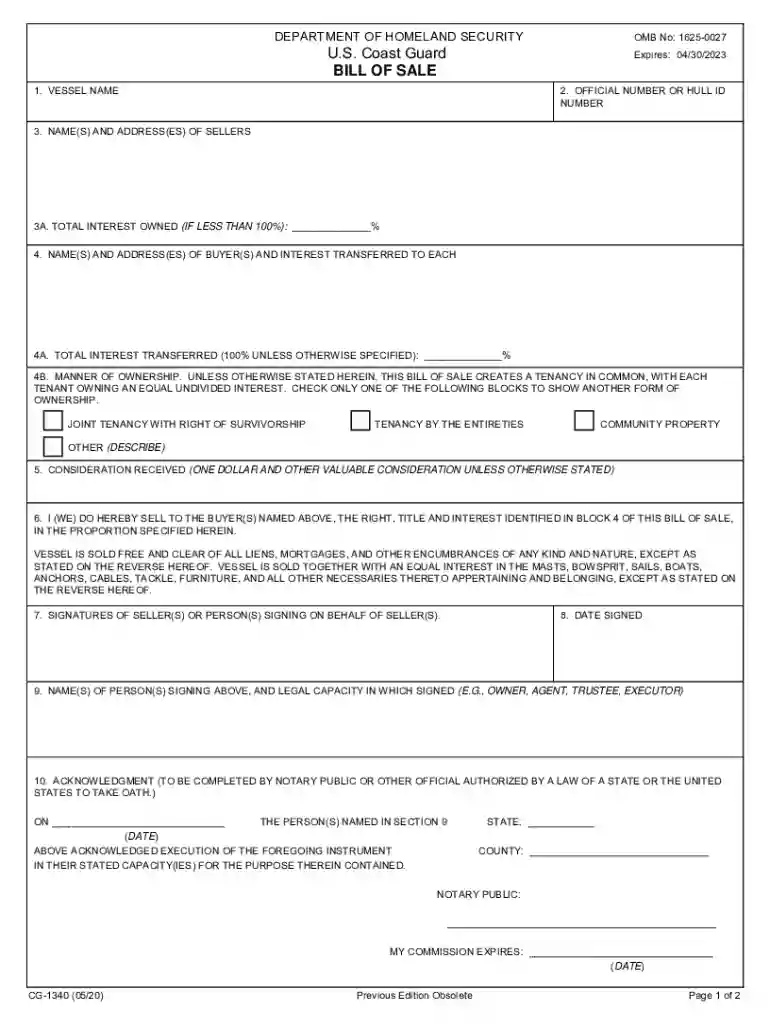
Type text, add images, blackout confidential details, add comments, highlights and more.

Draw your signature, type it, upload its image, or use your mobile device as a signature pad.

Send coast guard form cg 1340 via email, link, or fax. You can also download it, export it or print it out.

Start using our platform today to streamline your uscg bill of sale process for free!
We've got more versions of the us coast guard form 1340 form. Select the right us coast guard form 1340 version from the list and start editing it straight away!
At DocHub, your data security is our priority. We follow HIPAA, SOC2, GDPR, and other standards, so you can work on your documents with confidence.
(a) When the evidence of title passage required by this subpart is a bill of sale which meets the criteria for filing and recording set forth in subpart PRead more
Oct 8, 2024 The U.S. offshore wind industry is nascent with only seven wind turbine generators (WTGs) currently in operation, totaling 42 MW.
UNLESS OTHERWISE STATED HEREIN, THIS BILL OF SALE CREATES A. TENANCY IN COMMON, WITH EACH TENANT OWNING AN EQUAL UNDIVIDED INTEREST. JOINT TENANCY WITH RIGHT OFRead more


