Printable cna inservice material 2026

Get Form
free printable cna inservice material Preview on Page 1

Here's how it works

01. Edit your free printable cna inservice material online
Type text, add images, blackout confidential details, add comments, highlights and more.
02. Sign it in a few clicks
Draw your signature, type it, upload its image, or use your mobile device as a signature pad.
03. Share your form with others
Send free printable cna inservices via email, link, or fax. You can also download it, export it or print it out.

How to use or fill out printable cna inservice material with our platform

Form edit decoration
9.5
Ease of Setup
DocHub User Ratings on G2
9.0
Ease of Use
DocHub User Ratings on G2
  1. Click ‘Get Form’ to open the printable CNA inservice material in the editor.
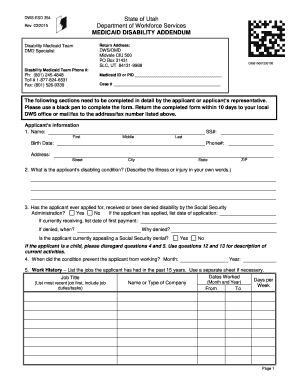
  2. Begin by entering your name and facility information in the designated fields. This ensures that your training materials are personalized and easily identifiable.
  3. Select your preferred method of payment. You can choose to be billed, pay by credit card, or enclose a check. Fill out the necessary details accordingly.
  4. Review the monthly topics listed for training. Each month covers essential areas such as documentation, interpersonal skills, and infection control. Make notes on which topics you find most relevant for your staff.
  5. Once all fields are completed, save your document. You can then print it directly or share it online with your team for easy access.

Start using our platform today to streamline your CNA training process effortlessly!

be ready to get more

Complete this form in 5 minutes or less

Get form

Got questions?

We have answers to the most popular questions from our customers. If you can't find an answer to your question, please contact us.
Contact us

Yes, you can utilize DocHub for signing any business and private documentation, including your free printable inservices for home health aides. All electronic signatures you generate with our service are legally binding and court-admissible, as DocHub complies with criteria required by ESIGN and UETA. Save your accomplished paperwork with a detailed Audit Trail if needed.

If you store your papers in Google Drive, there is no need to download your inservice training free printable cna inservice material on your computer and upload it back to our editor. A significantly simpler way is to set up a browser extension created by DocHub to streamline this flow. The extension allows editing PDFs right in your internet browser. Alternatively, you may integrate your DocHub and Gmail accounts for more efficient editing.

Security and compliance

At DocHub, your data security is our priority. We follow HIPAA, SOC2, GDPR, and other standards, so you can work on your documents with confidence.

Learn more
ccpa2
pci-dss
gdpr-compliance
hipaa
soc-compliance