Type text, add images, blackout confidential details, add comments, highlights and more.
02. Sign it in a few clicks
Draw your signature, type it, upload its image, or use your mobile device as a signature pad.
03. Share your form with others
Send form 355s instructions 2021 via email, link, or fax. You can also download it, export it or print it out.
How to use or fill out 2014 form 355s with our platform
Ease of Setup
DocHub User Ratings on G2
Ease of Use
DocHub User Ratings on G2
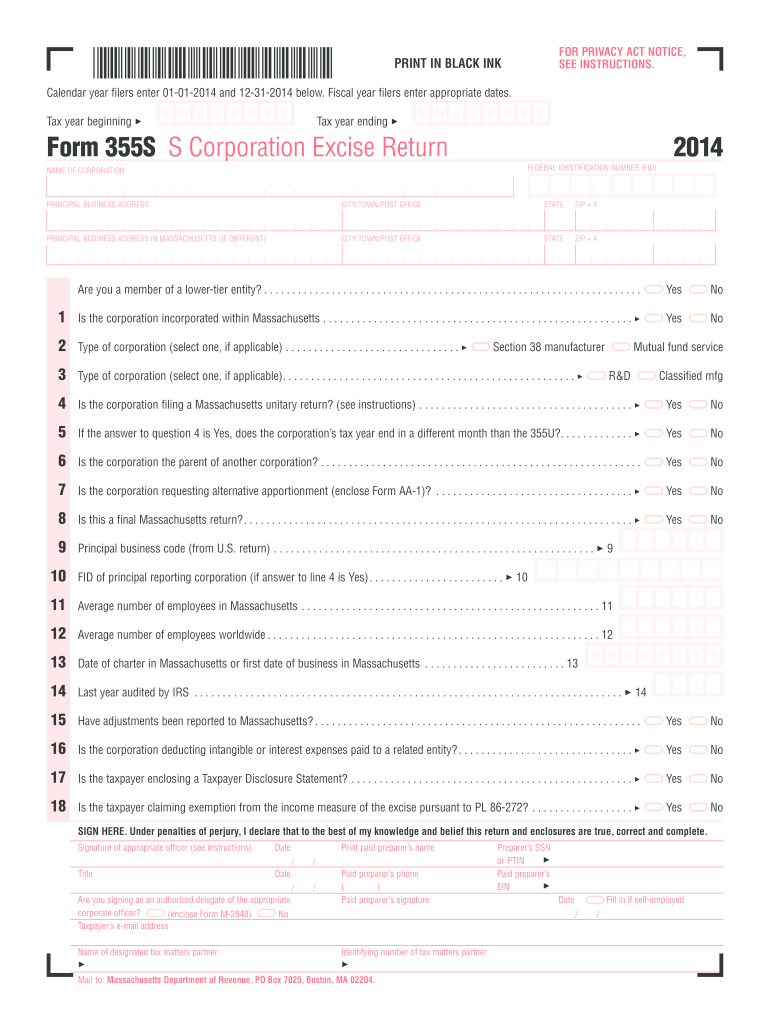
Click ‘Get Form’ to open the 2014 Form 355S in the editor.
Begin by entering your corporation's Federal Identification Number (FID) and name in the designated fields at the top of the form.
Fill in your principal business address, including city, state, and ZIP code. If your Massachusetts address differs, provide that information as well.
Answer the questions regarding your corporation's status, such as whether it is incorporated in Massachusetts or if it is a member of a lower-tier entity. Select 'Yes' or 'No' as appropriate.
Proceed to complete the Excise Calculation section by entering values from relevant schedules. Ensure accuracy when reporting taxable income and deductions.
Finally, sign and date the form where indicated, ensuring all required fields are completed before submission.
Start using our platform today for free to streamline your form completion process!
2014 form 355s instructionsMA Form 355 Instructions 2023MA Form 355 Schedule F2024 Excise taxMa form 355sc instructionsIRS State formsMassachusetts w2 form 2024 pdf2025 Form 1-ES
Security and compliance
At DocHub, your data security is our priority. We follow HIPAA, SOC2, GDPR, and other standards, so you can work on your documents with confidence.
21 U.S. Code 355 - New drugs | LII / Legal Information Institute
No person shall introduce or deliver for introduction into interstate commerce any new drug, unless an approval of an application filed pursuant to subsectionRead more
Cookie consent notice
This site uses cookies to enhance site navigation and personalize your experience.
By using this site you agree to our use of cookies as described in our Privacy Notice.
You can modify your selections by visiting our Cookie and Advertising Notice.