Dssr 240 2026

Get Form
pay days Preview on Page 1

Here's how it works

01. Edit your pay days online
Type text, add images, blackout confidential details, add comments, highlights and more.
02. Sign it in a few clicks
Draw your signature, type it, upload its image, or use your mobile device as a signature pad.
03. Share your form with others
Send hours worked via email, link, or fax. You can also download it, export it or print it out.

How to use or fill out dssr 240 with our platform

Form edit decoration
9.5
Ease of Setup
DocHub User Ratings on G2
9.0
Ease of Use
DocHub User Ratings on G2
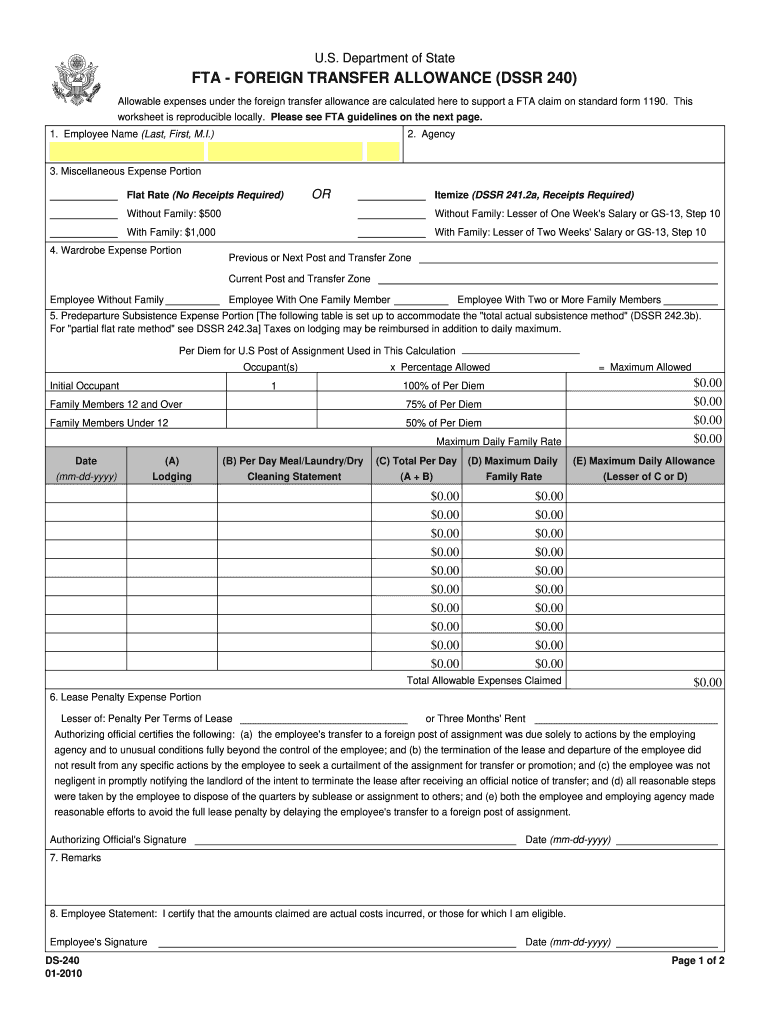
  1. Click ‘Get Form’ to open the dssr 240 in the editor.
  2. Begin by entering your Employee Name in the designated field, ensuring you include your last name, first name, and middle initial.
  3. Next, specify your Agency in the appropriate section to identify your employment.
  4. For the Miscellaneous Expense Portion, choose between Flat Rate (no receipts required) or Itemize (receipts required). Fill in the amounts based on whether you are without family or with family.
  5. Proceed to the Wardrobe Expense Portion. Indicate your previous and current post and transfer zones, along with any applicable expenses based on family size.
  6. In the Predeparture Subsistence Expense Portion, complete the table by entering lodging costs and meal/laundry/dry cleaning statements as needed.
  7. Fill out the Lease Penalty Expense Portion by providing details about any penalties incurred due to lease termination.
  8. Finally, review all entries for accuracy before signing and dating the Employee Statement at the bottom of the form.

Start using our platform today for free to streamline your dssr 240 completion!

See more dssr 240 versions

We've got more versions of the dssr 240 form. Select the right dssr 240 version from the list and start editing it straight away!
Versions Form popularity Fillable & printable
2010 4.7 Satisfied (40 Votes)
be ready to get more

Complete this form in 5 minutes or less

Get form

Got questions?

We have answers to the most popular questions from our customers. If you can't find an answer to your question, please contact us.
Contact us
Miscellaneous Expense portion is granted to assist with certain extraordinary costs such as converting household appliances, auto registration, rental car, pet fees, etc.
A Foreign Transfer Allowance (FTA) is a non-taxable allowance that helps employees pay for extraordinary expenses when transferring to a foreign post from the United States. The FTA has two parts: Pre-Departure Subsistence Expense and Miscellaneous Expense. The DSSR, Section 240 reflects current rates.
There are four areas of Foreign Transfer Allowance (FTA). All areas of the FTA are non-taxable.
Section 920 of the Department of State Standardized Regulations (DSSR) provides listings of the allowances, post differential, danger pay rates and allowance reporting requirements for all foreign localities where employees may be assigned.
Overseas transfer allowance (OTA) An individuals OTA is set at the same level as their LSDBA this means that the OTA is 1,073,100, unless the individual has transitional protection.

Security and compliance

At DocHub, your data security is our priority. We follow HIPAA, SOC2, GDPR, and other standards, so you can work on your documents with confidence.

Learn more
be ready to get more

Complete this form in 5 minutes or less

Get form

People also ask

The foreign allowance is paid to the employee for the cost incurred or to be incurred by him in the performance of the duties while he is on tour or transfer for purpose of his official duties. Allowance to the extent of the expenditure actually incurred by him, it is exempt from tax.

days pay