Type text, add images, blackout confidential details, add comments, highlights and more.
02. Sign it in a few clicks
Draw your signature, type it, upload its image, or use your mobile device as a signature pad.
03. Share your form with others
Send rev 1500 schedule h via email, link, or fax. You can also download it, export it or print it out.
How to use or fill out Schedule A - Real Estate REV-1502 PA Department of Revenue with DocHub
Ease of Setup
DocHub User Ratings on G2
Ease of Use
DocHub User Ratings on G2
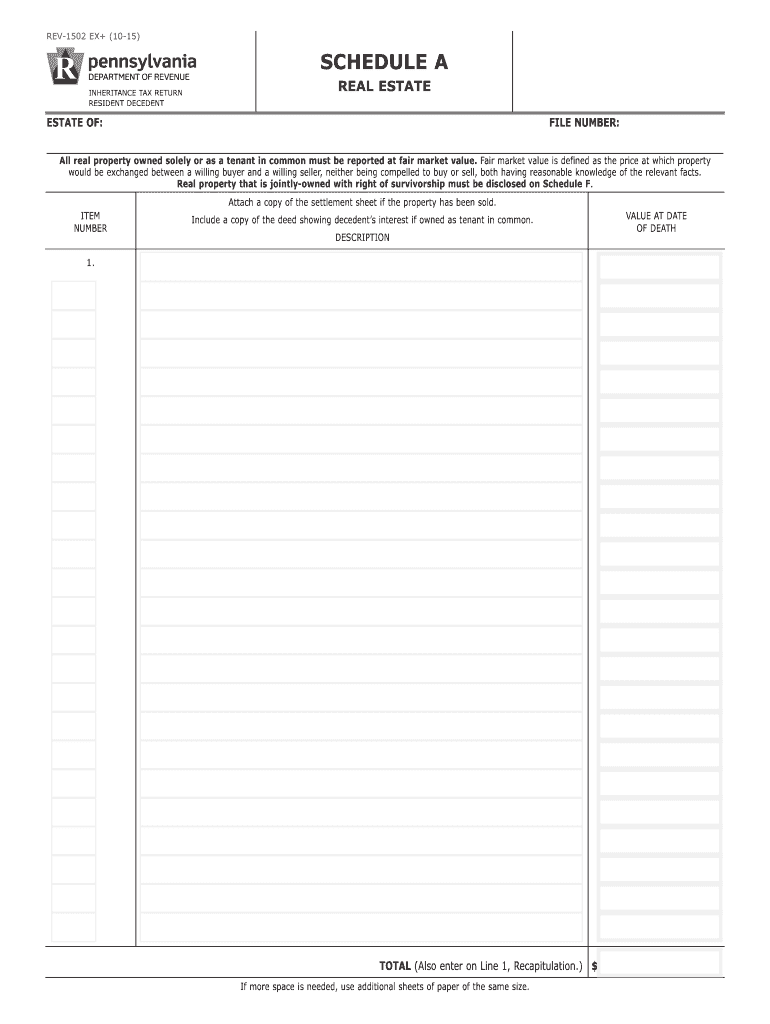
Click ‘Get Form’ to open the Schedule A - Real Estate REV-1502 in our platform.
Begin by entering the 'Estate Of' and 'File Number' at the top of the form. This information is crucial for identifying the estate.
In the 'Real Estate' section, list all properties owned solely or as a tenant in common. For each property, provide a detailed description and its fair market value at the date of death.
If applicable, attach a copy of the deed showing the decedent’s interest if owned as a tenant in common. Ensure you also include a settlement sheet if any property has been sold.
Calculate the total value of all listed properties and enter this amount on Line 1 of the Recapitulation section. If you need more space, feel free to use additional sheets.
Start using our editor today to complete your Schedule A form quickly and efficiently!
Fill out Schedule A - Real Estate REV-1502 PA Department of Revenue online It's free
REV-1500 Schedule ESchedule a real estate rev 1502 pa department of revenue formPA REV-1502 Schedule APA-40 instructionsREV-1500 Schedule BREV-1500 Schedule FREV-1500 Schedule JREV-1500 Schedule H
Security and compliance
At DocHub, your data security is our priority. We follow HIPAA, SOC2, GDPR, and other standards, so you can work on your documents with confidence.
(a) Every railroad company shall complete and file a Form PA-22, Railroad Company Property Tax Information Update (RSA 82), with the department on or beforeRead more
Cookie consent notice
This site uses cookies to enhance site navigation and personalize your experience.
By using this site you agree to our use of cookies as described in our Privacy Notice.
You can modify your selections by visiting our Cookie and Advertising Notice.