




Here's how it works

01. Edit your activity evaluation form online
Type text, add images, blackout confidential details, add comments, highlights and more.

02. Sign it in a few clicks
Draw your signature, type it, upload its image, or use your mobile device as a signature pad.

03. Share your form with others
Send activity evaluation form template via email, link, or fax. You can also download it, export it or print it out.
How to use or fill out activity evaluation with our platform

- Click ‘Get Form’ to open the activity evaluation in the editor.
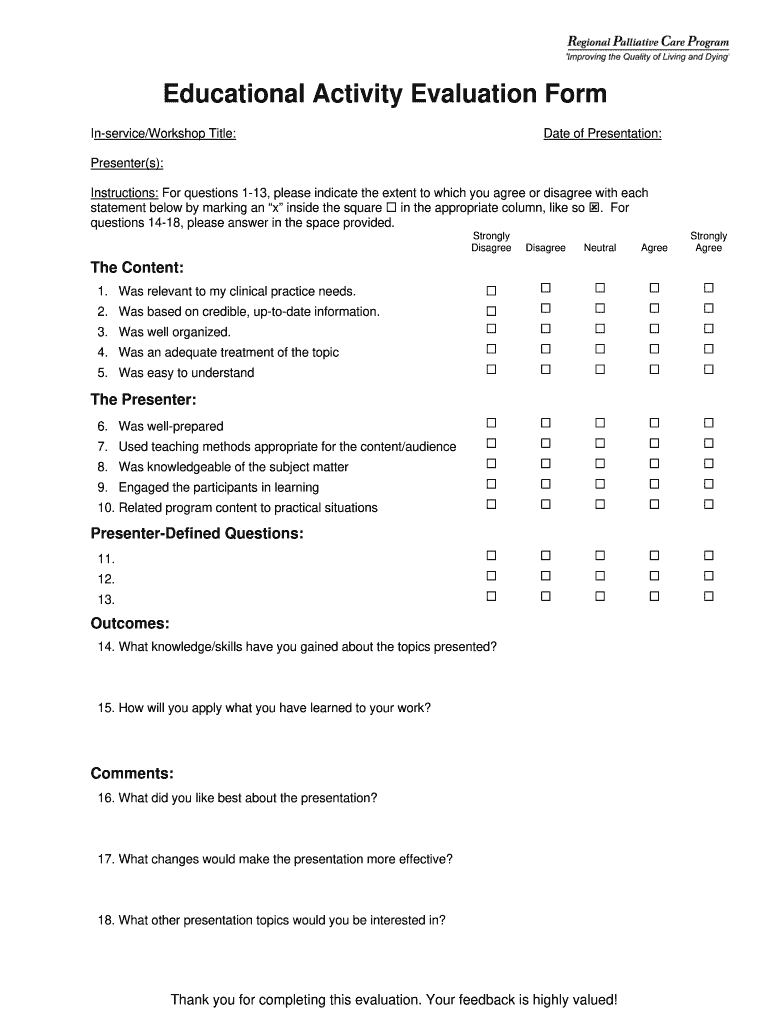
- Begin by entering the 'In-service/Workshop Title' and 'Date of Presentation' at the top of the form. This sets the context for your evaluation.
- List the 'Presenter(s)' names in the designated field to acknowledge who led the session.
- For questions 1-13, indicate your level of agreement by marking an 'x' in the appropriate column for each statement. This helps capture your feedback effectively.
- In questions 14-18, provide detailed responses in the spaces provided. Reflect on what you learned and how it can be applied to your work.
- Review your responses for clarity and completeness before submitting. Your insights are crucial for improving future presentations.
Start using our platform today to streamline your document editing and evaluation process for free!
Fill out activity evaluation online
It's free
It's free
Security and compliance
At DocHub, your data security is our priority. We follow HIPAA, SOC2, GDPR, and other standards, so you can work on your documents with confidence.
Learn more


