Integrated account form 2026

Get Form
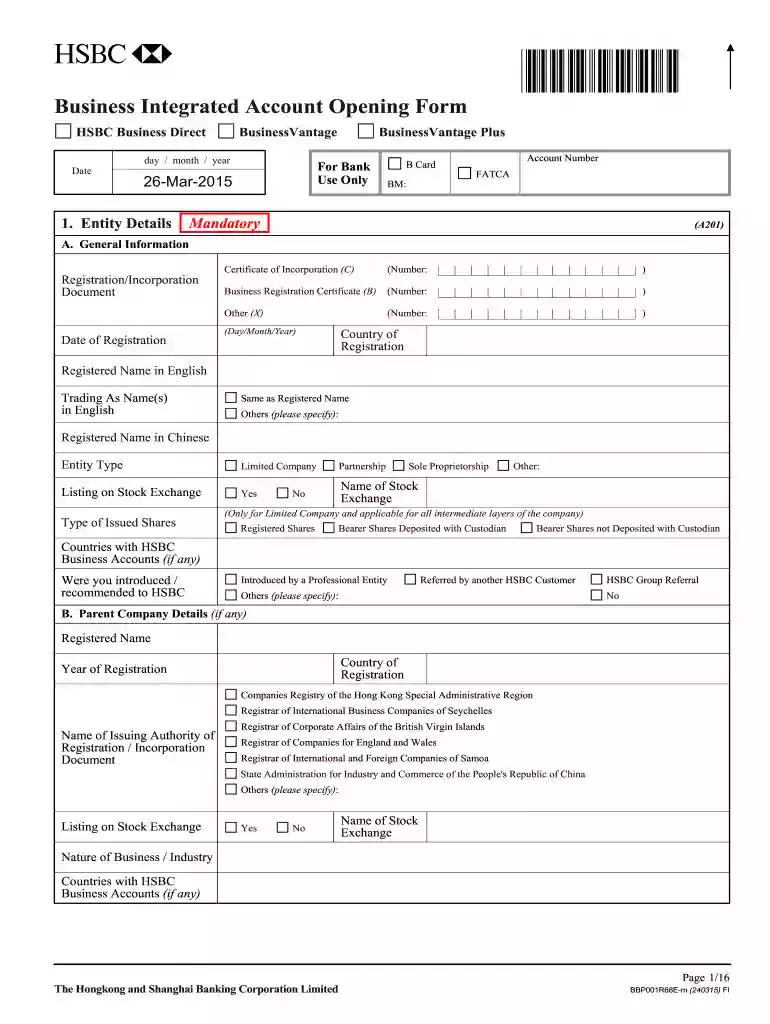
integrated account form Preview on Page 1

Here's how it works

01. Edit your form online
Type text, add images, blackout confidential details, add comments, highlights and more.

02. Sign it in a few clicks
Draw your signature, type it, upload its image, or use your mobile device as a signature pad.

03. Share your form with others
Send it via email, link, or fax. You can also download it, export it or print it out.

How to use or fill out integrated account form with our platform

Form edit decoration
9.5
Ease of Setup
DocHub User Ratings on G2
9.0
Ease of Use
DocHub User Ratings on G2
  1. Click ‘Get Form’ to open the integrated account form in the editor.
  2. Begin with the 'Entity Details' section. Fill in your business's registered name, trading name, and entity type. Ensure all mandatory fields are completed accurately.
  3. Proceed to 'Commercial Details'. Here, provide information about your business operations, including nature of business and expected sources of funds. Be specific about turnover percentages for each industry.
  4. In the 'Contact Details' section, enter your registered office address and contact information. Make sure to include area codes for telephone numbers.
  5. Complete the 'Details of Connected Parties' section by listing individuals and corporate entities connected to your business. Include their roles and identification details as required.
  6. Review all sections for accuracy before submitting. Use our platform’s features to save your progress or share it with colleagues for collaboration.

Start filling out your integrated account form today using our platform for a seamless experience!

See more integrated account form versions

We've got more versions of the integrated account form form. Select the right integrated account form version from the list and start editing it straight away!
Versions Form popularity Fillable & printable
2015 4.2 Satisfied (41 Votes)
2014 4 Satisfied (50 Votes)
be ready to get more

Complete this form in 5 minutes or less

Get form

Got questions?

We have answers to the most popular questions from our customers. If you can't find an answer to your question, please contact us.
Contact us
A Business Integrated Account is an account which combines savings, current and time deposits accounts in HK Dollar, Renminbi and a range of foreign currencies* under one single account number, enabling you to manage your day-to-day business banking with ease.
Integrated Account means the deposit account opened with the Bank by the Customer in accordance with these Terms and Conditions comprising statement savings account, time deposit account, current account, of different currencies and such other accounts types and currencies as may be specified by the Bank from time to
Integrated bank technology connects different banking systems and services and allows them to communicate and work together, instead of operating in isolation.
Through the Integrated Account, you can manage your HKD, RMB and foreign currencies statement savings account1, fixed deposit account and current account under one account. Once the Integrated Account is opened, funds from different accounts can be allocated easily.
Integrated Account means any account maintained by the Customer with the Bank and designated by the Bank from time to time as an Integrated Account; View Source. Based on 6 documents.
be ready to get more

Complete this form in 5 minutes or less

Get form

People also ask

The four basic types are checking account, savings account, certificate of deposit and money market account. Each kind of account serves a different purpose. For instance, a checking account is geared toward covering everyday expenses, while a savings account is designed to help achieve short-term financial goals.
Integrated Accounts. All-in-one integrated bank account for deposits, credit cards, investment, insurance, etc. Youll have access to a comprehensive range of services, including foreign currency deposits and Renminbi services.

Related links