



Here's how it works



How to use or fill out asq 54 months with our platform

- Click ‘Get Form’ to open the asq 54 months questionnaire in the editor.
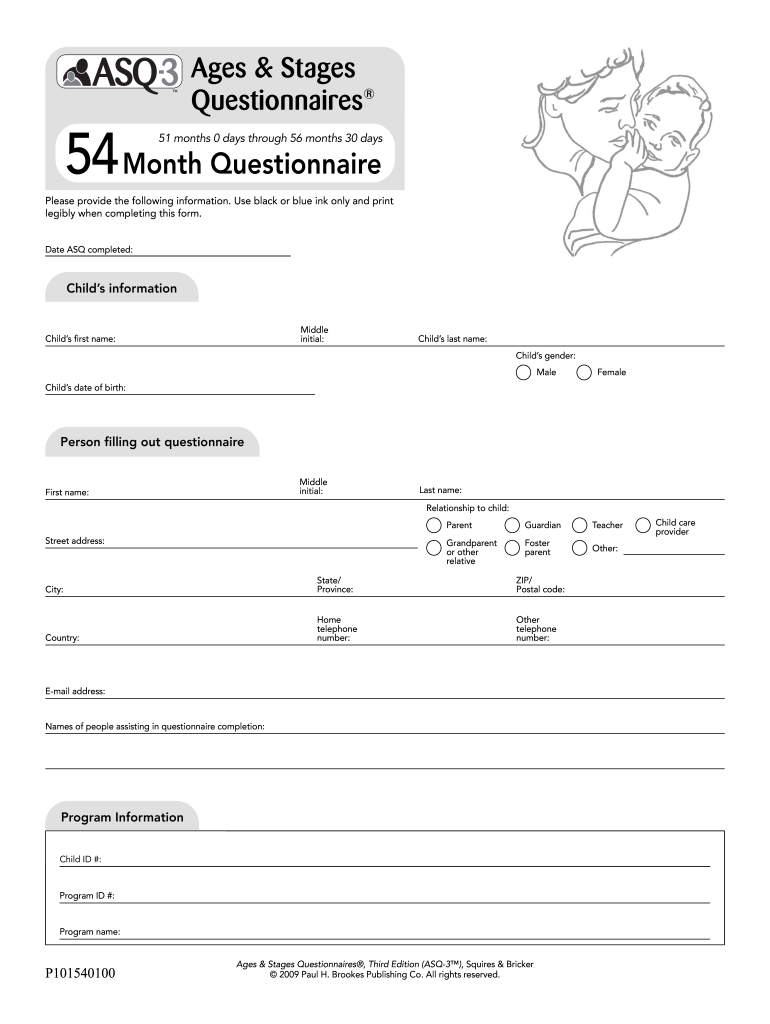
- Begin by filling in the child’s information, including their first and last name, date of birth, and gender. Ensure you use black or blue ink only.
- Next, provide your details as the person filling out the questionnaire. Include your relationship to the child, contact information, and any additional names of people assisting you.
- Proceed to answer the questions in each section: Communication, Gross Motor, Fine Motor, Problem Solving, and Personal-Social. For each activity listed, mark whether your child does it 'YES', 'SOMETIMES', or 'NOT YET'.
- After completing all sections, review your answers for accuracy. Use our platform's features to make any necessary edits easily.
- Finally, ensure that you return the completed questionnaire by the specified date. You can save or print it directly from our editor.
Start using our platform today for free to complete your asq 54 months questionnaire effortlessly!
It's free
Got questions?
Can I sign my asq 54 months on a mobile?
Yes, you’ll find many different applications for this on the web. However, if you need to eSign your asq 54 months without installing additional software, DocHub is the best choice you can make. This powerful editor works on mobile devices just as on desktops. Open our editor in your preferred internet browser, register or sign in to your account, and start managing your paperwork.
Can I edit asq 54 months pdf on my phone?
As a comprehensive document editing service, DocHub is accessible on smart phones. Open DocHub in your choice of mobile internet browser and employ our smart mobile-friendly toolset to complete your asq 54 months pdf.
Does ASQ screen for autism?
What does ASQ look at?
Why would ASQ need to be used?
Security and compliance
At DocHub, your data security is our priority. We follow HIPAA, SOC2, GDPR, and other standards, so you can work on your documents with confidence.
Learn more