Type text, add images, blackout confidential details, add comments, highlights and more.
02. Sign it in a few clicks
Draw your signature, type it, upload its image, or use your mobile device as a signature pad.
03. Share your form with others
Send 10x10 square grid printable via email, link, or fax. You can also download it, export it or print it out.
How to use or fill out 10 by 10 grid with our platform
Ease of Setup
DocHub User Ratings on G2
Ease of Use
DocHub User Ratings on G2
Click ‘Get Form’ to open the 10 by 10 grid in the editor.
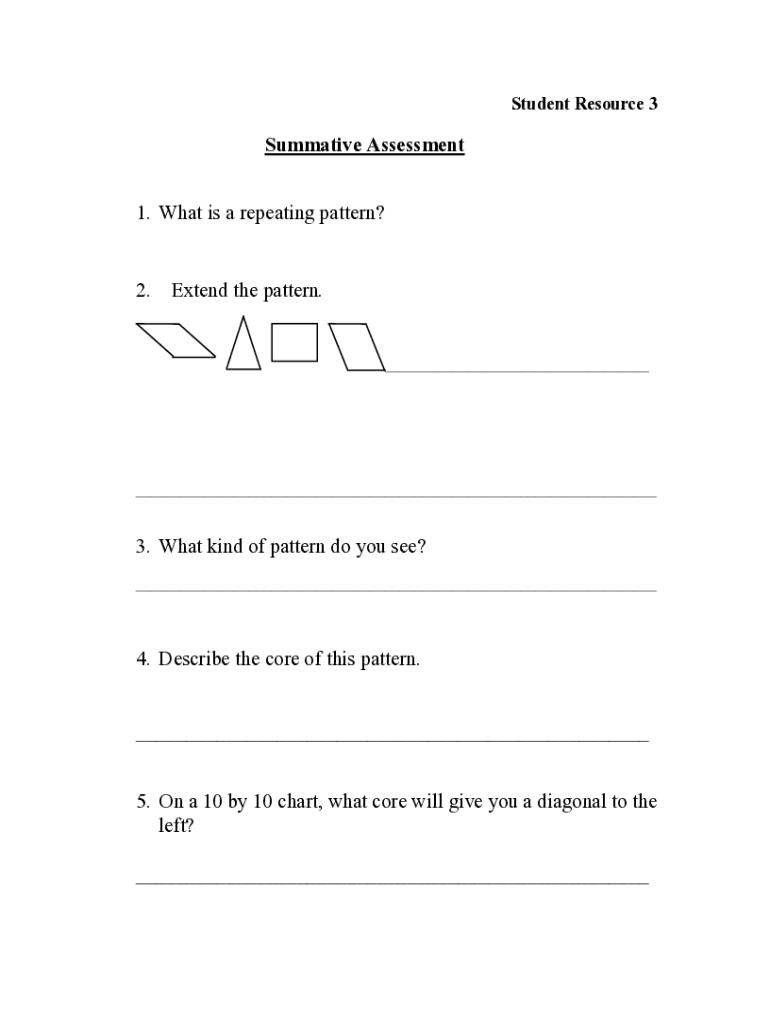
Begin by identifying the core pattern you wish to create. For example, if you want a repeating pattern of shapes, decide on the sequence (e.g., rhombus, triangle, square).
Use the drawing tools available in our editor to replicate your chosen core pattern across the grid. Ensure that each shape is placed accurately according to your design.
For questions requiring justification or explanation, utilize text boxes to provide detailed responses directly on the grid. This allows for clear communication of your thought process.
If prompted to extend patterns or create variations, simply adjust your shapes and colors within the grid using our platform’s intuitive editing features.
Once completed, review your work for accuracy and clarity before saving or sharing it with others.
Start using our platform today for free and enhance your document editing experience!
10 by 10 grid printable10 by 10 grid printable PDF free Download10 by 10 grid with numbers10 by 10 grid with numbers 1 To 10010 by 10 grid with x and y axis10 by 10 grid calculator10 by 10 grid printing10 by 10 grid free
Security and compliance
At DocHub, your data security is our priority. We follow HIPAA, SOC2, GDPR, and other standards, so you can work on your documents with confidence.
10 x 10 Grid. Cost per square: Maximum squares per person: How is the pool paid out? (e.g., by inning, quarter, half, etc.): What sport is the betting pool.Read more
Cookie consent notice
This site uses cookies to enhance site navigation and personalize your experience.
By using this site you agree to our use of cookies as described in our Privacy Notice.
You can modify your selections by visiting our Cookie and Advertising Notice.