Type text, add images, blackout confidential details, add comments, highlights and more.
02. Sign it in a few clicks
Draw your signature, type it, upload its image, or use your mobile device as a signature pad.
03. Share your form with others
Send cms 116 via email, link, or fax. You can also download it, export it or print it out.
How to use or fill out cms 116 form 2015 with our platform
Ease of Setup
DocHub User Ratings on G2
Ease of Use
DocHub User Ratings on G2
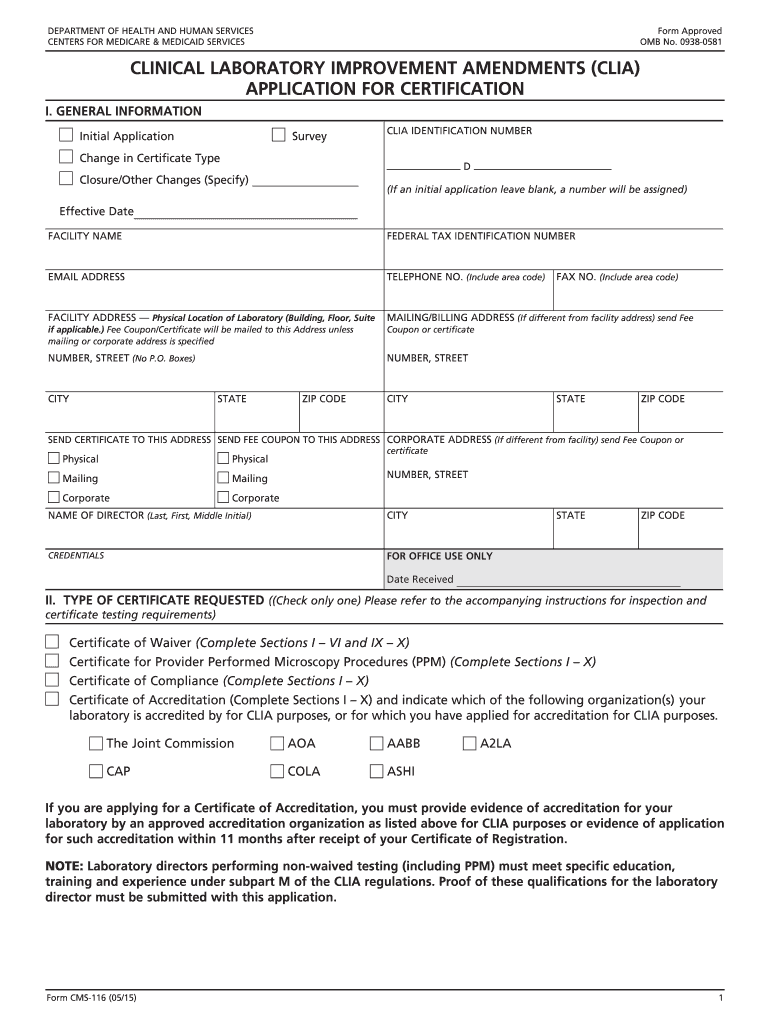
Click ‘Get Form’ to open the cms 116 form 2015 in the editor.
Begin by filling out Section I: General Information. Enter your facility name, federal tax identification number, and contact details including email and telephone number.
In Section II, select the type of certificate requested based on your laboratory's testing capabilities. Ensure you check only one option.
Proceed to Section III to specify the type of laboratory. Choose the option that best describes your facility from the provided list.
For Section IV, indicate the hours of operation for laboratory testing using HH:MM format. If applicable, check the box for 24/7 operation.
Complete Sections VI to VIII by detailing the types of tests performed and their estimated annual volumes. Be specific about waived and non-waived tests.
Finally, review all sections for accuracy before signing at the end of the form. Submit it as instructed once completed.
Start using our platform today to fill out your cms 116 form 2015 easily and for free!
Nov 3, 2014 Effective for claims submitted with a receipt date on and after April 1, 2015, the billing physician or supplier must report the name, address,Read more
Cookie consent notice
This site uses cookies to enhance site navigation and personalize your experience.
By using this site you agree to our use of cookies as described in our Privacy Notice.
You can modify your selections by visiting our Cookie and Advertising Notice.