




Here's how it works

01. Edit your m chat questionnaire pdf online
Type text, add images, blackout confidential details, add comments, highlights and more.

02. Sign it in a few clicks
Draw your signature, type it, upload its image, or use your mobile device as a signature pad.

03. Share your form with others
Send autism diagnosis paperwork via email, link, or fax. You can also download it, export it or print it out.
How to use or fill out screening for autism in children with DocHub

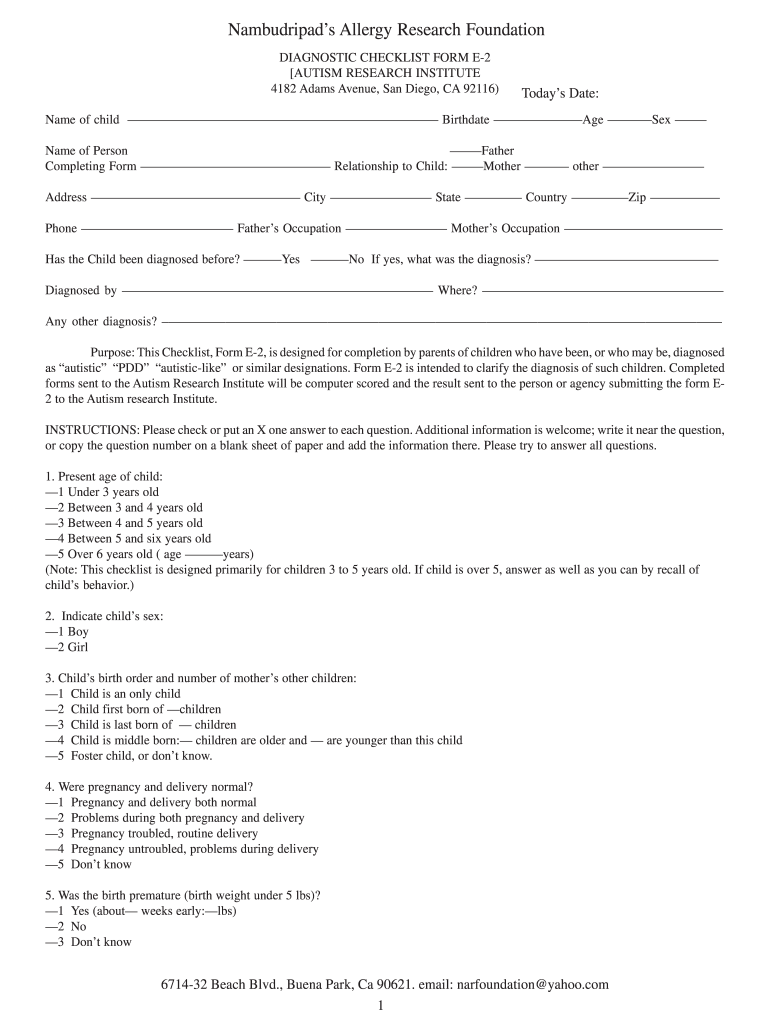
- Click ‘Get Form’ to open the screening for autism in children document in our editor.
- Begin by entering the child's name, birthdate, age, and sex at the top of the form. This information is crucial for identifying the child being assessed.
- Next, provide details about the person completing the form, including their relationship to the child and contact information. This helps establish a point of reference for any follow-up.
- Proceed to answer questions regarding previous diagnoses and any other relevant medical history. Be as detailed as possible to ensure accurate scoring.
- For each question in the checklist, check or mark one answer that best describes your observations of the child’s behavior and development. Additional comments can be added next to each question if needed.
- Once all sections are completed, review your answers for accuracy before submitting. You can easily save or export your filled form directly from our platform.
Start using our platform today to complete your screening for autism in children quickly and efficiently!
Fill out screening for autism in children online
It's free
It's free
Security and compliance
At DocHub, your data security is our priority. We follow HIPAA, SOC2, GDPR, and other standards, so you can work on your documents with confidence.
Learn more


