




Here's how it works

01. Edit your seller in possession addendum online
Type text, add images, blackout confidential details, add comments, highlights and more.

02. Sign it in a few clicks
Draw your signature, type it, upload its image, or use your mobile device as a signature pad.

03. Share your form with others
Send sip form real estate via email, link, or fax. You can also download it, export it or print it out.
How to use or fill out seller in possession addendum with our platform

- Click ‘Get Form’ to open the seller in possession addendum in the editor.
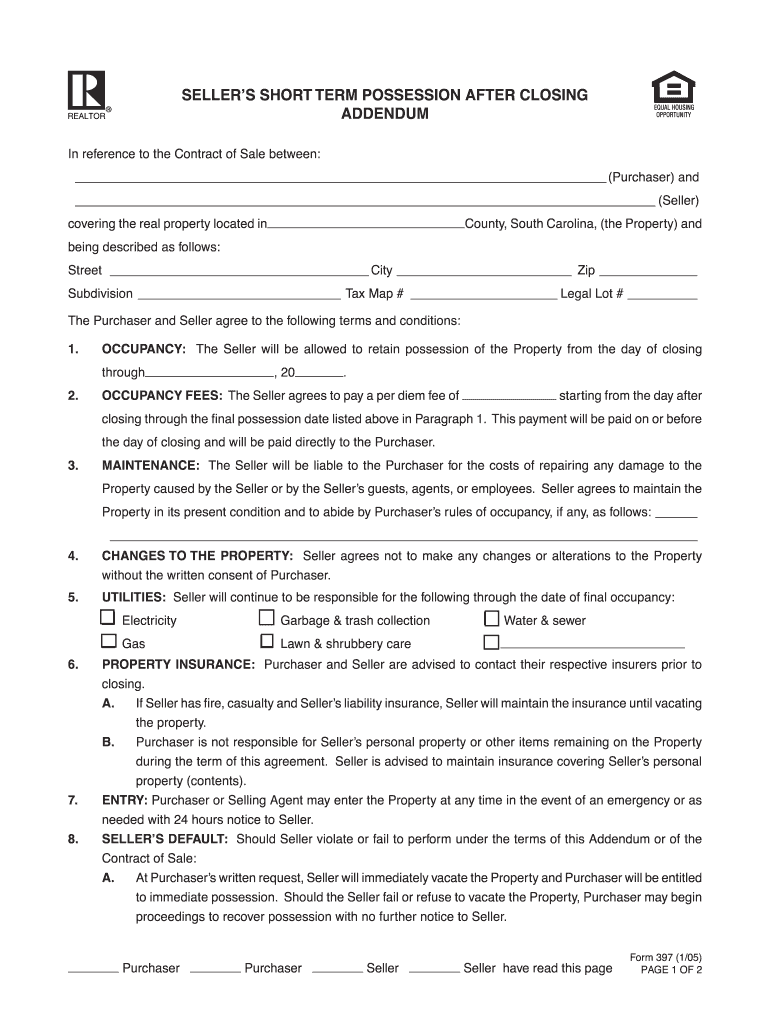
- Begin by filling in the names of the Purchaser and Seller at the top of the form, along with the property details including street address, city, zip code, subdivision, tax map number, and legal lot number.
- In the OCCUPANCY section, specify the date range during which the Seller will retain possession of the property. Ensure accuracy to avoid any misunderstandings.
- Next, enter the per diem fee that the Seller agrees to pay starting from the day after closing until the final possession date. This amount should be clearly stated for transparency.
- In MAINTENANCE, outline any specific rules of occupancy that must be followed by the Seller. This ensures clarity on responsibilities regarding property upkeep.
- Complete sections on UTILITIES and PROPERTY INSURANCE by detailing which utilities will remain under Seller's responsibility and confirming insurance coverage for personal property.
- Finally, ensure all parties sign and date at the bottom of the form to validate this agreement. Review all entries for accuracy before submission.
Start using our platform today to easily complete your seller in possession addendum online for free!
Fill out seller in possession addendum online
It's free
It's free
See more seller in possession addendum versions
We've got more versions of the seller in possession addendum form. Select the right seller in possession addendum version from the list and start editing it straight away!
| Versions | Form popularity | Fillable & printable |
|---|---|---|
| 2005 | 4.8 Satisfied (221 Votes) |
Security and compliance
At DocHub, your data security is our priority. We follow HIPAA, SOC2, GDPR, and other standards, so you can work on your documents with confidence.
Learn more


Related forms
Trec commission op
The document is a notice to prospective buyers in Texas, advising them to have the property's abstract examined by an at ...
Application for Life Insurance Metropolitan Life - First Protective
The document is a comprehensive life insurance application form from Metropolitan Life Insurance Company, detailing vari ...

Personal use statement sample
The document outlines the guidelines for using a Health Care Spending Account (HCSAccount) in New York, detailing the re ...
Ma incident instructions autism waiver form print
The document provides detailed instructions for completing an Individual Incident Report for the Massachusetts Departmen ...
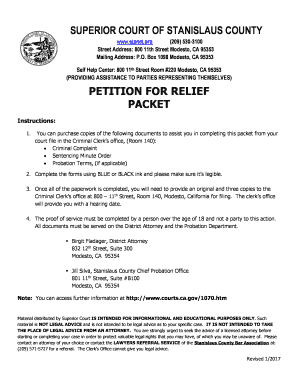
Relief packet county
The document is a guide from the Superior Court of Stanislaus County detailing the process for individuals seeking to fi ...

California declaration physician form
The document is a declaration form for physicians in California, used to document a change of gender through clinically ...

227 courts ca form
The document JV-227 is a consent form used in California's Superior Court to authorize the release of a child's educatio ...

Witness statement
The document is a legal petition form (MD-100) used in California to request a hearing to determine if a dog is potentia ...