




Here's how it works

01. Edit your form online
Type text, add images, blackout confidential details, add comments, highlights and more.

02. Sign it in a few clicks
Draw your signature, type it, upload its image, or use your mobile device as a signature pad.

03. Share your form with others
Send it via email, link, or fax. You can also download it, export it or print it out.
How to use or fill out arm letter recommendation with our platform

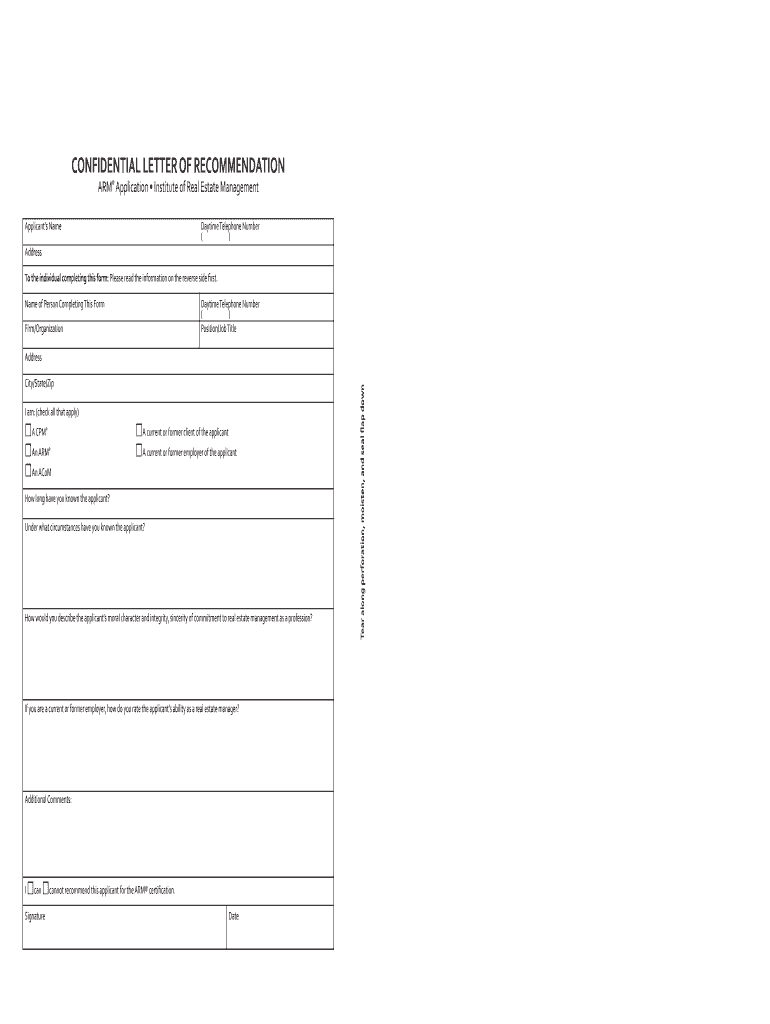
- Click ‘Get Form’ to open the arm letter recommendation in the editor.
- Begin by entering the applicant’s name and address in the designated fields. Ensure accuracy as this information is crucial for identification.
- Fill in your details as the recommender, including your name, firm/organization, position/job title, and contact number. This establishes your credibility.
- Indicate your relationship with the applicant by checking all applicable boxes (e.g., current/former client or employer).
- Answer the questions regarding how long you have known the applicant and under what circumstances. Provide specific examples to enhance your recommendation.
- Evaluate the applicant’s moral character and integrity, along with their abilities as a real estate manager if applicable. Be candid and constructive.
- In the final section, indicate whether you can recommend this applicant for ARM® certification by checking the appropriate box.
- Sign and date the form before sealing it in an envelope. Your signature across the seal ensures confidentiality.
Start using our platform today to complete your arm letter recommendation effortlessly!
Fill out arm letter recommendation online
It's free
It's free
Security and compliance
At DocHub, your data security is our priority. We follow HIPAA, SOC2, GDPR, and other standards, so you can work on your documents with confidence.
Learn more


