




Here's how it works



How to use or fill out Research Degree Amendment Form - London School of Hygiene ... - lshtm ac with our platform

- Click ‘Get Form’ to open it in the editor.
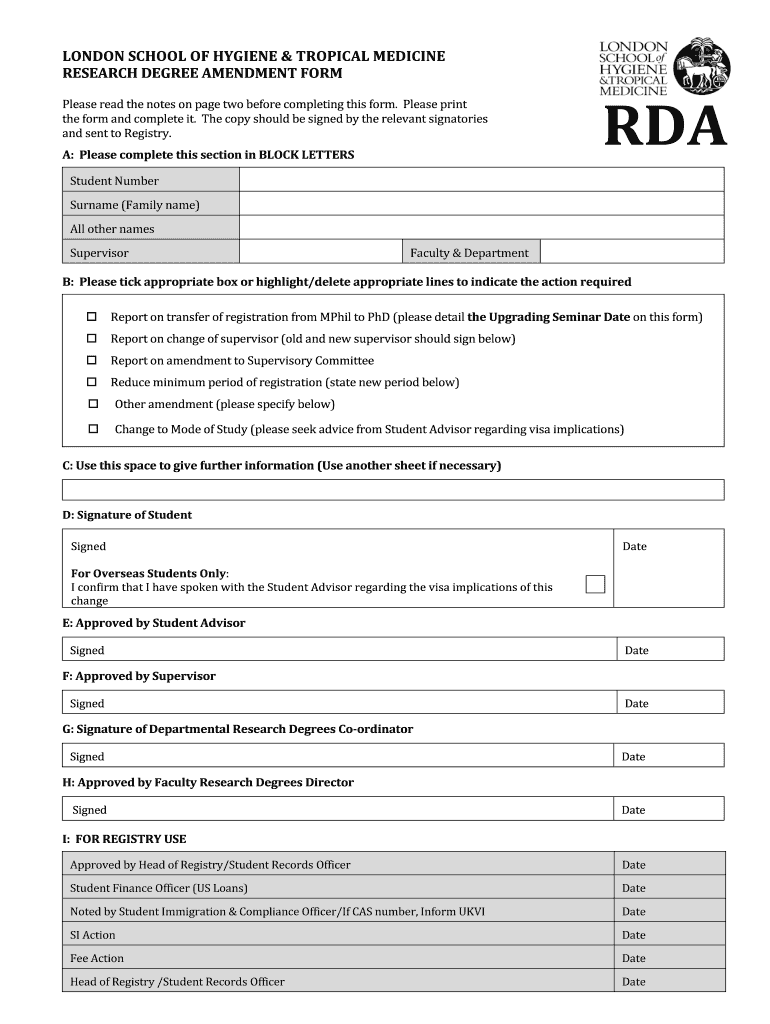
- Begin by completing Section A in BLOCK LETTERS. Fill in your Student Number, Surname, All Other Names, Supervisor, and Faculty & Department.
- In Section B, indicate the action required by ticking the appropriate box or highlighting/deleting the lines. Options include reporting on transfer of registration, change of supervisor, or other amendments.
- Use Section C to provide any further information necessary for your request. If more space is needed, feel free to attach an additional sheet.
- Sign in Section D as the student and ensure you have discussed visa implications with a Student Advisor if applicable.
- Gather signatures from relevant parties in Sections E through H as required before submitting the form to Registry.
Start using our platform today for free to streamline your form completion process!
It's free
See more Research Degree Amendment Form - London School of Hygiene ... - lshtm ac versions
| Versions | Form popularity | Fillable & printable |
|---|---|---|
| 2015 | 4.8 Satisfied (118 Votes) |
Got questions?
How can I send my intranet lshtm from Google Drive for approval?
If you often work with documents stored in your Google Drive, DocHub is a superb solution for you to easily and quickly complete, edit, and approve them. This editor integrates well with Google apps, so you can export your intranet lshtm from your Google Drive to the editor without downloading and re-uploading it. Right-click on your file, select Open With → DocHub PDF Sign and Edit. In our editor, add and assign Signature Fields for all parties involved, then click on the Menu option above → Send → select how you want to share your form.
Do I need to set up software to edit my lshtm intranet?
If you edit your lshtm intranet with DocHub, you merely need a stable web connection and virtually any web browser installed on your device. No need to set up any third-party applications or research guides. Simply open a tab with DocHub, drag and drop your file, and modify it on the spot.
Security and compliance
At DocHub, your data security is our priority. We follow HIPAA, SOC2, GDPR, and other standards, so you can work on your documents with confidence.
Learn more


