Type text, add images, blackout confidential details, add comments, highlights and more.
02. Sign it in a few clicks
Draw your signature, type it, upload its image, or use your mobile device as a signature pad.
03. Share your form with others
Send gcaar contract via email, link, or fax. You can also download it, export it or print it out.
How to use or fill out gcaar sales contract with our platform
Ease of Setup
DocHub User Ratings on G2
Ease of Use
DocHub User Ratings on G2
Click ‘Get Form’ to open the gcaar sales contract in the editor.
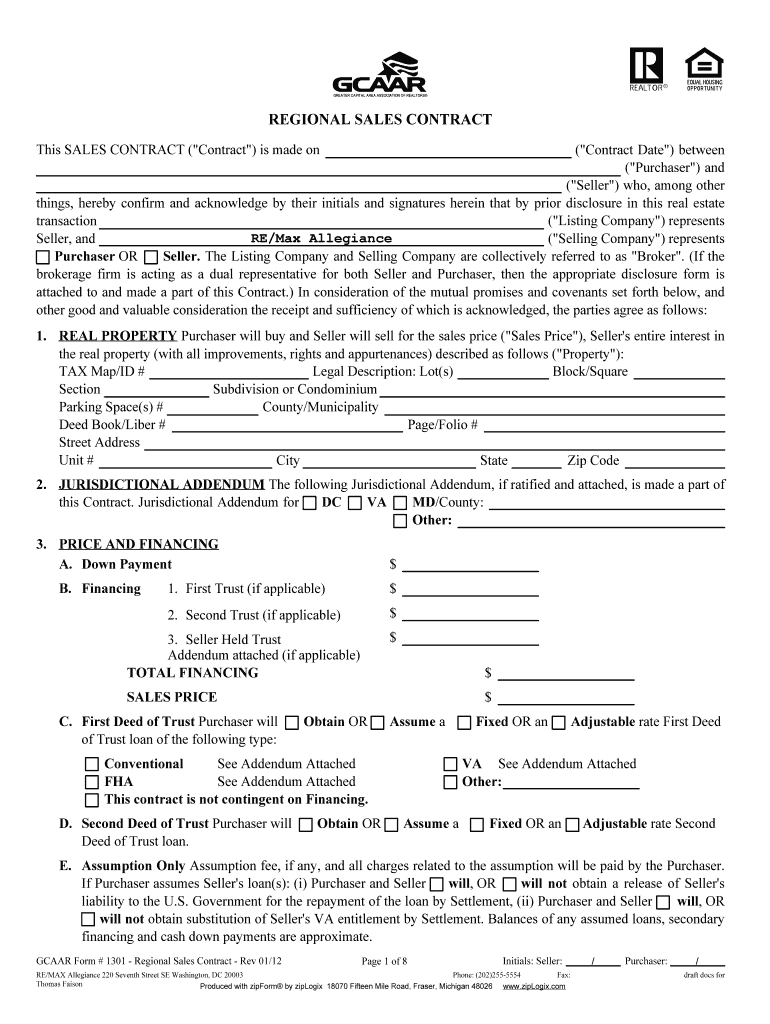
Begin by entering the Contract Date, followed by the names of the Purchaser and Seller. Ensure that all parties initial and sign where indicated.
In the REAL PROPERTY section, provide detailed information about the property including Tax Map/ID, legal description, and address.
Complete the PRICE AND FINANCING section by specifying down payment amounts and financing details. If applicable, attach any addendums for additional financing options.
Fill in the DEPOSIT section with details about the escrow agent and deposit amount. Make sure to note how this will be handled post-ratification.
Review sections on PROPERTY MAINTENANCE AND CONDITION, ensuring any contingencies for inspections are clearly noted.
Finalize by checking all fields for accuracy before saving or sending for signatures. Utilize our platform’s features to easily share or print your completed document.
Start using our platform today to streamline your gcaar sales contract process for free!
We've got more versions of the gcaar sales contract form. Select the right gcaar sales contract version from the list and start editing it straight away!
From its very founding, American government has depended on presidential appointees to help lead the nation. The Founding Fathers clearly believed that theRead more
Cookie consent notice
This site uses cookies to enhance site navigation and personalize your experience.
By using this site you agree to our use of cookies as described in our Privacy Notice.
You can modify your selections by visiting our Cookie and Advertising Notice.