Type text, add images, blackout confidential details, add comments, highlights and more.
02. Sign it in a few clicks
Draw your signature, type it, upload its image, or use your mobile device as a signature pad.
03. Share your form with others
Send aob form via email, link, or fax. You can also download it, export it or print it out.
How to use or fill out NF-AOB (Rev 1/2004) Assignment of Benefits Form with DocHub
Ease of Setup
DocHub User Ratings on G2
Ease of Use
DocHub User Ratings on G2
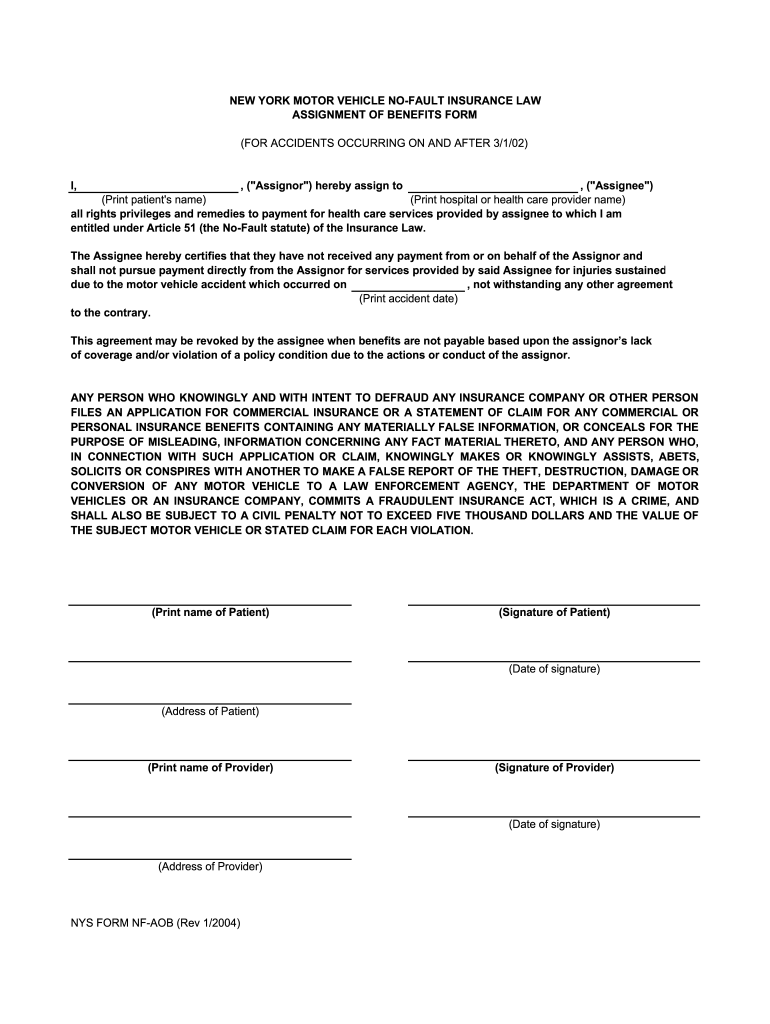
Click ‘Get Form’ to open the NF-AOB (Rev 1/2004) Assignment of Benefits Form in our editor.
Begin by entering the name of the Assignor in the designated field. This is typically the patient who is assigning their benefits.
Next, input the Assignee's name, which should be the hospital or health care provider receiving payment for services rendered.
Fill in the date of the accident in the specified section to establish when the incident occurred.
Ensure that both the Assignor and Assignee sign and date their respective sections at the bottom of the form. This confirms agreement to the assignment of benefits.
Finally, review all entered information for accuracy before saving or exporting your completed form for submission.
Start using our platform today to fill out your NF-AOB form online for free!
Fill out NF-AOB (Rev 1/2004) Assignment of Benefits Form online It's free
Nf aob rev 1 2004 assignment of benefits form pdfNf aob rev 1 2004 assignment of benefits form downloadNf aob rev 1 2004 assignment of benefits form freeNYS FORM NF-1ANF-3 form pdfNf7 Form PDFNf11 FORMNf8 form
Security and compliance
At DocHub, your data security is our priority. We follow HIPAA, SOC2, GDPR, and other standards, so you can work on your documents with confidence.
0. Investigation W h e r determined an AR 15-6 Investigation into numerous allegations of detainee abuse was conducted between 15 May 04 and 10 Oct 04,
new york motor vehicle no-fault insurance law - DFS ny.gov
NYS FORM NF-AOB (Rev 1/2004). (Date of signature). (Address of Provider). (Date ASSIGNMENT OF BENEFITS FORM. (FOR ACCIDENTS OCCURRING ON AND AFTER 3/1Read more
Cookie consent notice
This site uses cookies to enhance site navigation and personalize your experience.
By using this site you agree to our use of cookies as described in our Privacy Notice.
You can modify your selections by visiting our Cookie and Advertising Notice.