Slavic 401k withdrawal 2026

Get Form
slavik 401k Preview on Page 1

Here's how it works

01. Edit your slavik 401k online
Type text, add images, blackout confidential details, add comments, highlights and more.

02. Sign it in a few clicks
Draw your signature, type it, upload its image, or use your mobile device as a signature pad.

03. Share your form with others
Send slavic 401k withdrawal via email, link, or fax. You can also download it, export it or print it out.

How to use or fill out slavic 401k withdrawal with our platform

Form edit decoration
9.5
Ease of Setup
DocHub User Ratings on G2
9.0
Ease of Use
DocHub User Ratings on G2
  1. Click ‘Get Form’ to open the slavic 401k withdrawal document in the editor.
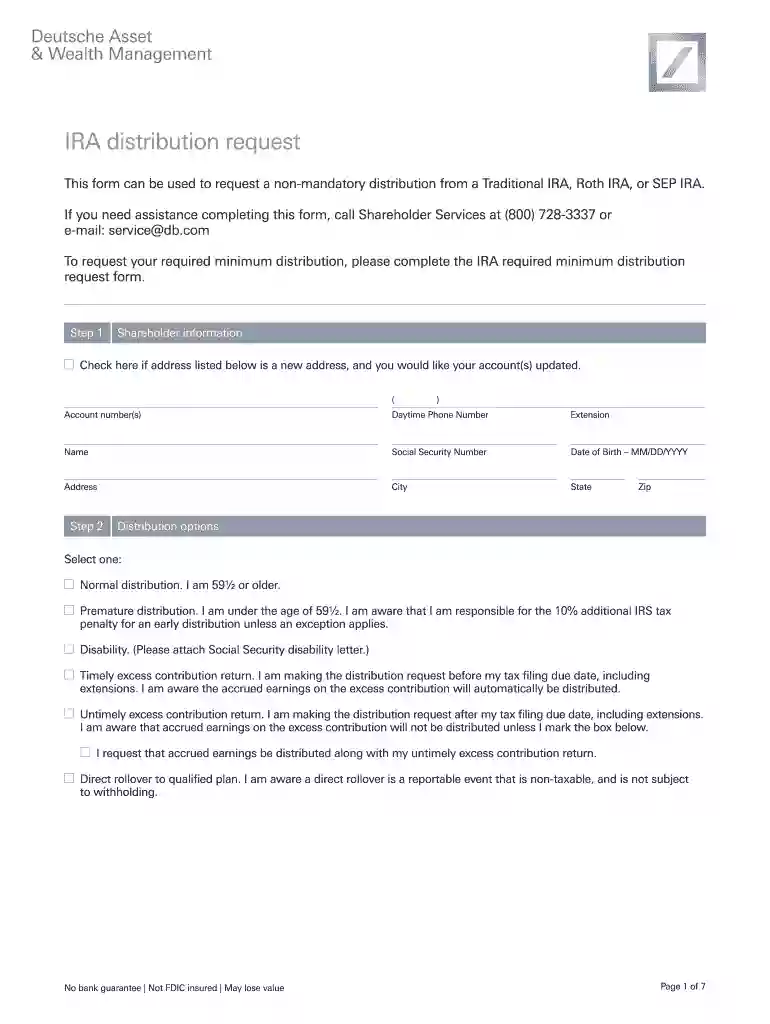
  2. Begin by filling out your shareholder information. Ensure you provide your account number, daytime phone number, name, Social Security number, date of birth, and address. If your address has changed, check the box provided.
  3. Select your distribution option. Choose between normal distribution (if you are 59½ or older), premature distribution (if under 59½), disability, or excess contribution return options. Make sure to attach any necessary documentation if required.
  4. If requesting a one-time distribution, specify the fund name and account number along with the dollar amount or percentage you wish to withdraw. Repeat this for each fund as needed.
  5. Indicate how you would like to receive your distributions by selecting from options A through D. Provide any additional information requested for bank transfers or checks.
  6. Complete the tax withholding section by consulting with a tax advisor if necessary. Select your federal and state withholding preferences.
  7. Finally, authorize your request by signing and dating the form. If applicable, obtain a signature guarantee as outlined in Step 7 of the form.

Start using our platform today to easily complete your slavic 401k withdrawal form online for free!

be ready to get more

Complete this form in 5 minutes or less

Get form

Security and compliance

At DocHub, your data security is our priority. We follow HIPAA, SOC2, GDPR, and other standards, so you can work on your documents with confidence.

Learn more
ccpa2
pci-dss
gdpr-compliance
hipaa
soc-compliance